LinkedIn has evolved from a professional networking platform into one of the most powerful channels for building a personal brand, generating leads, and growing a business.
But simply posting consistently isn't enough. The type of content you publish has a huge impact on how many people see, engage with, and share your posts. Whether you're a creator, marketer, entrepreneur, or business owner, using the right LinkedIn post formats can dramatically increase your reach and help you build meaningful connections with your audience.
Let's explore the post formats that top creators and brands use to generate conversations, grow their audience, and stand out in the LinkedIn feed.
Why LinkedIn Engagement Matters
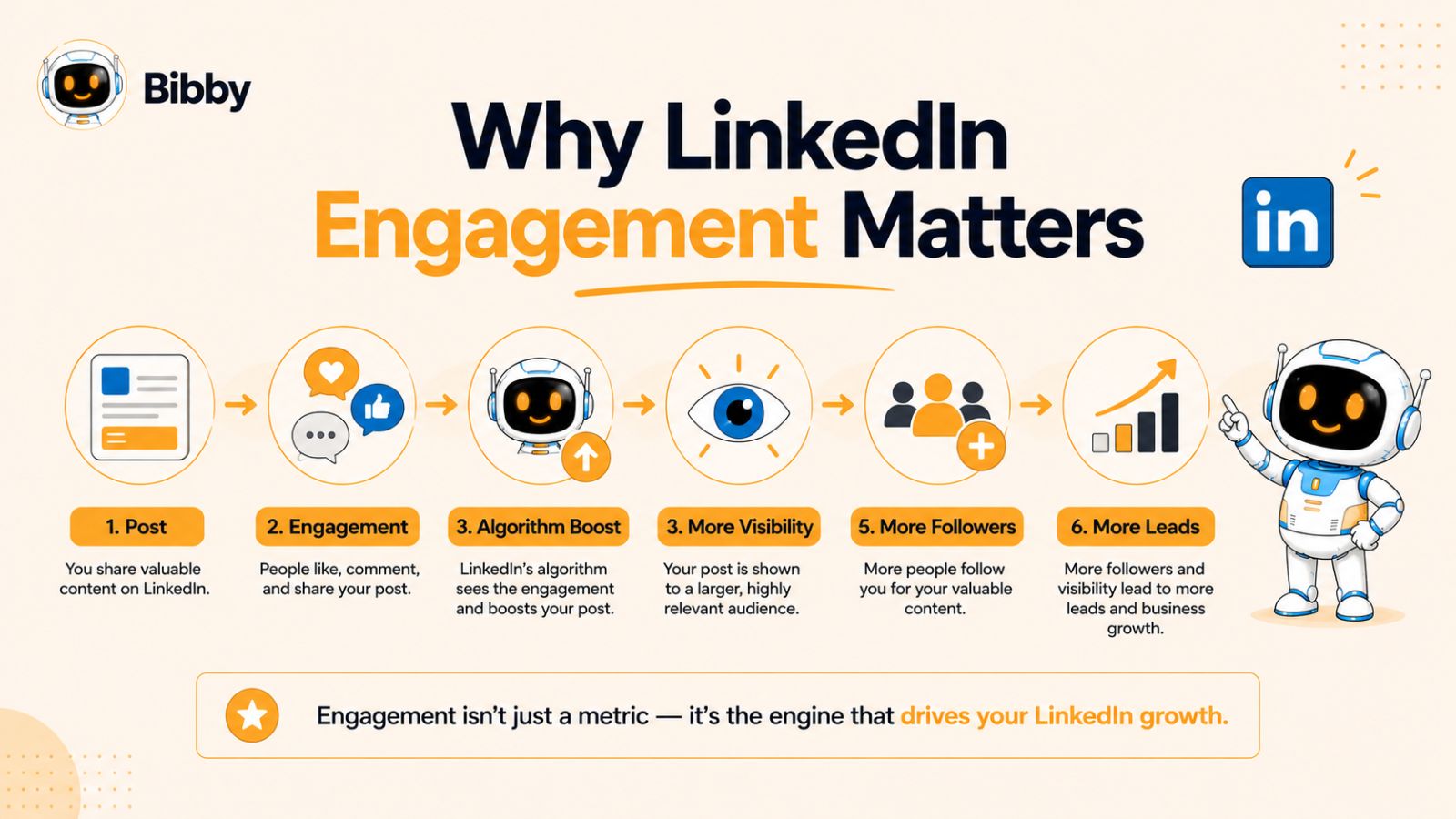
LinkedIn is no longer just a platform for job seekers. It has become a powerful channel for professionals, creators, entrepreneurs, and businesses to build authority, generate leads, and grow meaningful relationships. Every like, comment, share, and save sends positive signals to the LinkedIn algorithm, helping your content reach a wider audience.
High engagement doesn't just boost visibility—it also builds credibility. When people consistently interact with your posts, they're more likely to remember your brand, visit your profile, and eventually become customers, clients, or collaborators.
Engagement Expands Your Organic Reach
Unlike many social platforms, LinkedIn rewards conversations over passive scrolling. Posts that receive meaningful engagement shortly after publication are more likely to appear in the feeds of second- and third-degree connections, significantly increasing your organic reach without paid promotion.
Engagement Builds Trust and Authority
Publishing valuable content consistently positions you as a trusted voice in your industry. Whether you share personal experiences, practical tips, or original insights, every engaging post strengthens your professional reputation and encourages people to follow your content.
Engagement Creates Business Opportunities
A highly engaged LinkedIn profile can lead to new clients, job offers, partnerships, speaking invitations, and networking opportunities. Instead of treating LinkedIn as a digital resume, think of it as a platform where every post can open the door to valuable professional relationships.
Consistency Is More Important Than Virality
Many creators chase viral posts, but sustainable growth comes from publishing consistently. A steady stream of valuable content keeps your audience engaged and helps the LinkedIn algorithm recognize your profile as an active, reliable creator. Over time, this consistency often delivers better results than relying on occasional viral success.
What Makes a LinkedIn Post Go Viral?
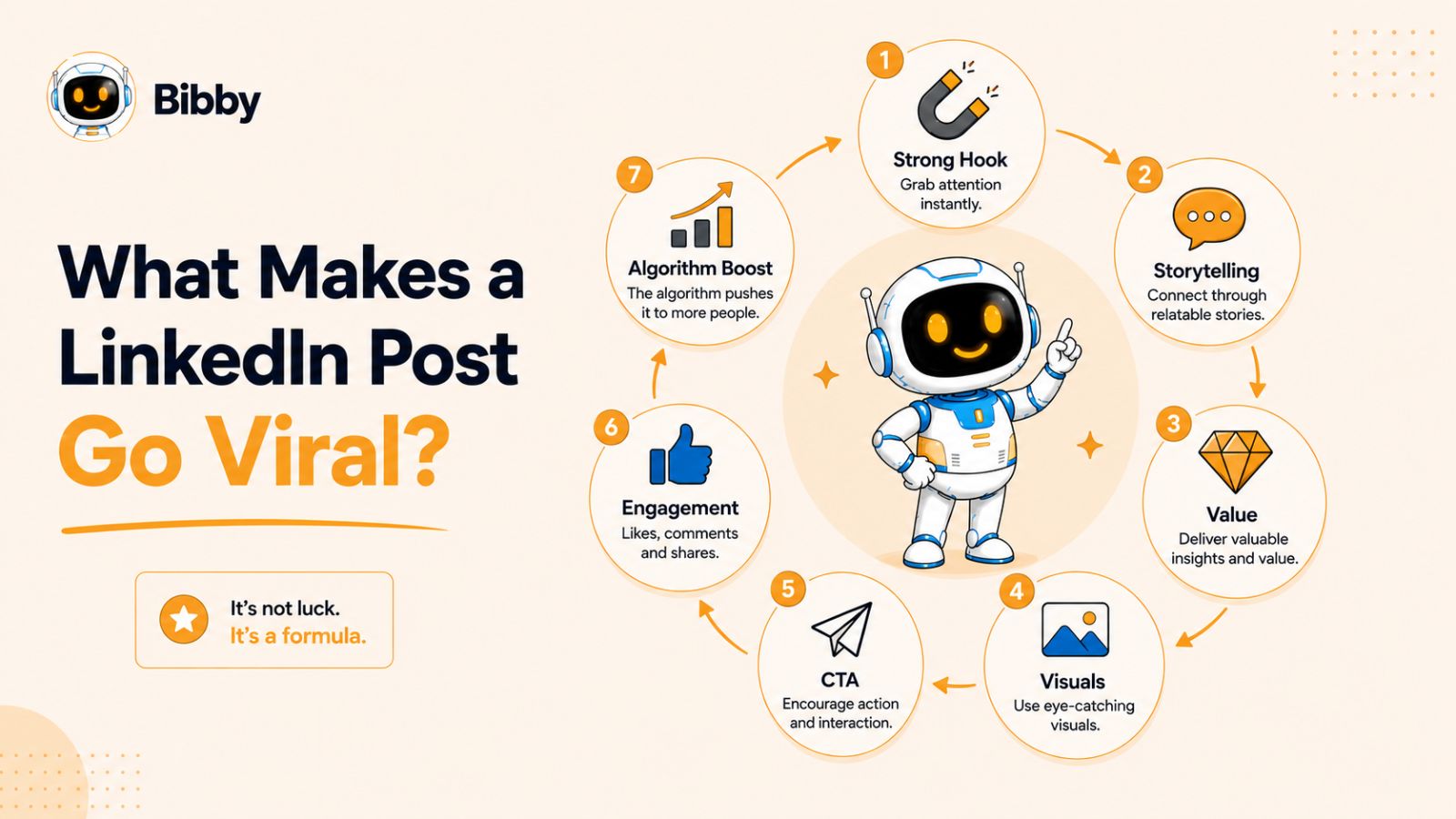
There's no guaranteed formula for creating a viral LinkedIn post, but high-performing content often shares several common characteristics. The LinkedIn algorithm prioritizes posts that keep users engaged, encourage meaningful conversations, and provide genuine value. By understanding these elements, you can create content that consistently reaches more people and generates higher engagement.
Start With a Strong Hook
The first one or two lines determine whether someone keeps reading or scrolls past your post. A compelling hook grabs attention immediately by asking a thought-provoking question, sharing a surprising statistic, making a bold statement, or introducing an interesting story. Since LinkedIn truncates longer posts, your opening should spark enough curiosity to encourage readers to click "See more."
Tell Authentic Stories
People connect with experiences more than promotions. Sharing personal challenges, lessons learned, successes, or behind-the-scenes moments makes your content relatable and memorable. Authentic storytelling builds trust and encourages readers to join the conversation by sharing their own experiences.
Deliver Clear Value
Every successful LinkedIn post gives readers a reason to engage. Whether you're teaching a new skill, sharing actionable advice, explaining a proven framework, or offering industry insights, valuable content is more likely to earn saves, shares, and thoughtful comments.
Make Your Content Easy to Read
Most users browse LinkedIn on mobile devices. Use short paragraphs, simple language, and plenty of white space to improve readability. Breaking complex ideas into smaller sections keeps readers engaged from beginning to end.
Encourage Meaningful Conversations
Instead of asking for likes, invite readers to share their opinions, experiences, or challenges. Open-ended questions naturally generate more comments, which is one of the strongest engagement signals for the LinkedIn algorithm.
Use High-Quality Visuals
Images, carousels, infographics, and short videos can significantly increase engagement by making your posts more eye-catching. Visual content also helps explain ideas more effectively and encourages users to spend more time interacting with your post.
Post Consistently
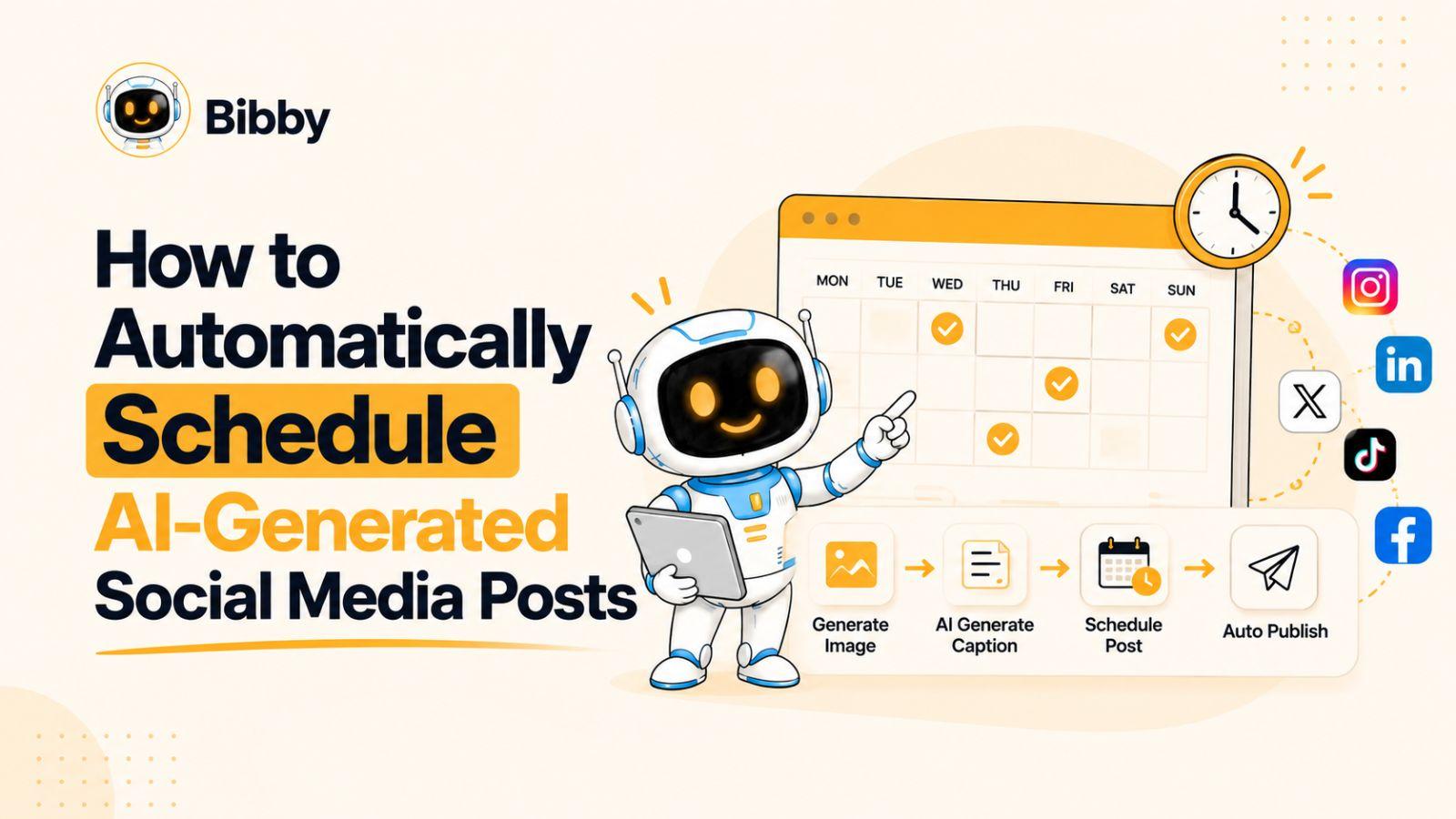
Even the best content won't perform well if you post only occasionally. Maintaining a consistent publishing schedule helps build audience expectations and increases your chances of reaching more people over time. Many creators use AI-powered scheduling tools like Bibby to plan content in advance, automatically generate captions, and publish posts at AI-optimized times across multiple platforms, making it easier to stay consistent without spending hours managing social media.
Understanding these principles will help you maximize the performance of any content format. Now, let's explore the 20 LinkedIn post formats that consistently drive engagement, along with tips for using each one effectively.
1. Personal Story Posts
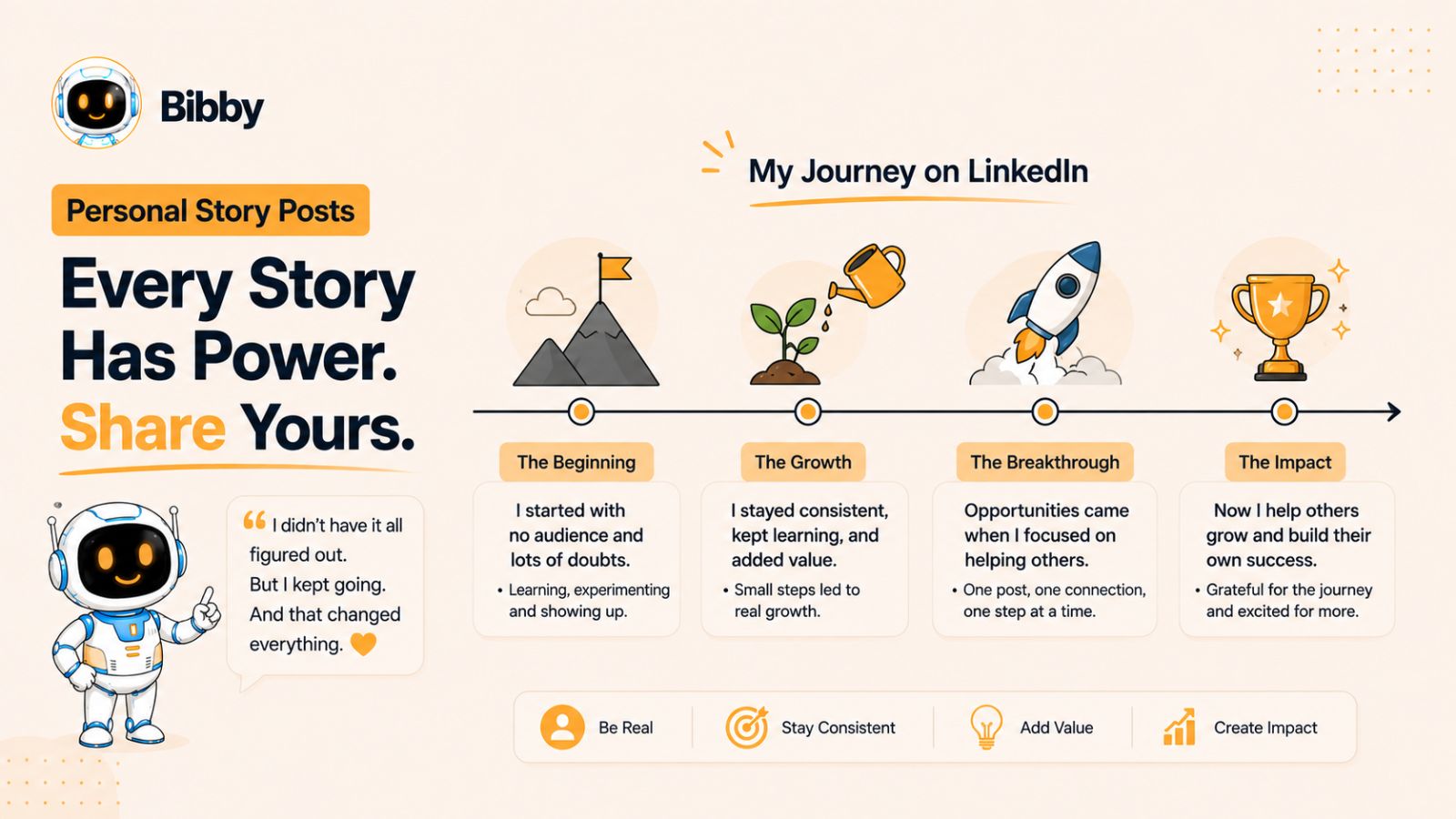
Personal story posts are among the most engaging content formats on LinkedIn because they create an emotional connection with your audience. Instead of focusing on achievements alone, these posts highlight the journey, challenges, failures, and lessons that shaped your success. People are naturally drawn to authentic experiences they can relate to.
When readers see genuine stories, they're more likely to stop scrolling, read the entire post, and leave thoughtful comments about their own experiences. This type of meaningful interaction is exactly what the LinkedIn algorithm rewards.
Why Personal Story Posts Work
Stories capture attention far better than plain facts or promotional content. They humanize your brand, build trust, and make your expertise more memorable. Rather than telling people you're experienced, a well-written story demonstrates your knowledge through real-life situations.
Personal stories also encourage conversations because readers often identify with similar struggles or victories, making them more likely to comment and share.
How to Structure a Personal Story Post
A simple framework can make your stories more engaging:
- Start with a compelling hook that sparks curiosity.
- Introduce the challenge or situation.
- Explain what happened and how you handled it.
- Share the lesson you learned.
- End with a question or call to action that invites discussion.
This structure keeps readers engaged from beginning to end while delivering value beyond the story itself.
Best Practices
- Be authentic rather than trying to sound perfect.
- Focus on one key lesson instead of multiple ideas.
- Keep the story concise and easy to read.
- Use short paragraphs for better mobile readability.
- End with a question that encourages meaningful comments.
Example
Instead of writing:
"I gained 10,000 LinkedIn followers this year."
Try:
"Two years ago, my LinkedIn posts barely received five likes. I almost stopped posting altogether. Instead, I committed to publishing one valuable post every weekday for six months. That simple habit completely changed my audience growth and opened doors to speaking opportunities and new clients. The biggest lesson? Consistency beats perfection every single time. What's one habit that has transformed your career?"
This approach feels genuine, teaches a valuable lesson, and naturally encourages readers to share their own experiences, leading to higher engagement.
2. Before and After Transformation Posts
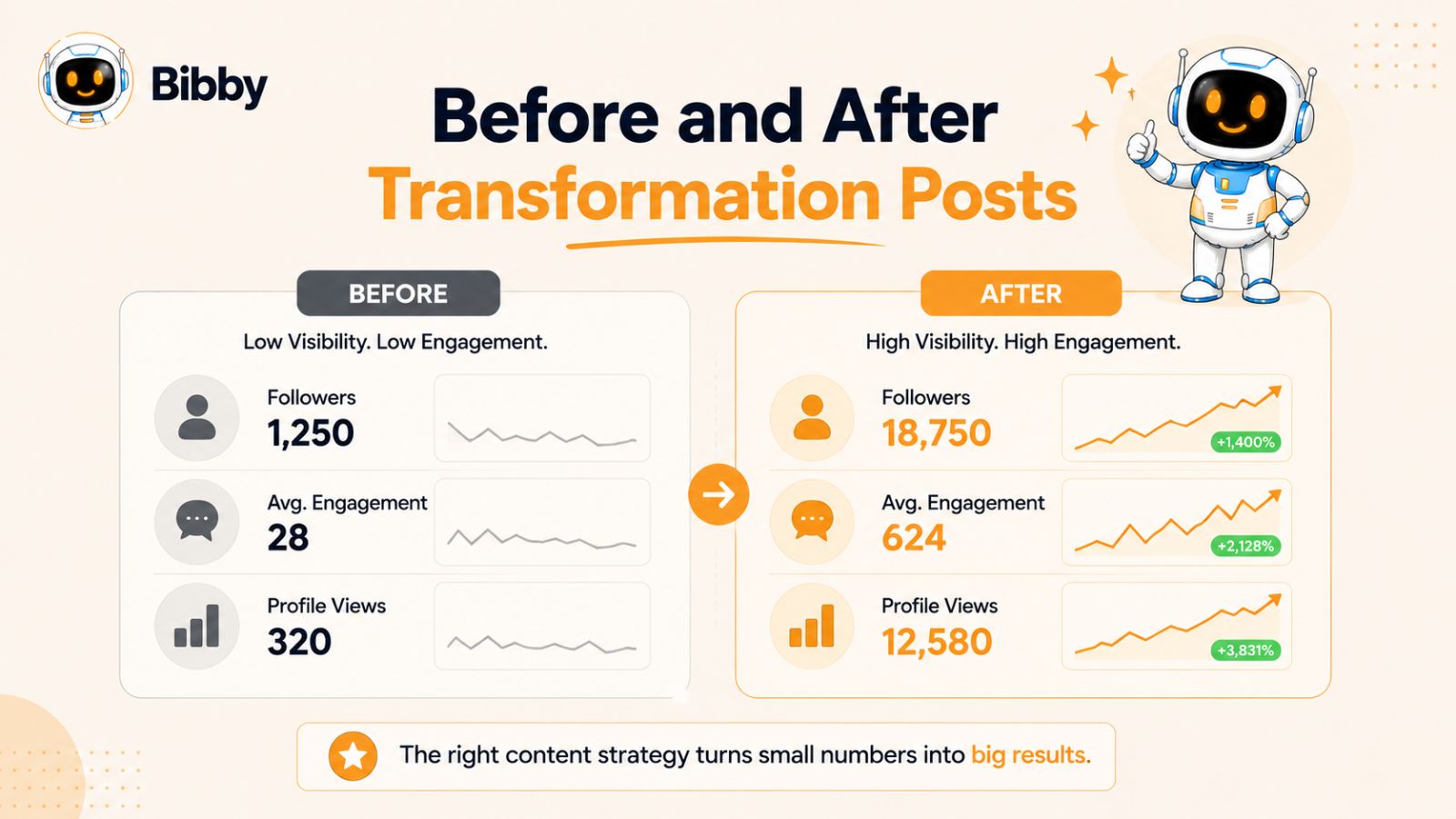
Before and after transformation posts showcase the progress you've made over time. They highlight the difference between where you started and where you are today, making them highly relatable and inspiring. Whether it's business growth, career development, fitness, content creation, or a successful marketing campaign, transformation posts demonstrate real results instead of simply talking about them.
These posts perform well because they combine storytelling with proof, encouraging readers to imagine achieving similar outcomes.
Why Before and After Posts Work
People love seeing progress. Transformation posts tap into curiosity by showing what's possible through consistency, learning, and perseverance. They also establish credibility because you're sharing tangible results backed by your own experience.
Rather than claiming expertise, you're providing evidence that your strategies or efforts produced measurable improvements.
How to Structure a Before and After Post
Use this simple framework to keep your post engaging:
- Start with an attention-grabbing hook.
- Describe your starting point or challenge.
- Explain the actions you took to improve.
- Share the results with specific numbers or outcomes.
- Conclude with the biggest lesson learned.
- End by asking readers about their own journey or goals.
Best Practices
- Be honest about the challenges you faced.
- Include measurable results whenever possible.
- Focus on the process, not just the outcome.
- Avoid exaggerating your achievements.
- Use visuals, screenshots, or carousels to strengthen your story.
Example
Instead of writing:
"My business grew this year."
Try:
"Twelve months ago, my LinkedIn posts averaged fewer than 300 impressions. I stopped chasing viral trends and focused on consistently sharing valuable insights three times a week. Today, my posts regularly reach over 25,000 professionals, and LinkedIn has become my biggest source of inbound leads. The biggest lesson? Small improvements repeated consistently create extraordinary results. What's one change that's made the biggest difference in your career or business?"
Transformation posts are especially effective because they inspire action while proving that meaningful progress is achievable with the right approach.
3. Lessons Learned Posts
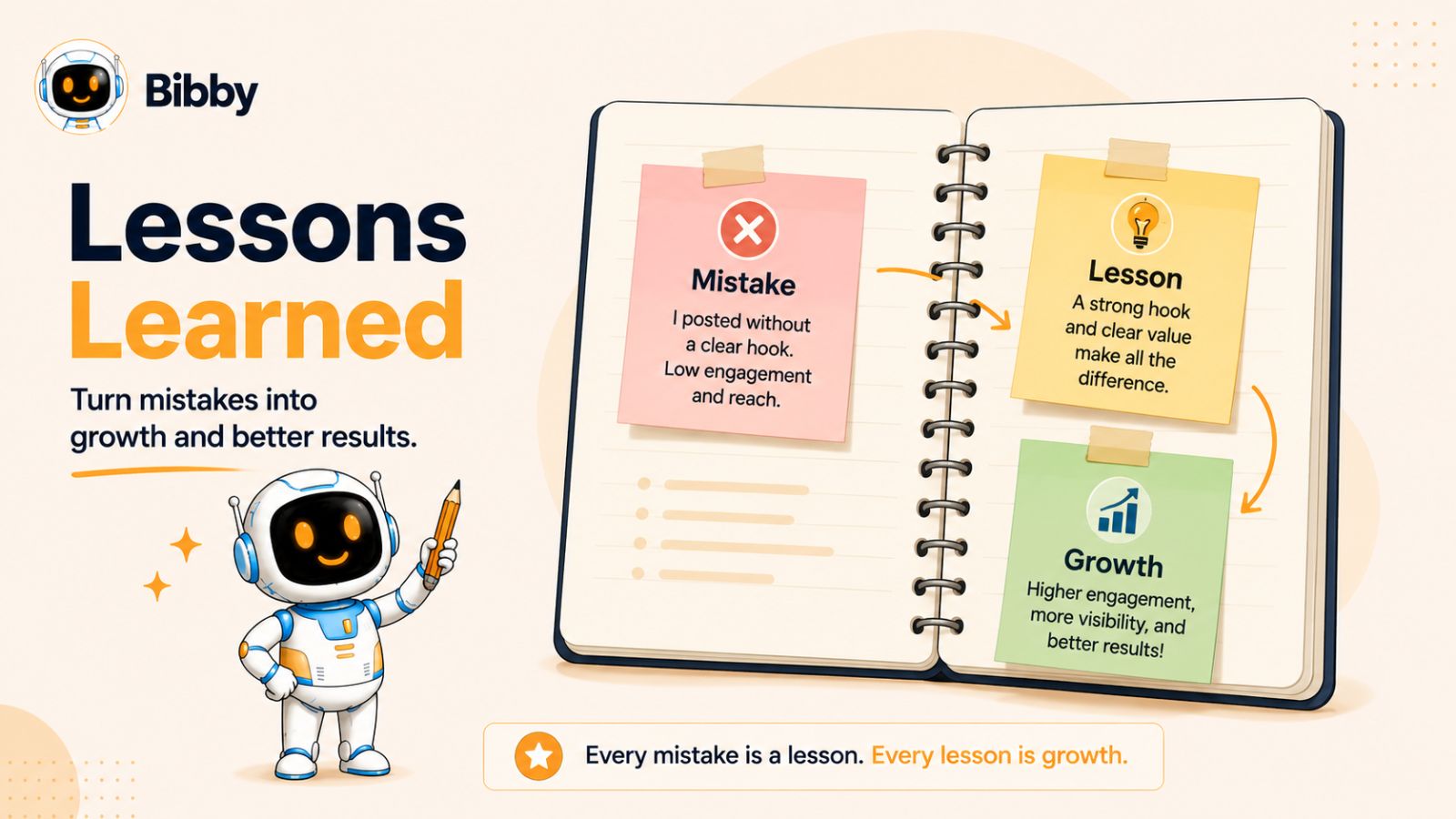
Lessons learned posts are one of the easiest and most effective ways to provide value on LinkedIn. Instead of simply sharing an achievement or experience, you focus on the key insights others can apply to their own careers or businesses. These posts position you as someone who learns, reflects, and shares practical knowledge—not just successes.
Whether the lesson comes from a win, a failure, a client project, or an everyday experience, readers appreciate actionable takeaways they can use immediately.
Why Lessons Learned Posts Work
People come to LinkedIn to learn and grow professionally. When you share valuable lessons, you're helping your audience avoid common mistakes or discover better ways to achieve their goals.
These posts also encourage discussion because readers often have similar experiences or different perspectives, leading to meaningful conversations in the comments.
How to Structure a Lessons Learned Post
A simple format can make your content more impactful:
- Open with an interesting statement or experience.
- Briefly explain the situation.
- Share the lesson or realization.
- Explain why it matters.
- Give readers one practical takeaway they can implement today.
- End with a question that invites discussion.
Best Practices
- Focus on one core lesson instead of several unrelated ideas.
- Be specific and provide context.
- Share honest experiences, including failures.
- Make your takeaway actionable.
- Keep your writing simple and conversational.
Example
Instead of writing:
"I learned a lot from launching my first product."
Try:
"When I launched my first digital product, I spent weeks perfecting the design but only a few hours promoting it. The result? Almost no sales. That experience taught me an important lesson: creating great content is only half the job—distribution matters just as much. Now I dedicate as much time to marketing as I do to creation, and the results have improved dramatically. What's one lesson you wish you had learned earlier in your career?"
Lessons learned posts consistently generate engagement because they combine storytelling with practical advice, giving readers a reason to save, share, and join the conversation.
Also read: 12 Most Effective Ways to Integrate Social Media Into Your Sales Strategy →
4. Carousel Posts
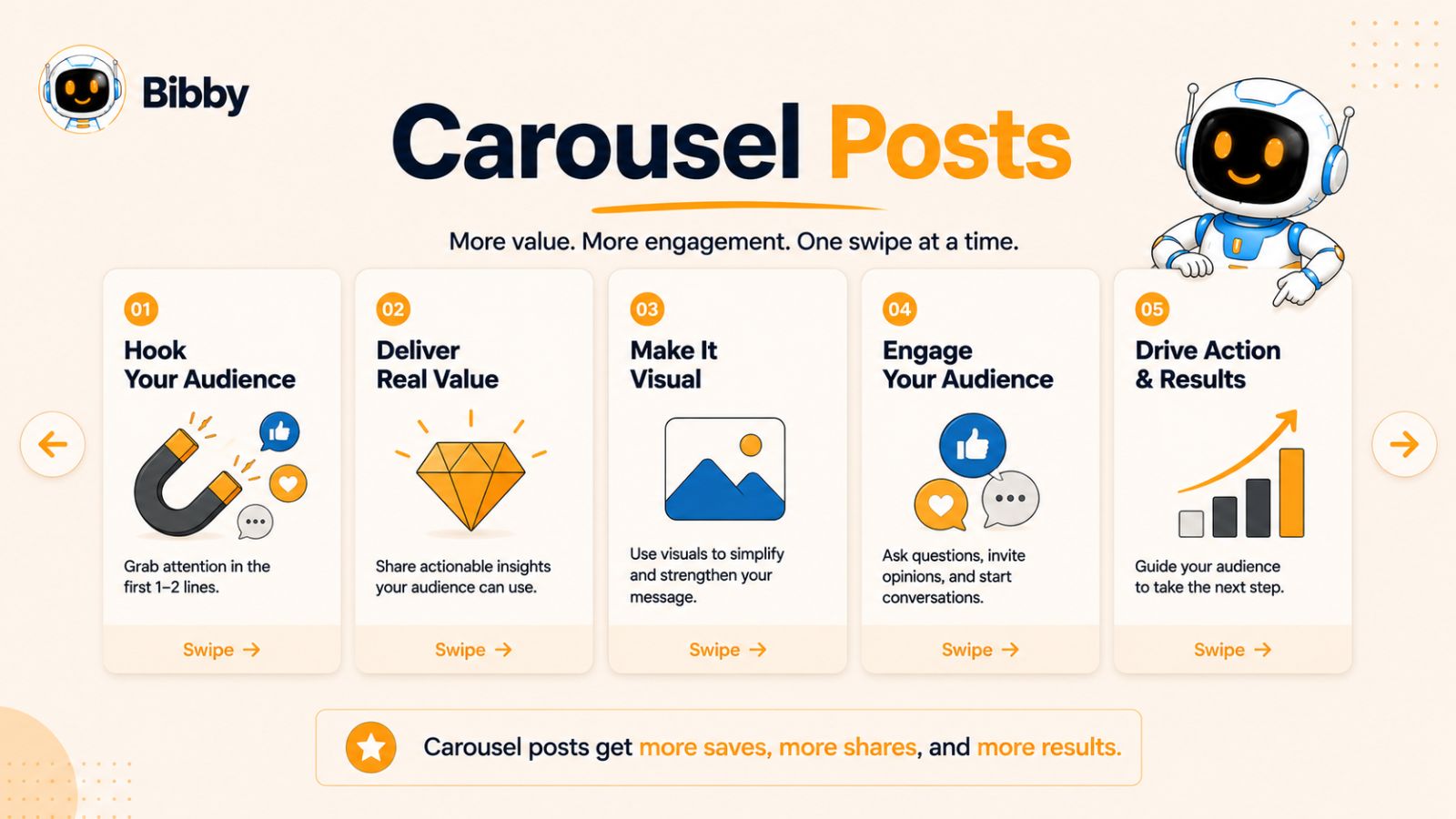
Carousel posts are one of the highest-performing content formats on LinkedIn because they encourage users to spend more time interacting with your content. Instead of presenting all your information in a single post, you break it into multiple visually appealing slides that readers swipe through at their own pace.
This format is perfect for explaining complex topics, sharing step-by-step guides, presenting case studies, or summarizing valuable insights in an easy-to-digest way.
Why Carousel Posts Work
Carousel posts increase dwell time, which is an important engagement signal for the LinkedIn algorithm. The longer users spend reading your content, the more likely LinkedIn is to show it to a wider audience.
They also make information easier to understand by combining concise text with visuals, making them highly shareable and save-worthy.
Best Types of Carousel Content
Carousel posts work especially well for:
- Step-by-step tutorials
- Marketing frameworks
- Business case studies
- Industry statistics
- Checklists
- Productivity tips
- Before-and-after transformations
- Educational guides
- Common mistakes to avoid
Best Practices
- Start with a bold, attention-grabbing cover slide.
- Keep each slide focused on one key idea.
- Use simple language and avoid overcrowding slides with text.
- Maintain consistent branding and formatting throughout the carousel.
- End with a summary slide and a clear call to action, such as asking readers to comment, share, or save the post.
Example
Imagine you're teaching people how to grow on LinkedIn. Your carousel could look like this:
- Slide 1: 7 LinkedIn Mistakes That Are Killing Your Engagement
- Slide 2: Mistake #1: Weak opening hook
- Slide 3: Mistake #2: Writing long paragraphs
- Slide 4: Mistake #3: Posting inconsistently
- Slide 5: Mistake #4: No clear call to action
- Slide 6: Mistake #5: Ignoring comments
- Slide 7: Mistake #6: Being overly promotional
- Slide 8: Mistake #7: Not analyzing performance
- Slide 9: Key takeaways
- Slide 10: "Which mistake are you making? Let me know in the comments."
Creating high-quality carousels consistently can be time-consuming, especially when you're also managing multiple social media accounts. Tools like Bibby simplify the process by helping you generate AI-powered visuals, write engaging captions, schedule your carousel posts at AI-optimized times, and publish them across platforms like LinkedIn, Facebook, Instagram, TikTok, and youtube—all from a single workflow.
5. Industry Insights Posts
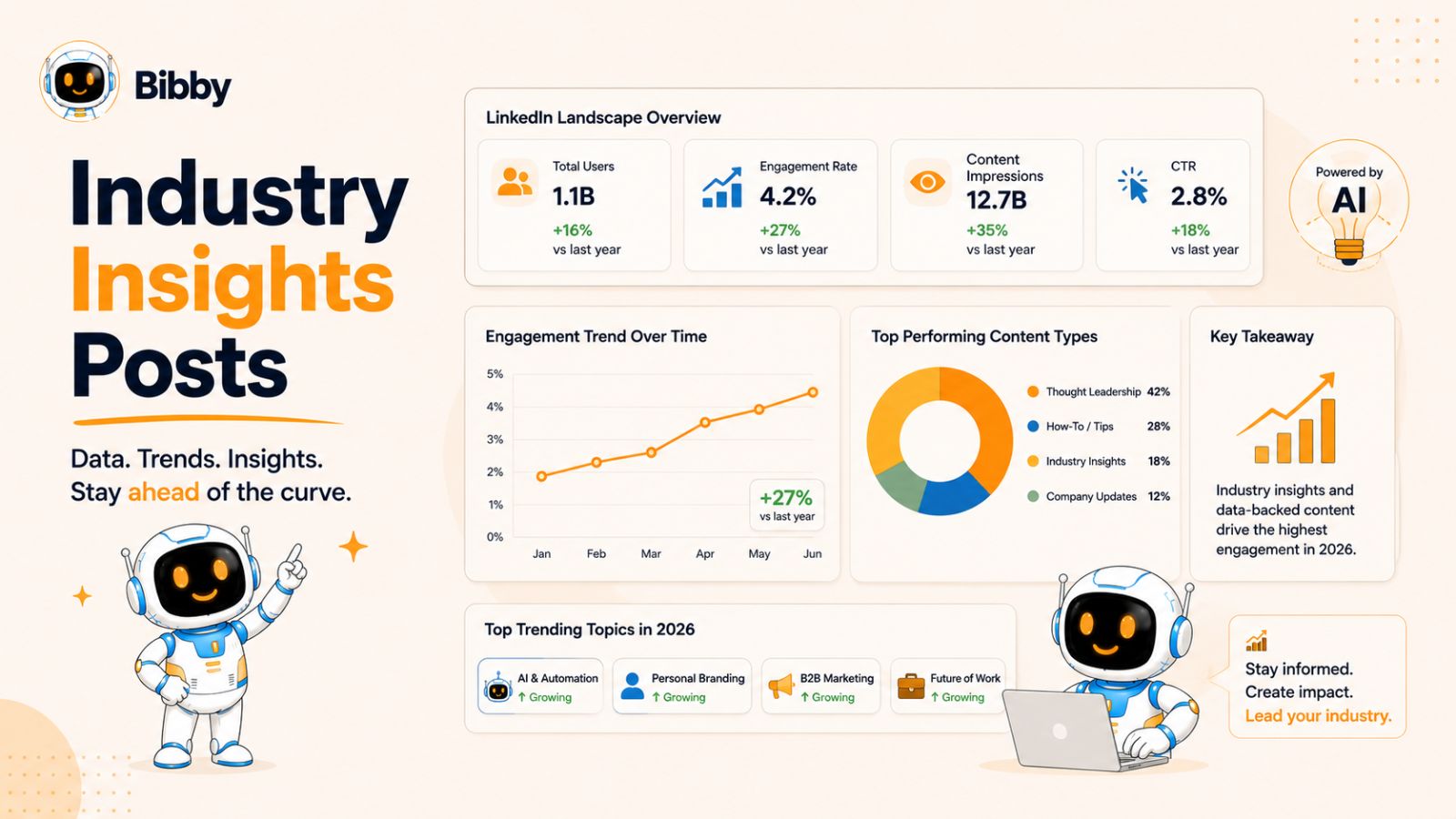
Industry insights posts establish you as a knowledgeable professional by sharing trends, observations, research, or predictions related to your niche. Instead of talking about yourself, you provide valuable perspectives that help your audience stay informed and make better decisions.
Whether you're discussing AI, marketing, finance, SaaS, healthcare, or any other industry, insightful content encourages professionals to engage because it keeps them updated on what's happening in their field.
Why Industry Insights Posts Work
People follow industry experts to stay ahead of trends. When you consistently share relevant insights backed by data or real-world experience, your audience begins to view you as a trusted source of information.
These posts also spark meaningful discussions, as professionals often have different opinions or experiences to contribute.
How to Structure an Industry Insights Post
A simple framework can help you deliver value effectively:
- Start with a surprising statistic, trend, or recent development.
- Explain why it matters to your audience.
- Share your analysis or perspective.
- Offer practical advice or predictions.
- End with a question that encourages discussion.
This approach transforms news into actionable insights instead of simply reporting information.
Best Practices
- Focus on trends that directly affect your audience.
- Support your points with credible data or examples whenever possible.
- Share your unique perspective rather than repeating headlines.
- Keep your analysis concise and actionable.
- Encourage readers to share their opinions or predictions.
Example
Instead of writing:
"AI is changing marketing."
Try:
"AI isn't replacing marketers—it's changing how they work. The biggest shift isn't content creation; it's content velocity. Teams that use AI to brainstorm ideas, generate first drafts, and automate repetitive tasks can publish consistently without sacrificing quality. The competitive advantage now comes from combining AI efficiency with human creativity and expertise. How do you think AI will reshape your industry over the next few years?"
Industry insights posts consistently attract engagement because they educate, inspire discussion, and position you as someone who understands where the market is heading rather than simply reacting to it.
6. Contrarian Opinion Posts
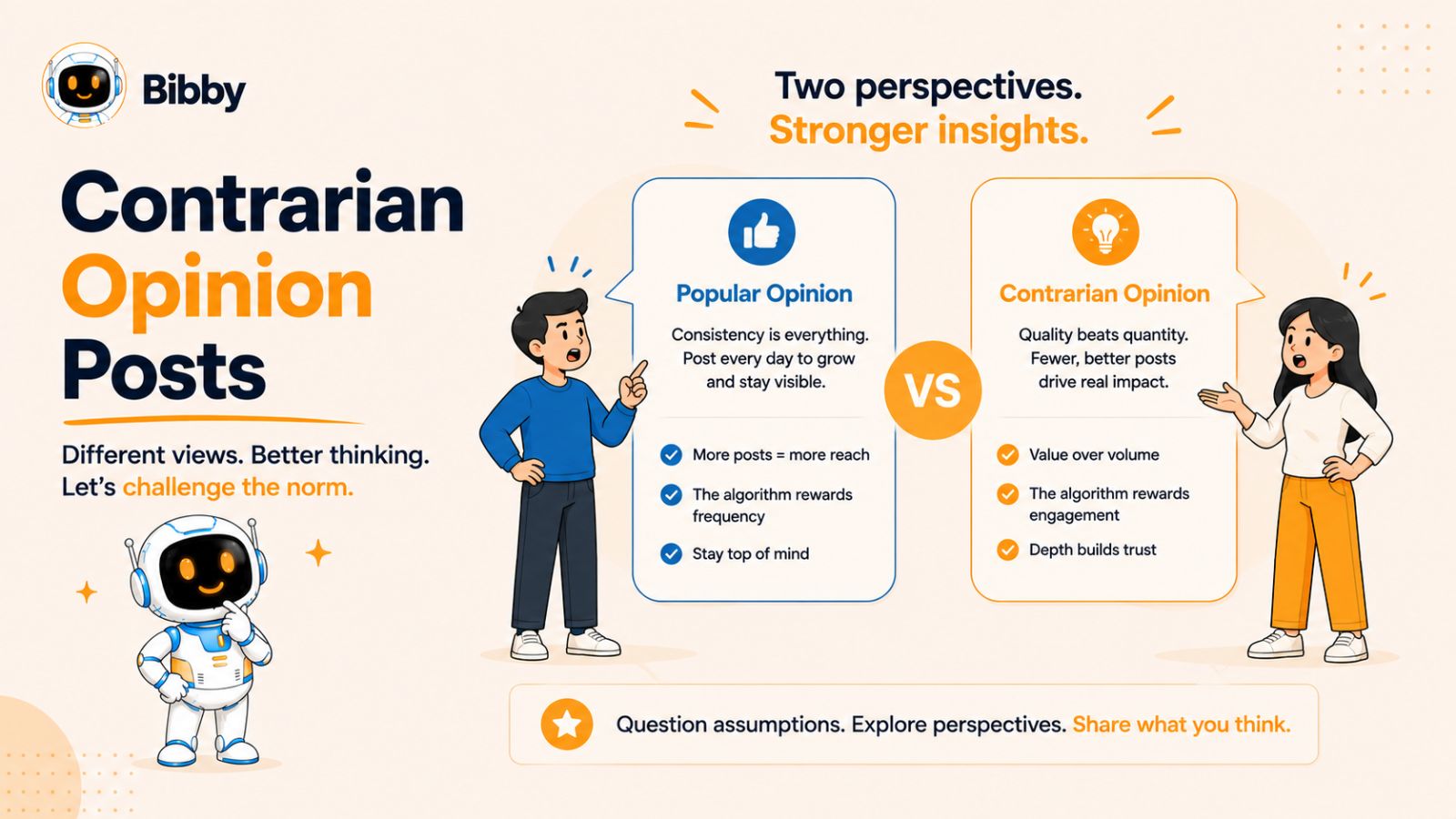
Contrarian opinion posts challenge common beliefs or popular advice within your industry. Instead of repeating what everyone else is saying, you present a different perspective backed by logic, experience, or evidence. When done respectfully, these posts spark curiosity and encourage thoughtful discussions, making them highly engaging on LinkedIn.
The goal isn't to be controversial for the sake of attention. It's to offer a fresh viewpoint that helps your audience think differently about a familiar topic.
Why Contrarian Opinion Posts Work
LinkedIn users encounter similar advice every day. A well-reasoned alternative perspective immediately captures attention because it breaks the pattern of repetitive content.
These posts also generate more comments, as readers naturally want to agree, disagree, or share their own experiences. Meaningful conversations are one of the strongest signals for increasing a post's visibility.
How to Structure a Contrarian Opinion Post
Follow this framework to keep your argument clear and persuasive:
- Start with a bold statement that challenges conventional wisdom.
- Explain why the common advice may not always be effective.
- Support your perspective with examples, data, or personal experience.
- Acknowledge that different situations may require different approaches.
- End with a question that invites respectful discussion.
Best Practices
- Base your opinion on real experience or credible evidence.
- Stay respectful, even if you disagree with popular views.
- Avoid clickbait or overly provocative statements.
- Focus on educating rather than criticizing others.
- Encourage constructive conversations in the comments.
Example
Instead of writing:
"You should post every day on LinkedIn."
Try:
"Posting every day isn't the secret to LinkedIn growth. Posting valuable content consistently is. I'd rather publish three exceptional posts each week than seven rushed ones that provide little value. Quality builds trust, while consistency builds momentum—and together, they outperform sheer volume. Do you prioritize posting frequency or content quality?"
Contrarian opinion posts work best when they encourage readers to reconsider familiar advice while offering practical insights they can apply. A balanced, evidence-based perspective is far more effective than taking an extreme position simply to attract attention.
7. Step-by-Step Tutorial Posts
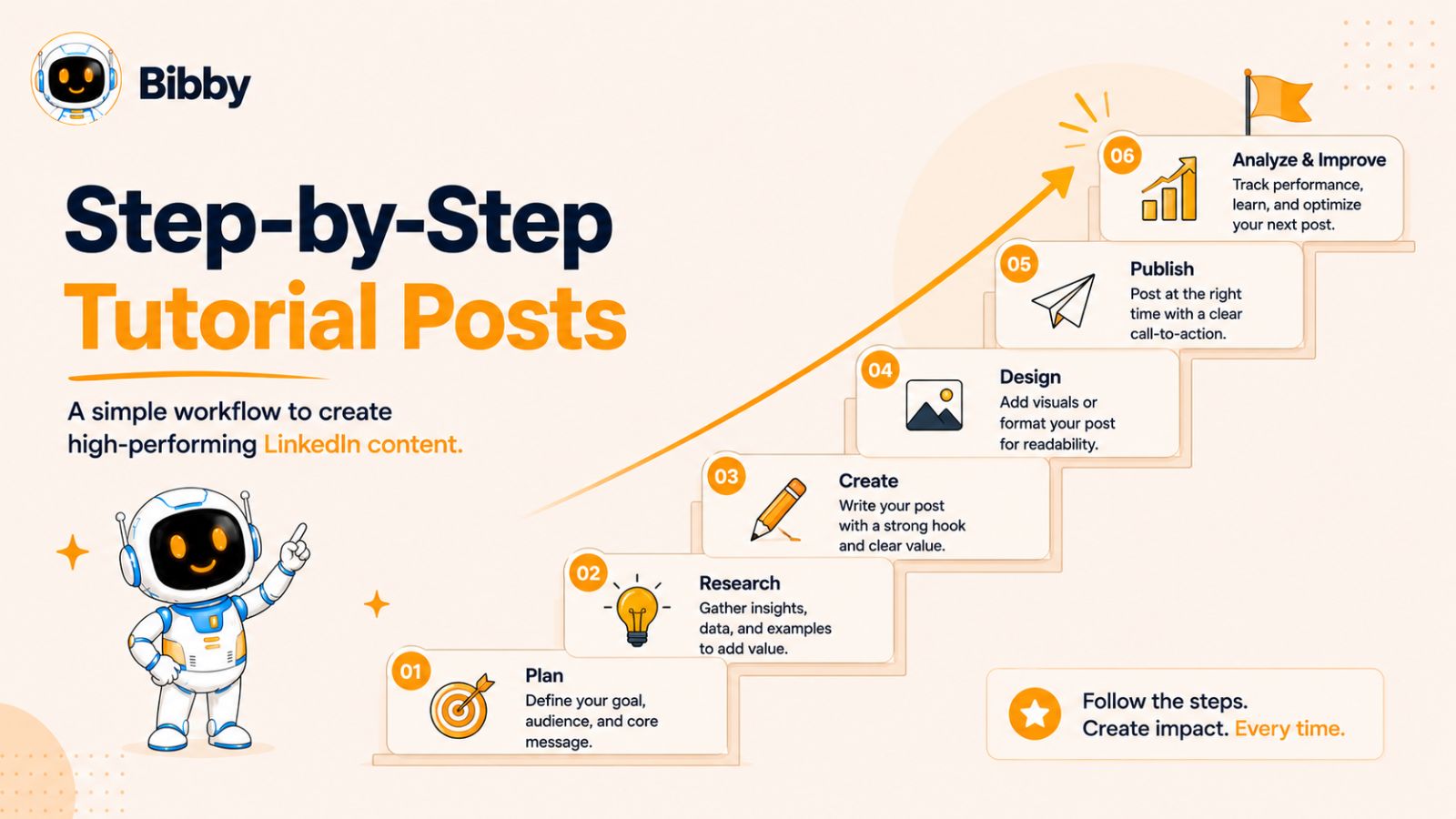
Step-by-step tutorial posts are among the most valuable types of content you can share on LinkedIn. They teach your audience how to solve a specific problem by breaking a process into clear, actionable steps. Educational content not only attracts engagement but also positions you as an expert who helps others succeed.
Whether you're explaining how to generate leads, improve productivity, use AI tools, or optimize marketing campaigns, tutorials give readers immediate value they can apply.
Why Step-by-Step Tutorial Posts Work
People actively search for practical solutions to everyday challenges. A well-structured tutorial saves readers time by simplifying complex topics into easy-to-follow instructions.
These posts also receive a high number of saves and shares because users often want to revisit them later or recommend them to colleagues.
How to Structure a Tutorial Post
Keep your tutorial simple and actionable by following this format:
- Start with the problem you're solving.
- Explain why the solution matters.
- Break the process into numbered steps.
- Include practical tips or common mistakes to avoid.
- Summarize the key takeaway.
- End with a question or invite readers to share their own tips.
Best Practices
- Focus on solving one problem at a time.
- Use numbered lists to improve readability.
- Keep each step concise and actionable.
- Avoid unnecessary jargon or technical language.
- Include screenshots, images, or a carousel if the process is visual.
Example
How to create a week's worth of LinkedIn content in under an hour:
- Choose one topic your audience cares about.
- List five key points or lessons.
- Turn each point into a separate LinkedIn post.
- Add a compelling hook and a clear call to action.
- Schedule your posts throughout the week.
Instead of manually publishing each post, you can streamline the entire workflow with Bibby. Simply upload your image or generate one with AI, choose your preferred posting style, let Bibby create engaging captions automatically, and schedule your content across LinkedIn, Facebook, Instagram, TikTok, and YouTube at AI-optimized times. This allows you to stay consistent while spending less time managing your social media.
Tutorial posts consistently perform well because they provide immediate value, making readers more likely to save, share, and recommend your content to others.
8. Checklist Posts
Checklist posts simplify complex topics by turning them into a list of actionable items that readers can quickly review and implement. Because they're easy to scan and highly practical, checklist posts often receive a large number of saves and shares on LinkedIn.
Whether you're helping someone launch a product, improve their LinkedIn profile, or prepare for a job interview, a well-organized checklist provides immediate value without overwhelming the reader.
Why Checklist Posts Work
Professionals appreciate content they can reference later. A checklist acts as a quick guide that helps readers avoid mistakes and ensure they've completed every important step.
This format also appeals to busy audiences because it delivers valuable information in a concise, easy-to-consume format.
How to Structure a Checklist Post
Use this simple framework for maximum impact:
- Introduce the goal or problem.
- Present a clear checklist with actionable items.
- Briefly explain why each item matters.
- End with a reminder or final tip.
- Ask readers if they'd add anything to the list.
This structure keeps your content organized while encouraging engagement.
Best Practices
- Focus on one specific topic.
- Keep your checklist between 5 and 15 items.
- Write each point in clear, actionable language.
- Prioritize the most important items first.
- Format the checklist with bullets or numbers for better readability.
Example
LinkedIn Post Checklist Before You Hit Publish:
- Does your first sentence grab attention?
- Is your post focused on one clear idea?
- Have you added value instead of simply promoting yourself?
- Are your paragraphs short and mobile-friendly?
- Did you include a relevant image or carousel?
- Does your post end with a question or call to action?
- Have you proofread for spelling and grammar?
- Are you posting at a time when your audience is active?
A simple checklist like this is easy to save, making it more likely to generate long-term engagement. Over time, publishing practical checklist posts helps establish your profile as a reliable source of useful, actionable content.
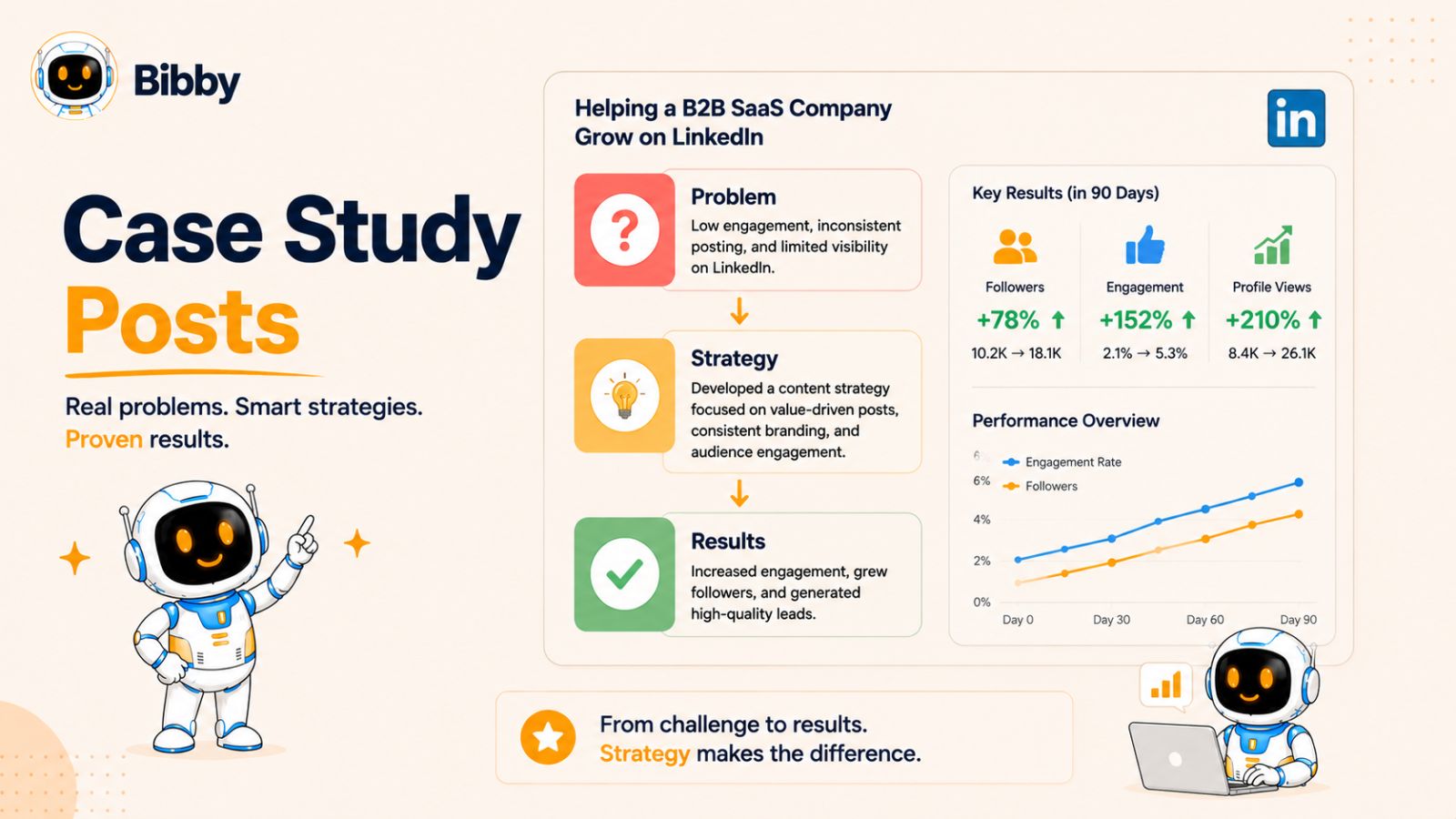
9. Case Study Posts
Case study posts demonstrate your expertise by showing real-world results instead of making broad claims. Rather than telling your audience what works, you walk them through a specific challenge, the strategy you used, and the measurable outcomes you achieved.
This format is especially effective for consultants, marketers, business owners, freelancers, agencies, and creators because it provides proof of your skills while delivering valuable lessons others can apply.
Why Case Study Posts Work
People trust evidence more than opinions. A well-written case study builds credibility by showing exactly how you solved a problem and what results followed.
These posts also encourage saves and shares because readers often want to revisit the strategies or use them as inspiration for their own projects.
How to Structure a Case Study Post
A simple framework keeps your case study engaging and easy to follow:
- Introduce the challenge or goal.
- Explain the strategy you implemented.
- Highlight the key actions you took.
- Share measurable results using numbers or percentages.
- Discuss the biggest lesson learned.
- End with a question that encourages discussion.
This storytelling approach makes your results both informative and relatable.
Best Practices
- Use real examples whenever possible.
- Include measurable outcomes instead of vague claims.
- Focus on the process, not just the final result.
- Be transparent about challenges and setbacks.
- Keep the post educational rather than overly promotional.
Example
How one content strategy doubled LinkedIn engagement in 90 days
A client was publishing regularly but averaging fewer than 500 impressions per post. After reviewing their content, we identified three issues: weak hooks, inconsistent posting, and no clear call to action.
We introduced a new strategy:
- Stronger opening lines
- Educational carousel posts
- Consistent publishing schedule
- Questions at the end of every post
Results after 90 days:
- 2.3× increase in post impressions
- 85% more comments
- 40% increase in profile visits
- Several inbound business inquiries
The biggest takeaway? Small, consistent improvements often outperform complete content overhauls.
Case study posts help your audience understand not just what worked, but why it worked. By sharing practical insights alongside measurable results, you build trust, encourage engagement, and position yourself as someone who delivers real outcomes.
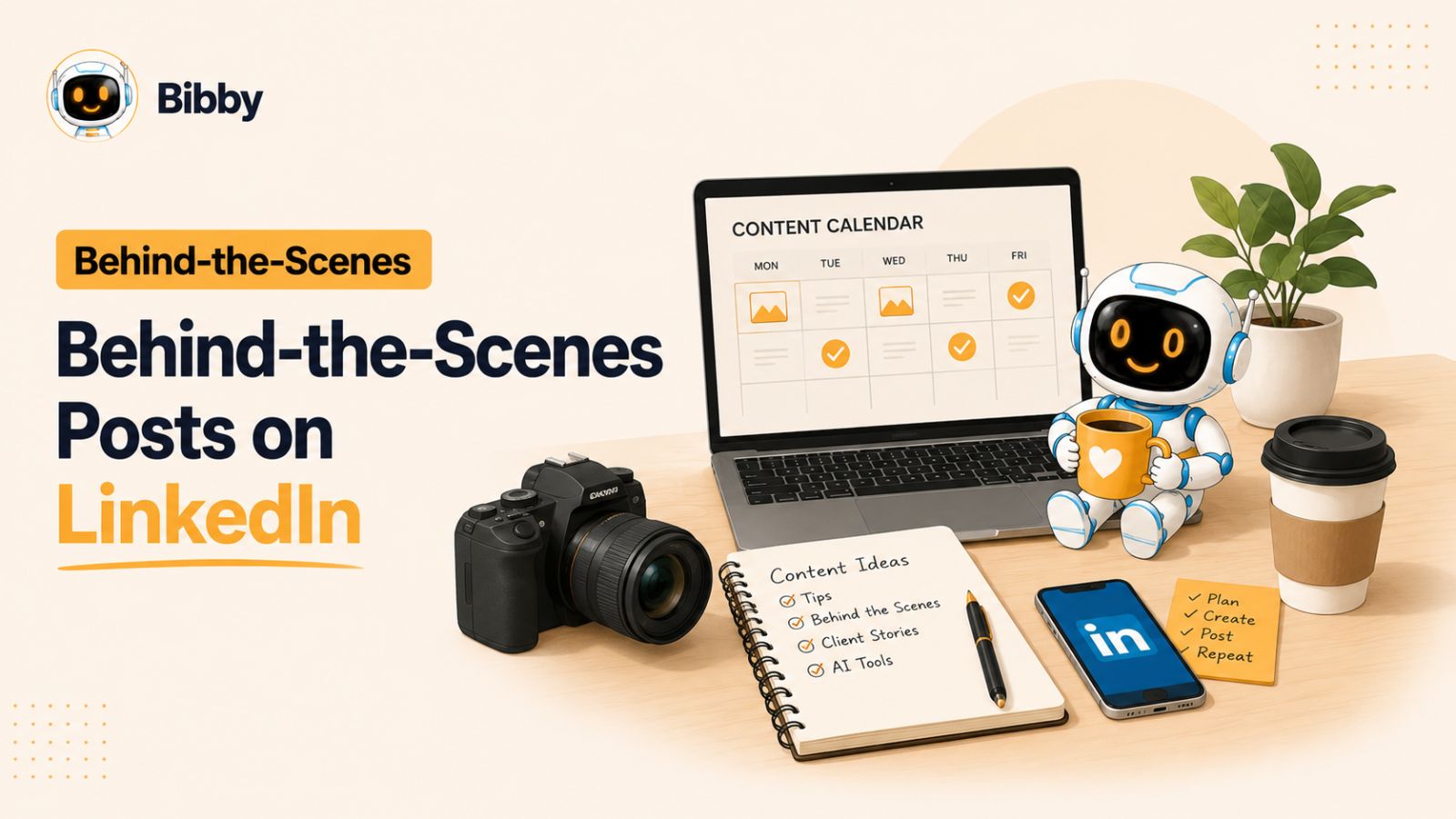
10. Behind-the-Scenes Posts
Behind-the-scenes posts give your audience a glimpse into the people, processes, and decisions behind your work. Instead of only showcasing polished results, you reveal how those results are achieved. This transparency makes your content more authentic and helps build stronger connections with your audience.
Whether you're running a business, creating content, developing a product, or managing a team, behind-the-scenes posts help humanize your brand and make your journey more relatable.
Why Behind-the-Scenes Posts Work
People enjoy seeing what happens beyond the finished product. Sharing your workflow, daily routines, creative process, or even the challenges you face makes your content feel genuine rather than overly promotional.
These posts also encourage conversations because readers often ask questions, share their own workflows, or offer suggestions based on their experiences.
How to Structure a Behind-the-Scenes Post
Use this framework to create engaging content:
- Start with an intriguing statement or photo.
- Explain what you're working on.
- Share your process or workflow.
- Highlight a lesson, challenge, or interesting insight.
- End by asking readers how they approach similar tasks.
This structure keeps your post informative while inviting discussion.
Best Practices
- Show the process, not just the final result.
- Include photos, videos, or screenshots whenever possible.
- Be honest about challenges and lessons learned.
- Avoid revealing confidential or sensitive information.
- Focus on insights your audience can apply to their own work.
Example
"Most people only see the finished LinkedIn post. They don't see the brainstorming, research, editing, and testing that happen beforehand.
My content workflow starts with collecting ideas throughout the week. I then organize them into categories, write rough drafts, refine the hooks, create visuals, and schedule everything in advance.
This process helps me stay consistent without feeling overwhelmed.
What's one part of your workflow that most people never see?"
If you're managing content across multiple platforms, showing your workflow can also introduce useful tools naturally. For example, you might explain how Bibby helps you upload or generate AI-powered images, create captions automatically, schedule posts at AI-optimized times, publish to LinkedIn, Facebook, Instagram, TikTok, and YouTube, and track performance from one dashboard. Instead of spending time posting manually every day, you can focus on creating better content while Bibby handles the publishing schedule.
Behind-the-scenes posts build trust because they reveal the effort and thought that go into your work, making your audience feel more connected to both you and your brand.
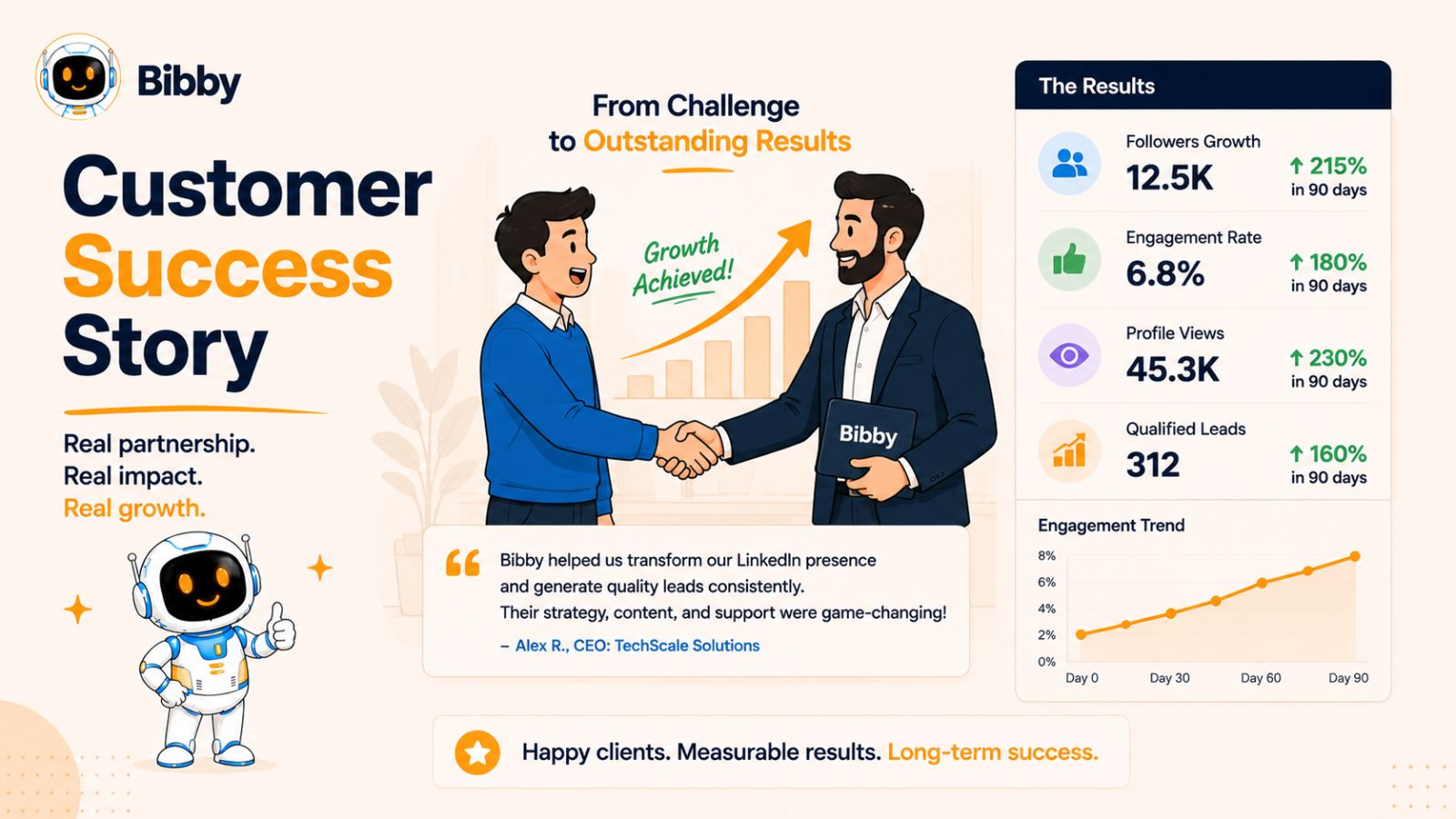
11. Customer Success Story Posts
Customer success stories are powerful because they showcase real people achieving real results with your product, service, or advice. Instead of telling your audience how great your solution is, you let the results speak for themselves.
These posts build trust and credibility while helping potential customers visualize what they can achieve.
Why Customer Success Stories Work
People trust social proof more than marketing claims. Seeing someone overcome a challenge and achieve measurable results gives your audience confidence in your expertise.
These posts also inspire engagement because readers often ask questions about the strategy, tools, or process behind the success.
How to Structure a Customer Success Story
Follow this simple framework:
- Introduce the customer and their challenge.
- Explain the solution you implemented.
- Highlight the steps taken.
- Share measurable results.
- End with the biggest lesson or takeaway.
Best Practices
- Get permission before sharing customer details.
- Include measurable results whenever possible.
- Focus on the customer's transformation.
- Use quotes or testimonials to add authenticity.
- Keep the story educational instead of overly promotional.
Example
"One of our customers struggled to stay consistent on social media because they managed five different platforms manually.
After switching to Bibby, they started generating AI-powered captions, scheduling content weeks in advance, and publishing automatically at AI-optimized times.
Within three months, they increased posting consistency by 300% and doubled their average engagement.
The biggest lesson? Having a great content strategy is important—but consistency is what delivers long-term results."
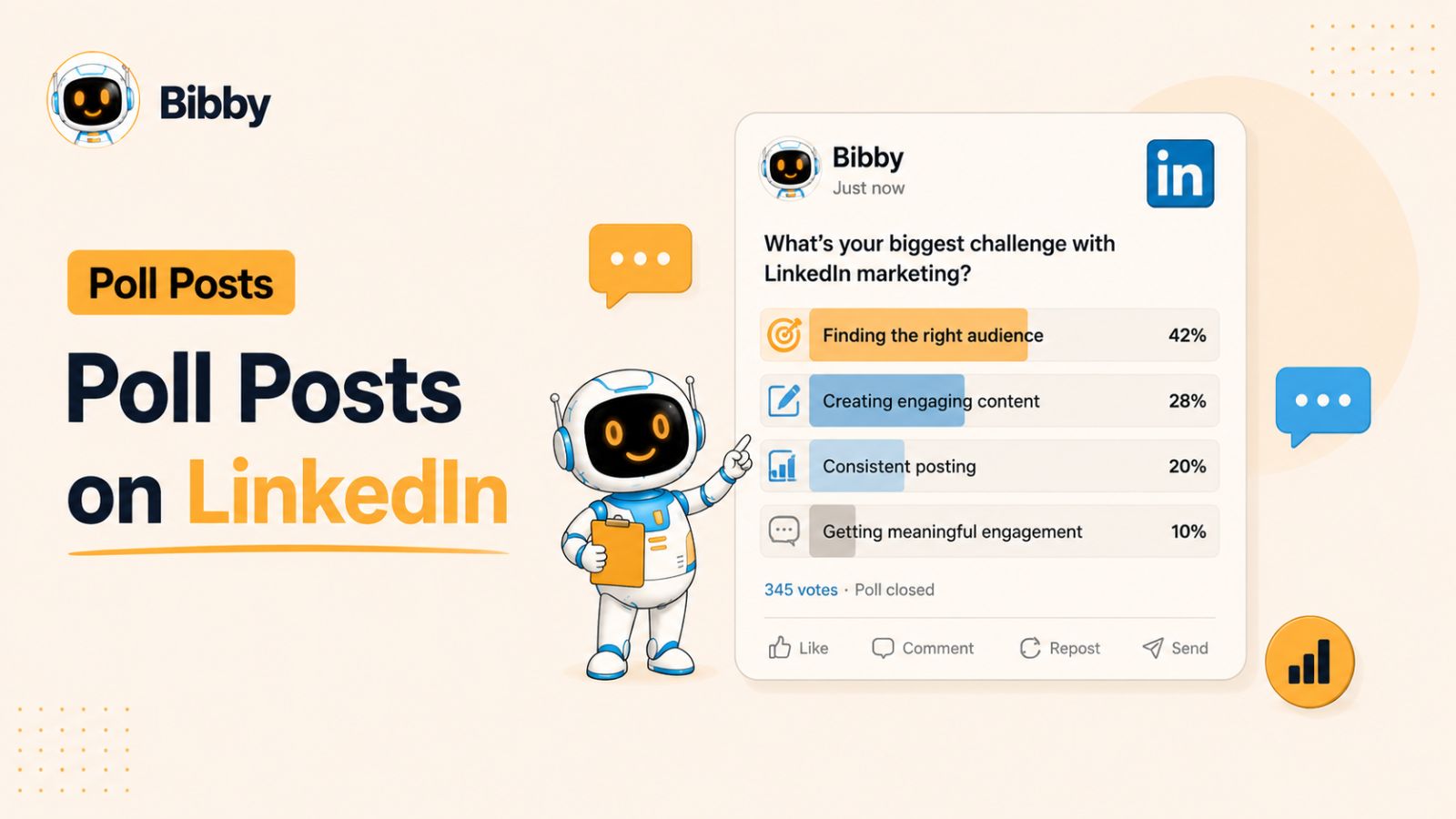
12. Poll Posts
Polls are one of the easiest ways to encourage audience participation. They require very little effort from readers while providing valuable insights into your audience's opinions and preferences.
Although the voting itself is quick, the real engagement comes from the conversations in the comments.
Why Poll Posts Work
People enjoy sharing their opinions, especially on professional topics. Polls lower the barrier to engagement because readers can participate with a single click before joining the discussion.
They're also excellent for market research, content planning, and understanding what your audience wants to learn next.
How to Structure a Poll Post
A high-performing poll usually includes:
- A clear question.
- Two to four answer choices.
- A short explanation providing context.
- A call to action asking readers to explain their choice in the comments.
Best Practices
- Keep the question simple.
- Limit answer choices to four or fewer.
- Choose topics relevant to your audience.
- Avoid obvious questions with only one correct answer.
- Reply to comments to keep the conversation active.
Example
Which LinkedIn content format drives the most engagement for you?
- Personal stories
- Educational posts
- Carousels
- Case studies
Then ask:
"I'd love to know why you chose that option. Share your experience in the comments."
This approach generates far more discussion than relying on poll votes alone.
Also read: Social Media Copywriting Using AI: Expert Tips for Writing Posts That Convert →
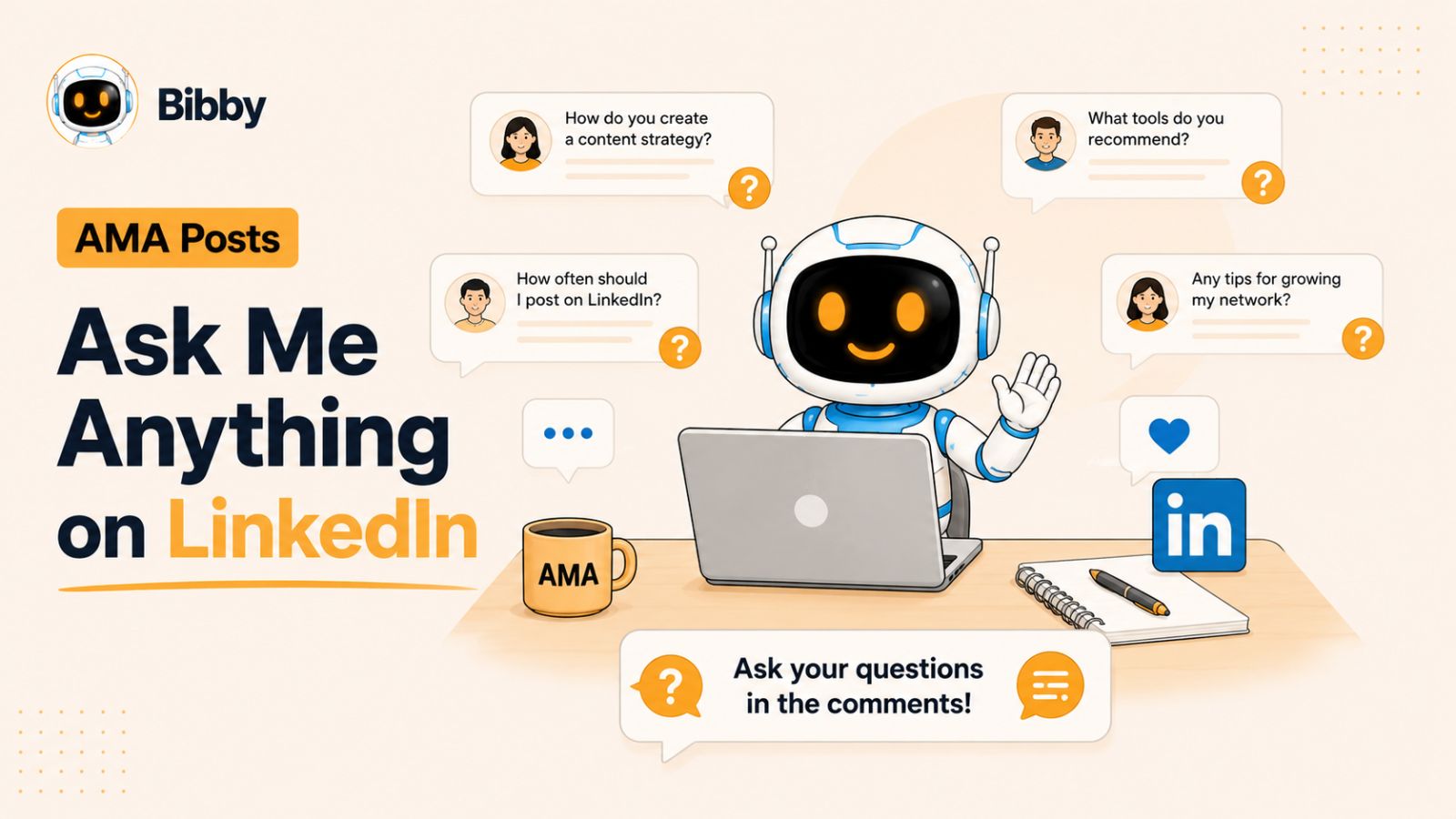
13. Ask Me Anything (AMA) Posts
Ask Me Anything (AMA) posts invite your audience to ask questions about your expertise, experiences, or industry. They turn your audience from passive readers into active participants, creating meaningful conversations and strengthening your professional relationships.
Whether you've built a business, grown a LinkedIn audience, launched a product, or developed specialized knowledge, an AMA gives people direct access to your insights.
Why AMA Posts Work
People appreciate opportunities to receive personalized advice from someone with relevant experience. Every question also creates additional content, as your answers provide value to everyone reading the discussion.
AMA posts often generate a large number of comments because multiple people ask different questions throughout the day.
How to Structure an AMA Post
Use this framework:
- Briefly introduce your experience or expertise.
- Explain what topics you're happy to answer.
- Invite readers to ask questions.
- Respond thoughtfully to as many comments as possible.
Best Practices
- Choose a topic you know well.
- Be available to answer questions soon after publishing.
- Provide detailed, practical answers.
- Encourage follow-up questions.
- Thank people for participating.
Example
"Over the past two years, I've helped businesses improve their LinkedIn content strategy using AI and automation.
Today I'm opening the comments for an AMA.
Ask me anything about LinkedIn growth, content creation, social media scheduling, AI tools, or building a consistent publishing strategy.
I'll personally answer as many questions as I can today."
AMA posts not only increase engagement but also help you better understand your audience's biggest challenges, giving you ideas for future content.
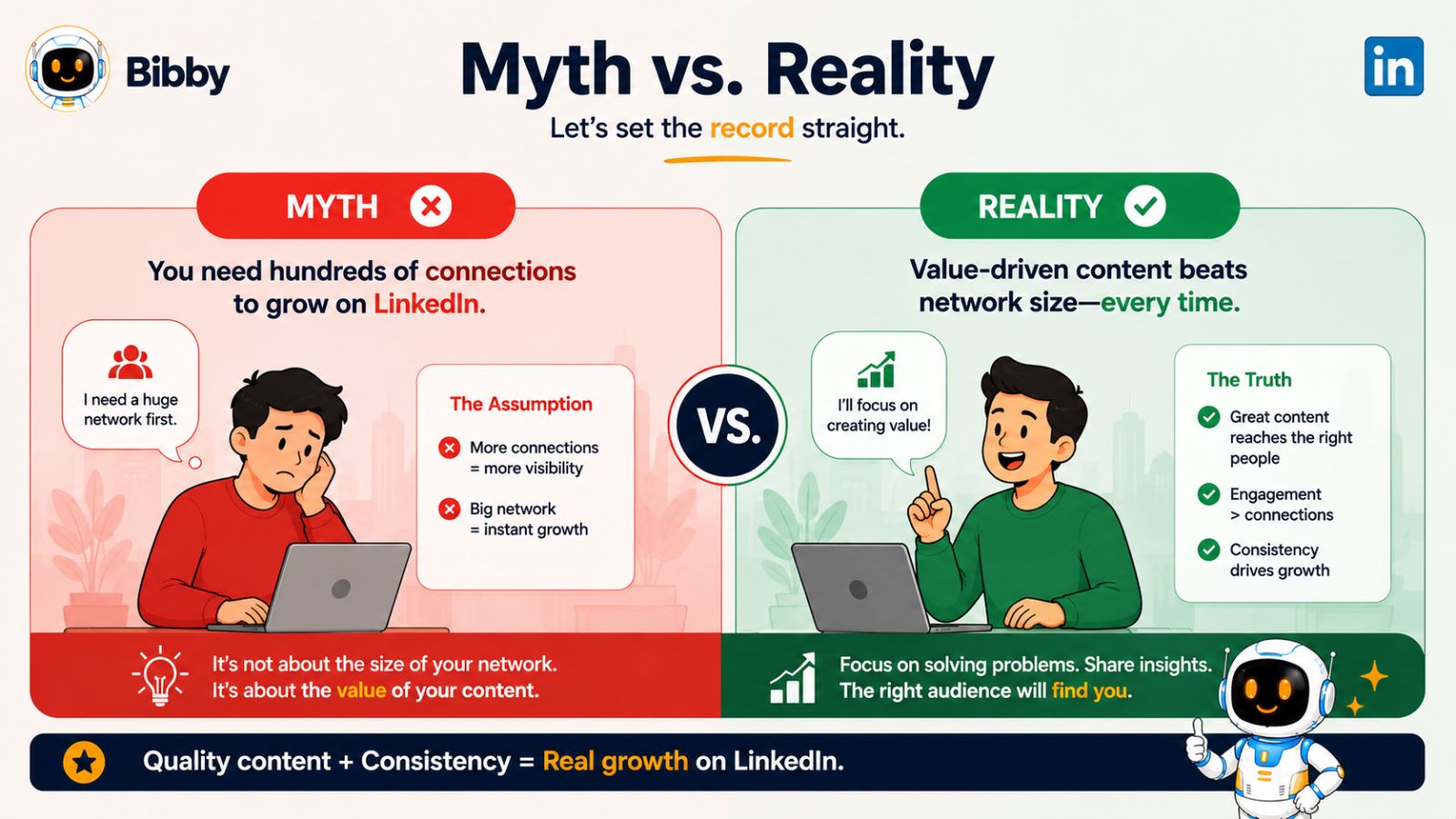
14. Myth vs. Reality Posts
Every industry has myths that are accepted as facts. Myth vs. Reality posts challenge these misconceptions by presenting the truth in a simple, educational way. This format grabs attention because it sparks curiosity and encourages readers to rethink what they know.
Instead of simply saying that common advice is wrong, explain why and provide practical alternatives supported by experience or data.
Why Myth vs. Reality Posts Work
People enjoy learning something new, especially when it corrects a common misconception. These posts often receive high engagement because readers share their own opinions, experiences, and examples in the comments.
They're also highly shareable, as professionals like passing along valuable information that helps others avoid mistakes.
How to Structure a Myth vs. Reality Post
Use this framework:
- Start with a common myth.
- Explain why many people believe it.
- Present the reality with supporting evidence or experience.
- Share actionable advice readers can implement.
- End with a question that invites discussion.
Best Practices
- Focus on one myth per post.
- Support your point with examples or data.
- Avoid attacking people who believe the myth.
- Keep your explanation simple and practical.
- Encourage respectful discussion.
Example
Myth: You need to post every day to grow on LinkedIn.
Reality: Consistency matters more than frequency. Three valuable posts each week will often outperform seven rushed posts that provide little value.
The goal isn't to publish more—it's to publish better.
Do you agree, or has daily posting worked well for you?
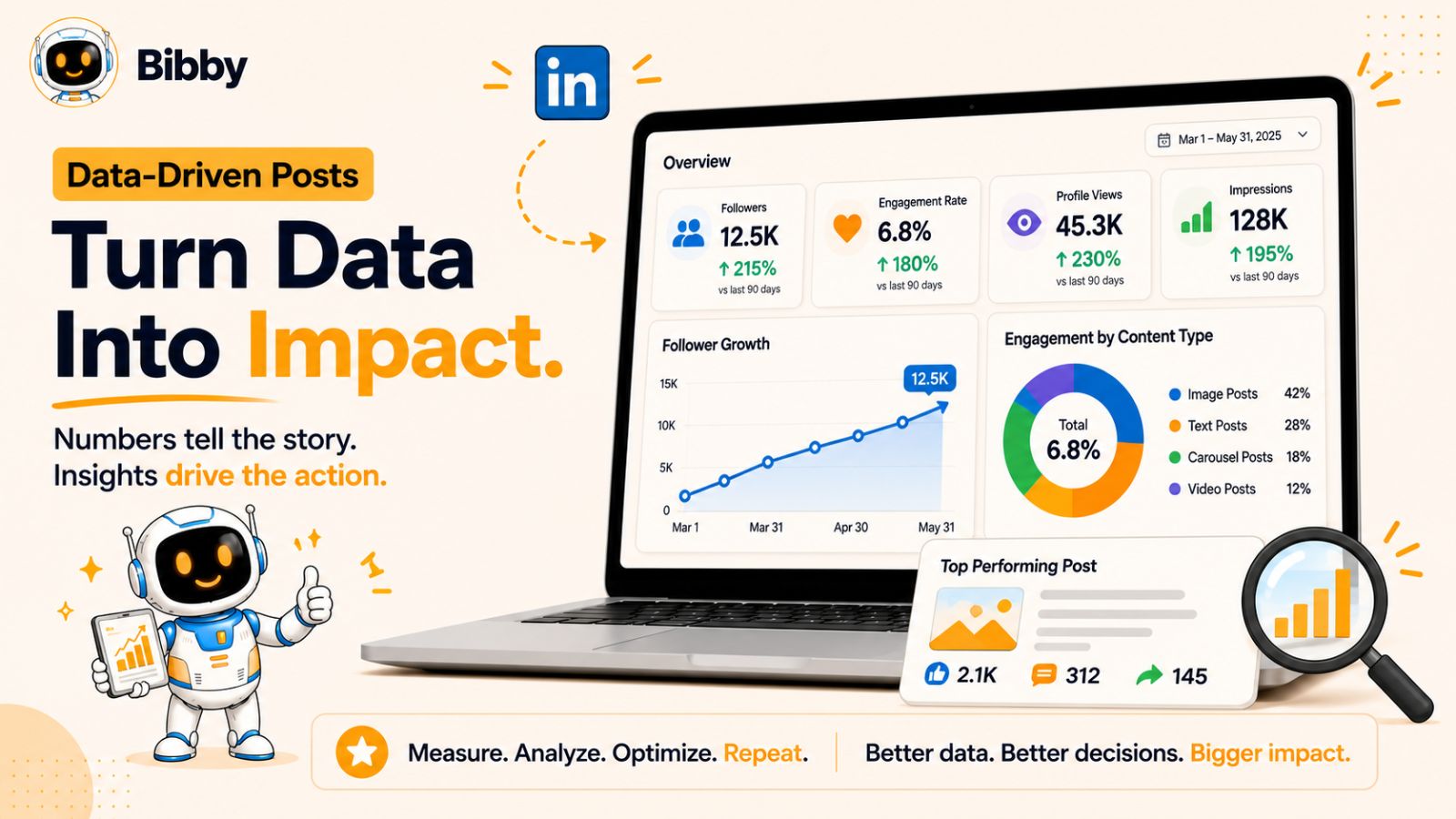
15. Data-Driven Posts
Data-driven posts use statistics, research, surveys, or original findings to support your ideas. Instead of relying on opinions, you present evidence that helps readers make informed decisions.
When combined with your own analysis, data becomes one of the strongest ways to establish credibility and thought leadership on LinkedIn.
Why Data-Driven Posts Work
Numbers attract attention because they're objective and measurable. Readers are more likely to trust insights backed by credible research than unsupported claims.
These posts also encourage discussion, as professionals often compare the findings with their own experiences or industry trends.
How to Structure a Data-Driven Post
A simple framework includes:
- Open with an interesting statistic or finding.
- Explain why the data matters.
- Share your interpretation or analysis.
- Offer practical recommendations.
- End with a discussion question.
Best Practices
- Use data from reputable sources.
- Keep statistics easy to understand.
- Focus on insights rather than overwhelming readers with numbers.
- Include charts, graphs, or infographics when appropriate.
- Always explain what readers should do with the information.
Example
"A recent study found that posts with compelling opening lines generate significantly higher engagement than those with generic introductions.
That doesn't mean every hook needs to be sensational. It means your first sentence should give readers a reason to keep reading.
What's your favorite way to start a LinkedIn post?"
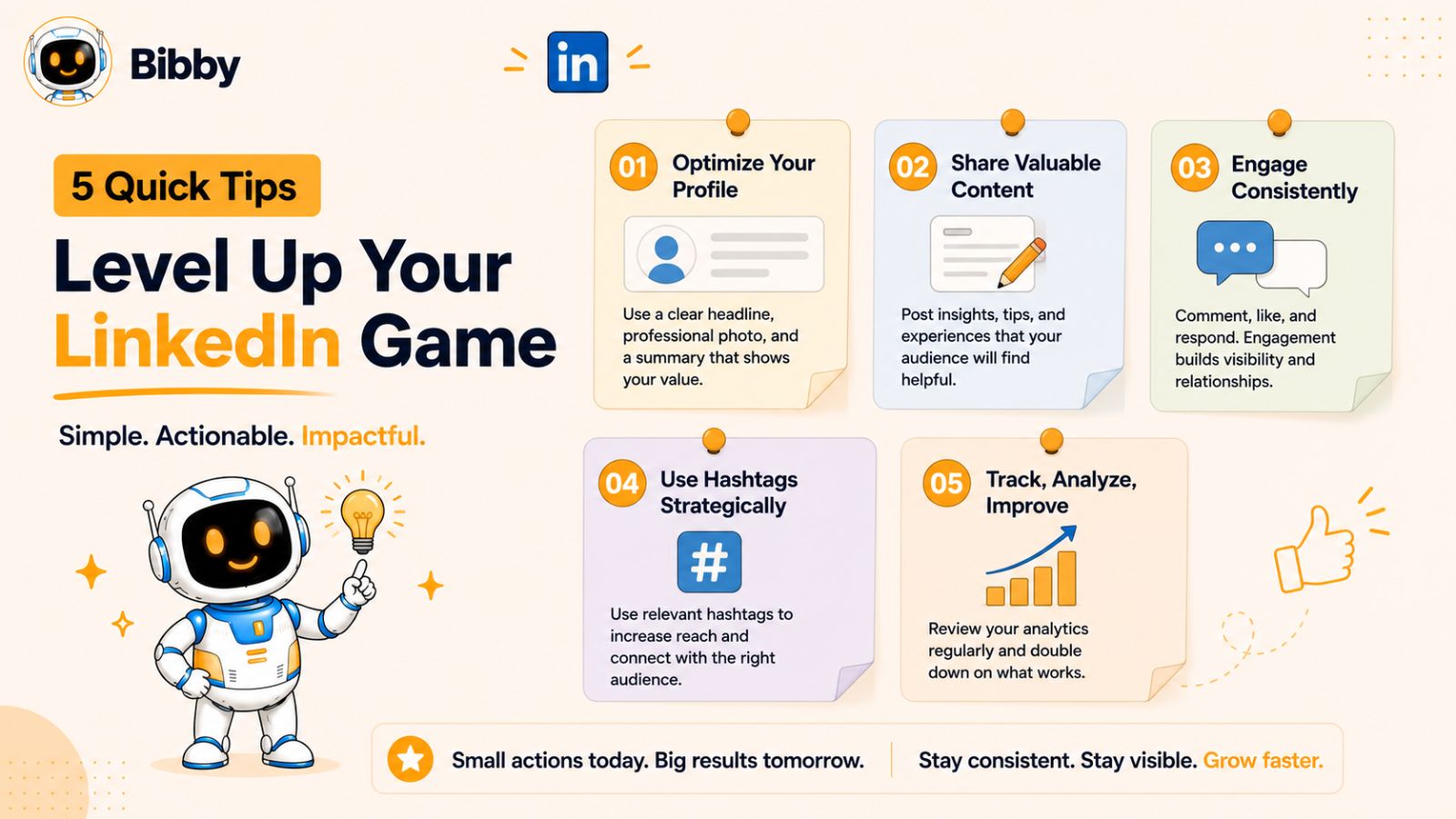
16. Quick Tips Posts
Quick tips posts deliver immediate value in a format that's easy to consume. Instead of diving deep into one topic, you share several practical tips readers can implement right away.
Because they're concise and actionable, these posts often receive a high number of saves and shares.
Why Quick Tips Posts Work
Busy professionals don't always have time to read long articles. Quick tips allow them to learn something useful in just a few minutes.
This format also demonstrates your expertise without overwhelming your audience, making it ideal for consistent content creation.
How to Structure a Quick Tips Post
Follow this simple format:
- Start with a clear headline.
- Share 5–10 practical tips.
- Keep each tip to one or two sentences.
- End with a summary or call to action.
Best Practices
- Focus on one topic.
- Make every tip actionable.
- Avoid repeating obvious advice.
- Use numbering for better readability.
- Encourage readers to save the post for later.
Example
7 Tips to Increase LinkedIn Engagement
- Write a stronger opening hook.
- Focus on one idea per post.
- Keep paragraphs short.
- Use storytelling whenever possible.
- End with an open-ended question.
- Reply to every meaningful comment.
- Stay consistent with your posting schedule.
Quick tips become even more effective when paired with a consistent publishing strategy. Instead of manually posting every day, many creators batch their content and use tools like Bibby to generate captions, schedule posts across LinkedIn and other social platforms, and publish automatically at AI-optimized times. This allows them to spend more time creating valuable content and less time managing their posting calendar.
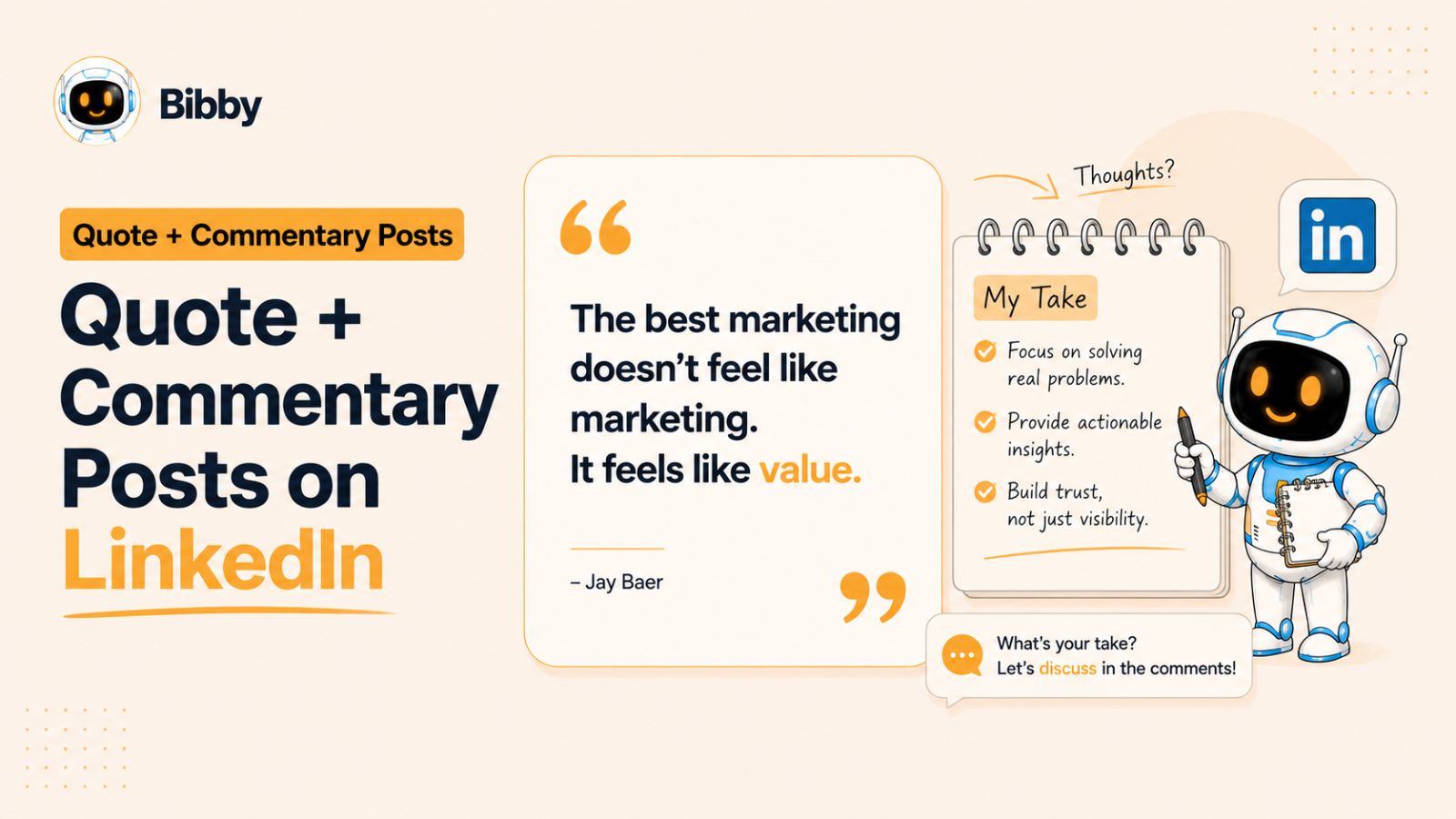
17. Quote + Commentary Posts
Quote posts by themselves rarely perform well because they offer little original value. However, when you pair a meaningful quote with your own insights, experiences, or lessons, the post becomes far more engaging and memorable.
The quote should start the conversation—not be the entire conversation.
Why Quote + Commentary Posts Work
A powerful quote captures attention quickly, while your commentary demonstrates expertise and personality. Readers aren't interested in the quote alone; they want to understand why it matters and how it applies to real-world situations.
This format also encourages discussion because people often interpret quotes differently.
How to Structure a Quote + Commentary Post
Follow this simple framework:
- Start with a relevant quote.
- Explain why it stood out to you.
- Connect it to a personal experience or industry insight.
- Share an actionable takeaway.
- End with a question for your audience.
Best Practices
- Choose quotes that align with your niche.
- Add significantly more commentary than the quote itself.
- Avoid overused or generic quotes.
- Make the takeaway practical.
- Encourage readers to share their interpretation.
Example
"Consistency compounds."
This simple quote changed the way I approach content creation.
Instead of trying to create one viral post every month, I focused on publishing valuable content consistently. Over time, those small efforts led to stronger engagement, more profile visits, and better business opportunities.
Which quote has influenced your career the most?
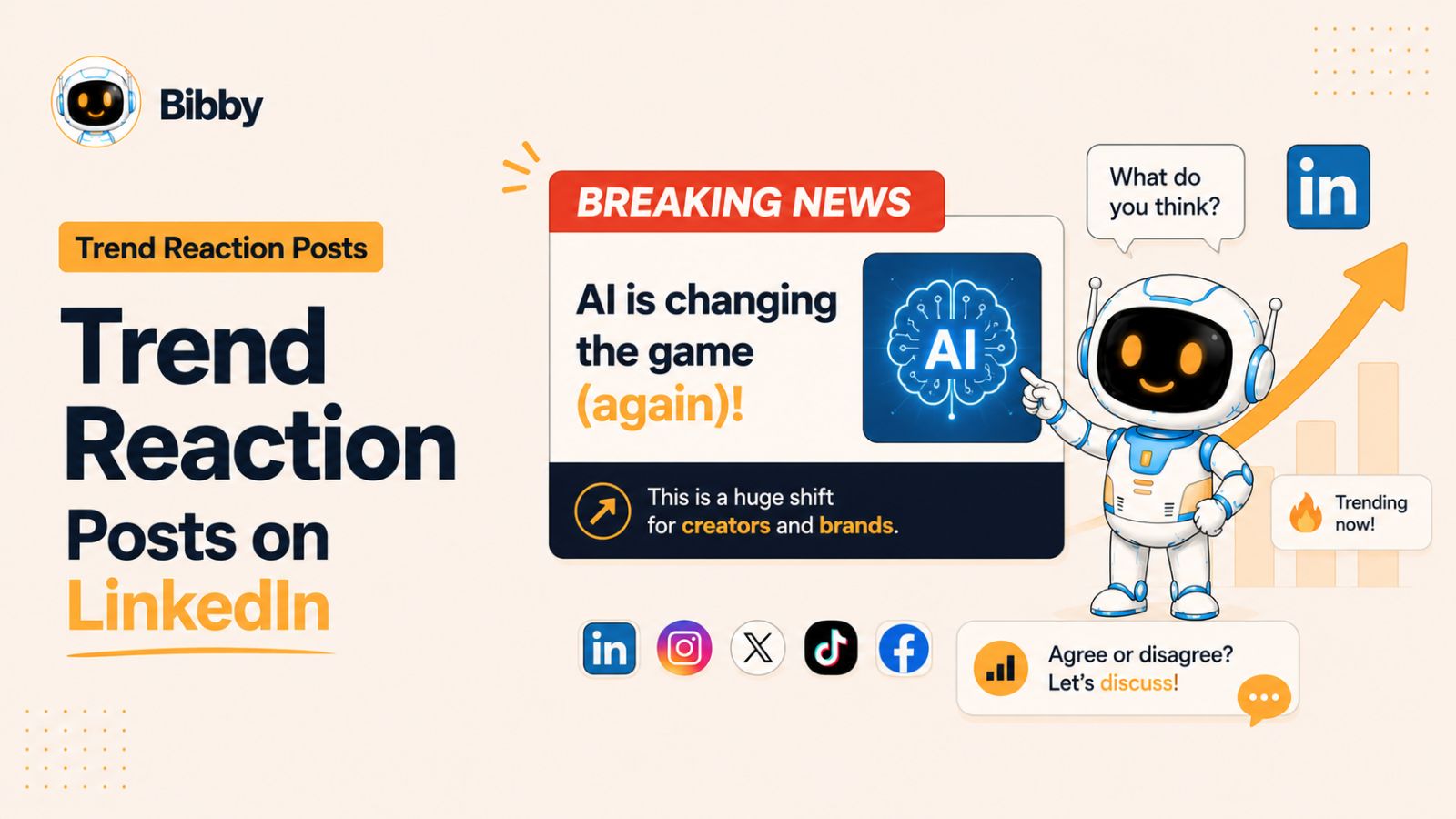
18. Trend Reaction Posts
Trend reaction posts allow you to join relevant conversations while they're still fresh. Whether it's a major industry announcement, a new AI tool, a platform update, or emerging market trends, timely reactions help position you as someone who stays informed.
The key is to add your own perspective rather than simply repeating the news.
Why Trend Reaction Posts Work
Trending topics already have audience interest. By adding thoughtful analysis, predictions, or practical advice, you increase the chances of your content being discovered by professionals following the same conversation.
These posts also encourage healthy debate because trends often affect people differently.
How to Structure a Trend Reaction Post
A simple structure works well:
- Introduce the trend or news.
- Explain why it's important.
- Share your opinion or analysis.
- Discuss potential opportunities or challenges.
- Invite readers to share their thoughts.
Best Practices
- Publish while the topic is still relevant.
- Add original insights instead of summarizing headlines.
- Stay objective and balanced.
- Focus on how the trend affects your audience.
- Encourage discussion rather than controversy.
Example
"AI is making content creation faster than ever.
But speed alone isn't the competitive advantage.
The creators who win will combine AI efficiency with human creativity, storytelling, and expertise.
AI can help you produce more content—but people still connect with authentic experiences.
How do you think AI will change content marketing over the next few years?"
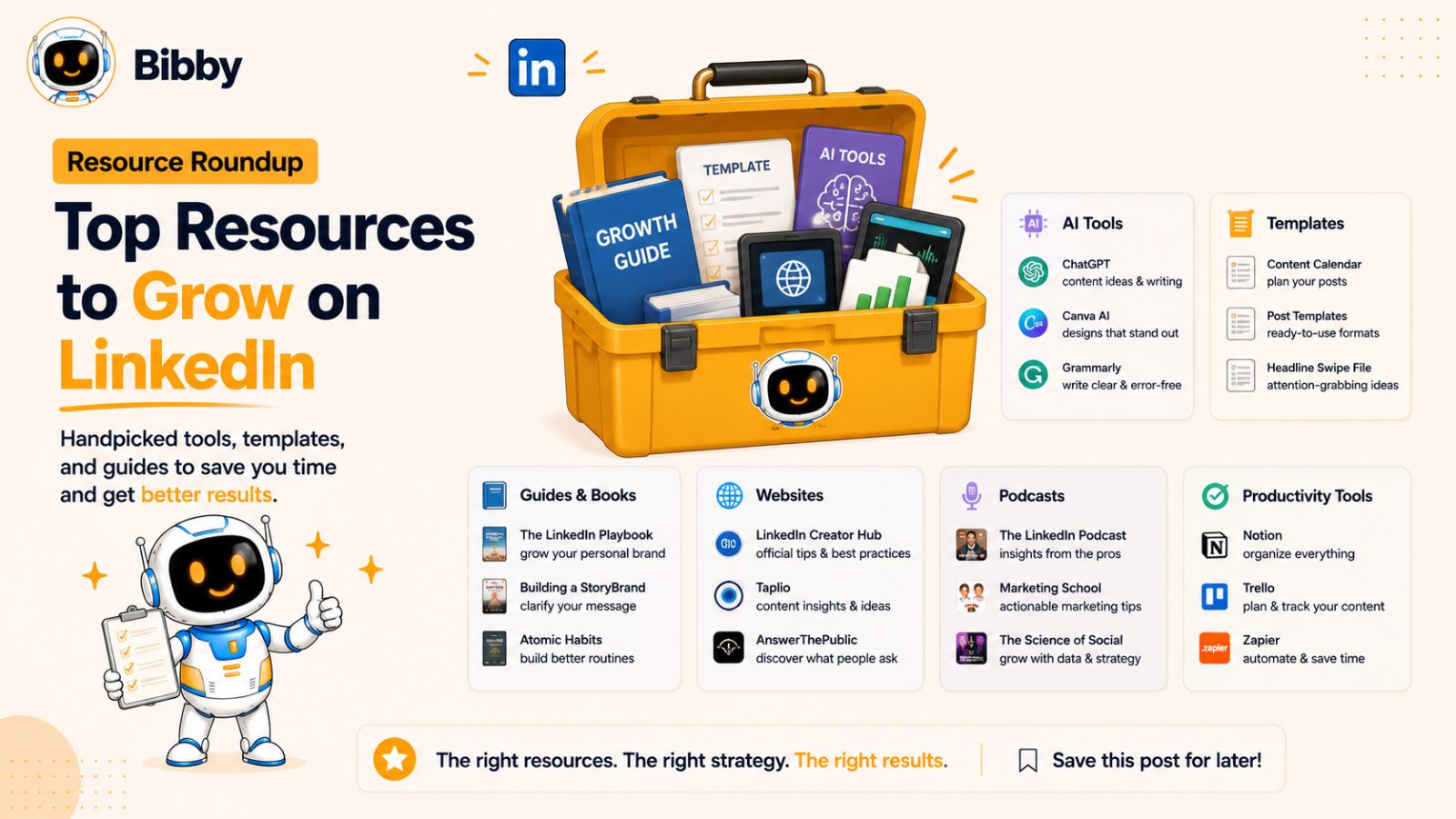
19. Resource Roundup Posts
Resource roundup posts compile useful tools, books, websites, podcasts, newsletters, templates, or learning materials into one valuable post. Instead of creating everything yourself, you curate the best resources and explain why they're worth exploring.
These posts provide tremendous value because they save readers hours of research.
Why Resource Roundup Posts Work
People appreciate curated content from trusted professionals. A well-organized resource list becomes something readers bookmark, save, and share with colleagues.
Roundups also demonstrate that you're knowledgeable about your industry beyond your own products or services.
How to Structure a Resource Roundup Post
Use this framework:
- Introduce the topic.
- Share your curated list of resources.
- Explain why each resource is valuable.
- Highlight your personal favorite.
- Ask readers to recommend additional resources.
Best Practices
- Focus on one topic.
- Include only high-quality resources.
- Add brief explanations instead of just listing names.
- Update the list periodically.
- Encourage community recommendations.
Example
5 AI Tools Every Content Creator Should Try
- AI writing assistant
- Grammar checker
- Graphic design platform
- Video editing tool
- Bibby for AI-powered caption generation, content scheduling, analytics, and publishing across LinkedIn, Facebook, Instagram, TikTok, and YouTube from one intuitive dashboard.
What's one tool you couldn't work without?
20. Thought Leadership Posts
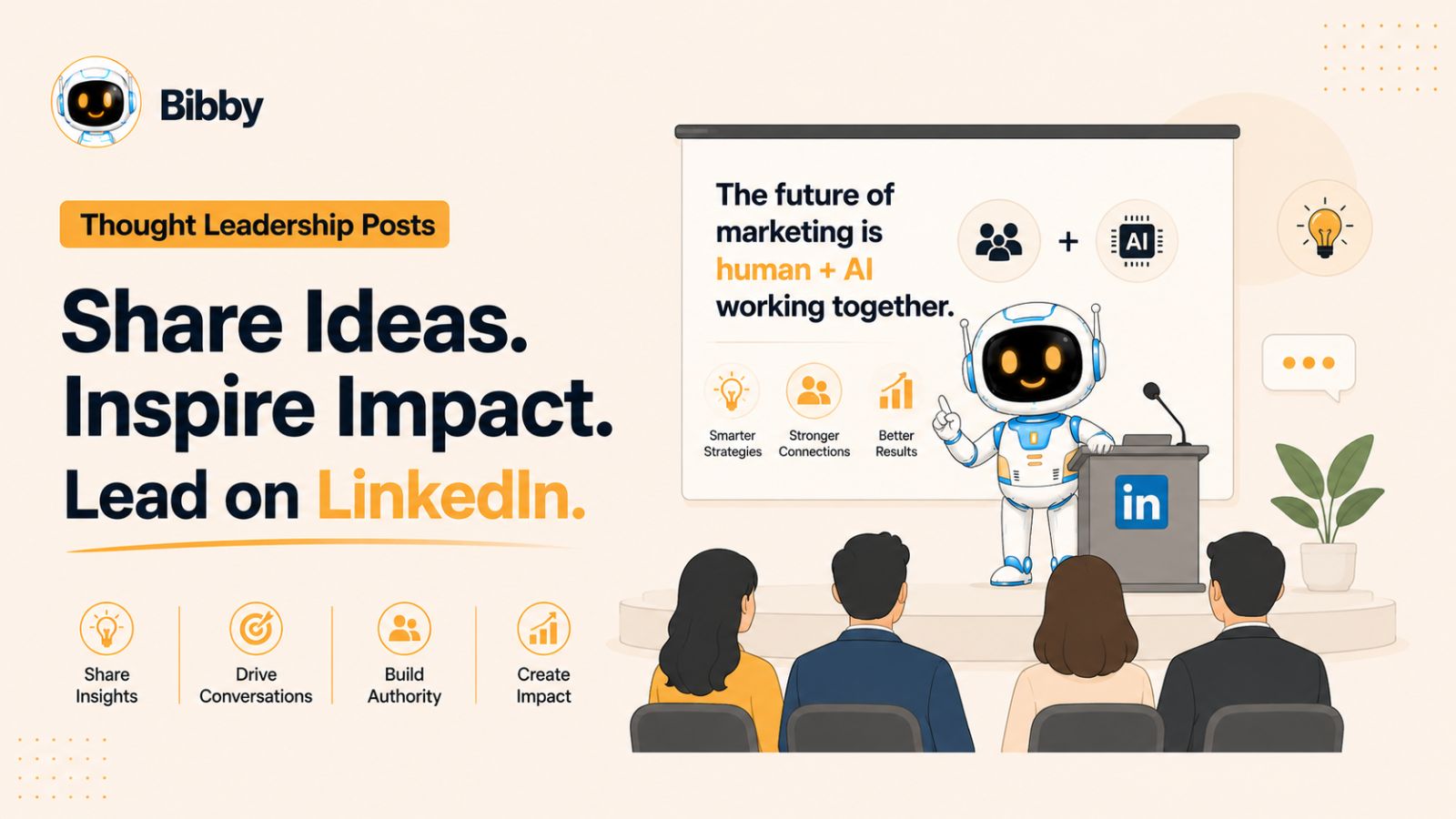
Thought leadership posts are where you share original ideas, frameworks, predictions, or philosophies based on your own experience. Rather than reporting on what others are saying, you contribute something new to the conversation.
These posts help differentiate you from competitors because they showcase your unique perspective and expertise.
Why Thought Leadership Posts Work
Professionals follow thought leaders for fresh ideas—not recycled advice. Original insights position you as someone who leads conversations instead of following them.
These posts also tend to attract high-quality engagement because they inspire discussion among experienced professionals.
How to Structure a Thought Leadership Post
A simple framework includes:
- Present an original idea or observation.
- Explain the reasoning behind it.
- Support it with examples or experience.
- Discuss its implications.
- End with an open-ended question.
Best Practices
- Share ideas based on real experience.
- Challenge conventional thinking respectfully.
- Focus on providing value rather than seeking attention.
- Be consistent with your expertise and niche.
- Encourage thoughtful conversations.
Example
"The future of LinkedIn isn't about publishing more content.
It's about building systems that let you create consistently while focusing on relationships.
AI can generate ideas, write first drafts, schedule posts, and analyze performance. But authenticity, experience, and meaningful conversations will remain your biggest competitive advantage.
The creators who combine both will build stronger personal brands than those relying on either one alone.
What skill do you think will matter most for creators over the next five years?"
best time to post on LinkedIn
Even the best LinkedIn post can underperform if it's published when your audience isn't active. While great content is always the most important factor, posting at the right time can give your content the early engagement it needs to reach a larger audience.
There isn't a single "perfect" posting time for everyone. The ideal schedule depends on your industry, audience, location, and when your connections are most active. However, several general patterns can help you maximize visibility.
Best Days to Post on LinkedIn
LinkedIn is primarily a professional networking platform, so engagement is typically strongest during the workweek.
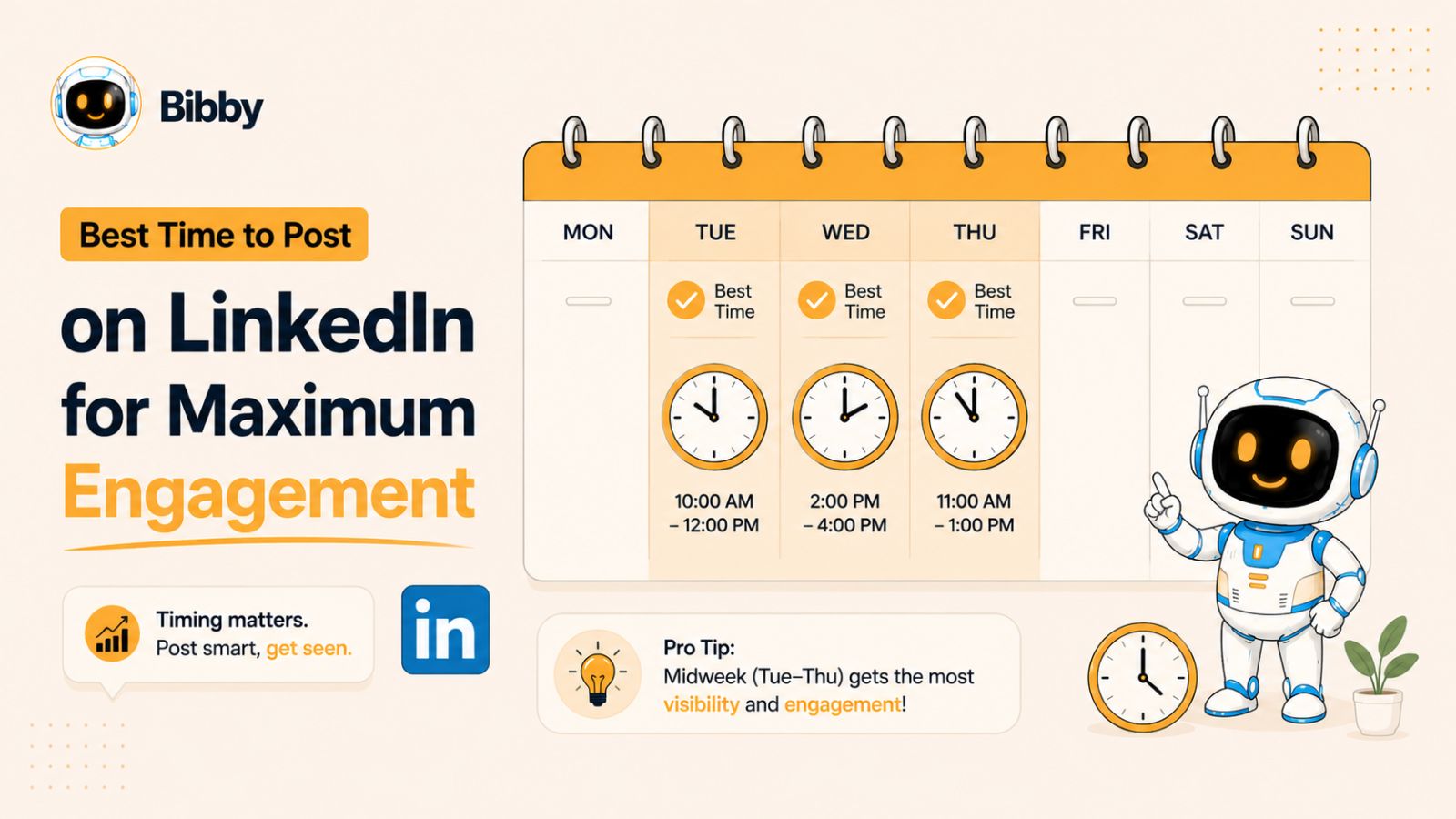
Generally, the best days to post are:
- Tuesday
- Wednesday
- Thursday
These days often see higher engagement because professionals are actively checking LinkedIn during their work routines.
Monday mornings can be busy as people catch up on work, while Friday afternoons often experience lower engagement as many users shift their focus toward the weekend.
Best Times to Post
Although every audience is different, these time ranges consistently perform well for many industries:
- 7:00 AM – 9:00 AM: Professionals checking LinkedIn before work.
- 11:00 AM – 1:00 PM: Lunch breaks and midday browsing.
- 4:00 PM – 6:00 PM: End of the workday when users are catching up before logging off.
If your audience is global, consider scheduling posts at different times to reach professionals across multiple time zones.
Test and Analyze Your Results
The only way to identify your best posting schedule is through experimentation. Publish consistently at different times for several weeks and track metrics such as:
- Impressions
- Comments
- Shares
- Saves
- Click-through rate
- Profile visits
- New followers
Over time, you'll discover the schedule that consistently delivers the highest engagement.
Schedule Your Posts in Advance
Publishing manually every day isn't practical for most professionals. Scheduling your content ahead of time ensures consistency and allows you to focus on creating valuable content instead of worrying about daily posting.
Tools like Bibby make this process effortless. You can upload your own images or generate them with AI, choose your preferred posting style, let Bibby automatically create engaging captions, and schedule your content across LinkedIn, Facebook, Instagram, TikTok, and YouTube. It also publishes your posts at AI-optimized times and provides detailed analytics so you can continually improve your content strategy based on real performance data.
Common LinkedIn Posting Mistakes
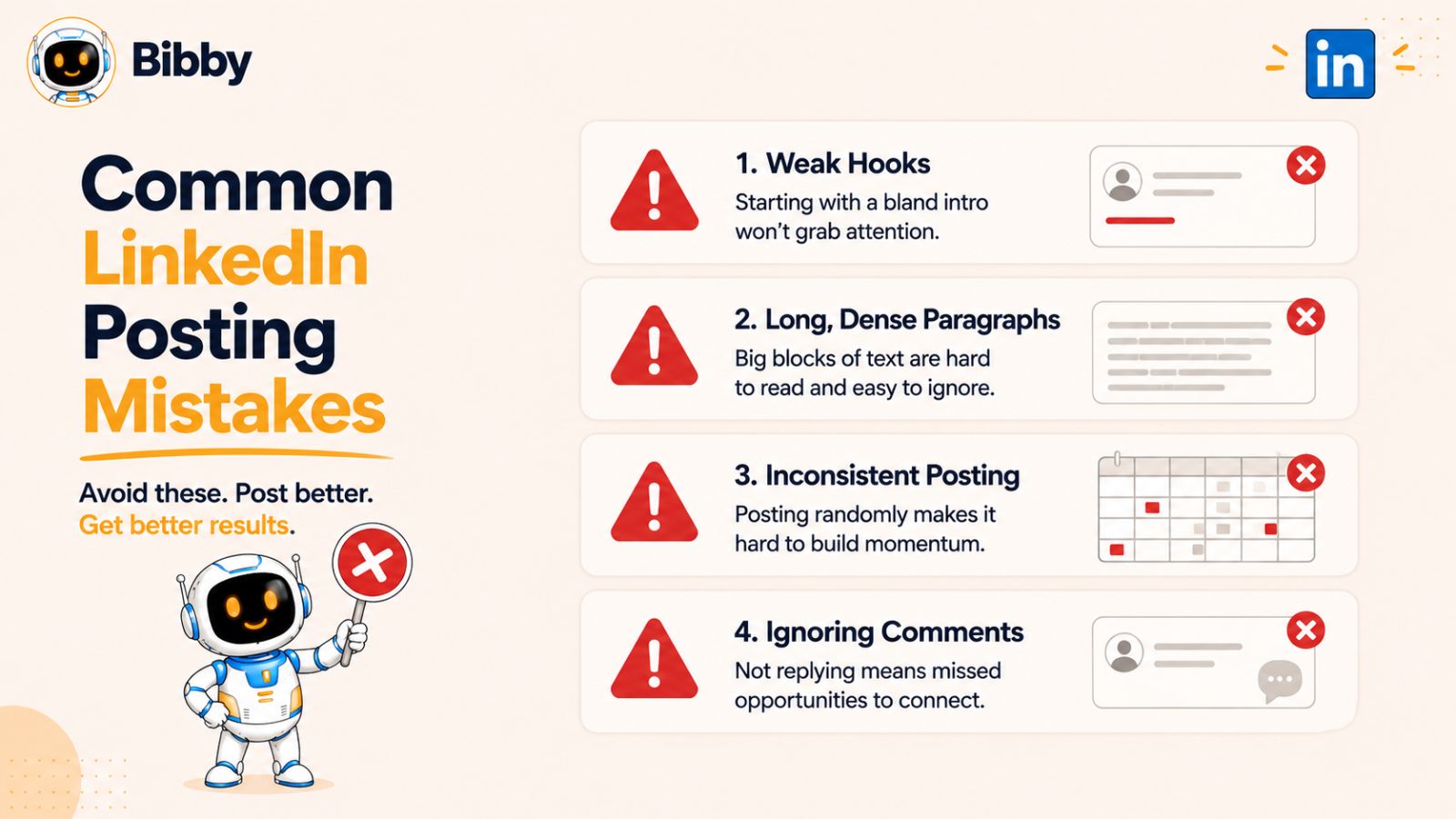
Even experienced creators make mistakes that limit their reach and engagement. Fortunately, most of these issues are easy to fix once you know what to look for. Avoiding the following mistakes will help you create content that performs better and resonates with your audience.
Starting With a Weak Hook
Your opening sentence determines whether someone keeps reading or scrolls away. If your first line doesn't spark curiosity or clearly communicate value, many users won't click "See more."
Instead, begin with a question, surprising statistic, bold statement, or relatable problem that immediately grabs attention.
Writing Long Blocks of Text
Large paragraphs can be intimidating, especially on mobile devices. Most LinkedIn users skim content before deciding whether to read it in full.
Keep paragraphs short—one to three sentences—and use whitespace to make your posts easier to scan.
Trying to Sell Instead of Educate
One of the biggest mistakes on LinkedIn is treating every post like an advertisement. People come to the platform to learn, network, and gain insights—not to be constantly sold to.
Focus on educating, entertaining, or inspiring your audience first. Promotional opportunities will naturally follow as trust grows.
Ignoring the Call to Action
Many creators publish valuable content but forget to encourage interaction.
A simple question at the end of your post can significantly increase comments. For example:
- What's your experience?
- Do you agree or disagree?
- Which tip would you add?
- What's worked best for you?
These prompts make it easy for readers to join the conversation.
Posting Inconsistently
Publishing several posts one week and then disappearing for a month makes it difficult to build momentum. Consistency helps both your audience and the LinkedIn algorithm recognize you as an active creator.
Creating content in batches and scheduling it in advance is one of the easiest ways to maintain a regular posting schedule.
Ignoring Comments
Posting is only the beginning. Responding to comments keeps the conversation going, strengthens relationships, and sends positive engagement signals to the LinkedIn algorithm.
Whenever possible, reply with thoughtful responses instead of short acknowledgments like "Thanks!"
Not Tracking Performance
If you're not reviewing your analytics, you're missing valuable insights into what your audience enjoys.
Pay attention to metrics such as:
- Impressions
- Engagement rate
- Comments
- Shares
- Saves
- Profile visits
- Follower growth
Look for patterns across your best-performing posts and create more content around those topics and formats.
Managing Everything Manually
Creating content, writing captions, posting across multiple platforms, and tracking analytics manually can quickly become overwhelming.
Instead of juggling several tools, consider using an all-in-one platform like Bibby. It lets you upload or generate AI images, automatically create captions based on your preferred posting style, schedule content across LinkedIn, Facebook, Instagram, TikTok, and YouTube, publish at AI-optimized times, and monitor analytics from one simple dashboard. This streamlined workflow saves time, improves consistency, and allows you to focus on creating content that drives meaningful engagement.
How to Create LinkedIn Posts Faster with AI
Creating engaging LinkedIn content consistently is one of the biggest challenges for professionals, marketers, creators, and business owners. Coming up with fresh ideas, designing visuals, writing compelling captions, choosing the best time to post, and publishing across multiple platforms can quickly become a full-time job.
Fortunately, AI-powered tools have made the entire process much faster and more efficient.
Why AI Is Transforming Content Creation
AI doesn't replace your creativity—it enhances it. Instead of spending hours on repetitive tasks, you can focus on sharing your expertise while AI handles much of the manual work.
AI can help you:
- Generate content ideas
- Create engaging captions
- Produce AI-generated images
- Repurpose content for multiple platforms
- Schedule posts in advance
- Optimize publishing times
- Analyze content performance
By automating repetitive tasks, you can publish consistently without sacrificing quality.
Simplify Your Workflow with Bibby
If you're looking for an all-in-one social media scheduling and automation platform, Bibby simplifies every step of the content creation process.
Instead of using separate tools for AI writing, scheduling, publishing, and analytics, Bibby combines everything into a single, intuitive workflow.
With Bibby, you can:
- Upload your own images or generate new ones using AI.
- Select your preferred posting style and tone.
- Automatically generate engaging captions with AI.
- Schedule content weeks or even months in advance.
- Publish at AI-optimized times for maximum reach.
- Manage multiple social media accounts from one dashboard.
- Track detailed analytics to understand what content performs best.
- Schedule images, videos, Stories, Shorts, Reels, and other media formats.
Publish Everywhere from One Dashboard
One of Bibby's biggest advantages is its multi-platform publishing capability.
Instead of logging into each platform separately, you can publish content from a single dashboard to:
- TikTok
- YouTube
This saves valuable time while ensuring your content remains consistent across every platform where your audience spends time.
A Simple Content Workflow
Bibby is designed to make content publishing effortless.
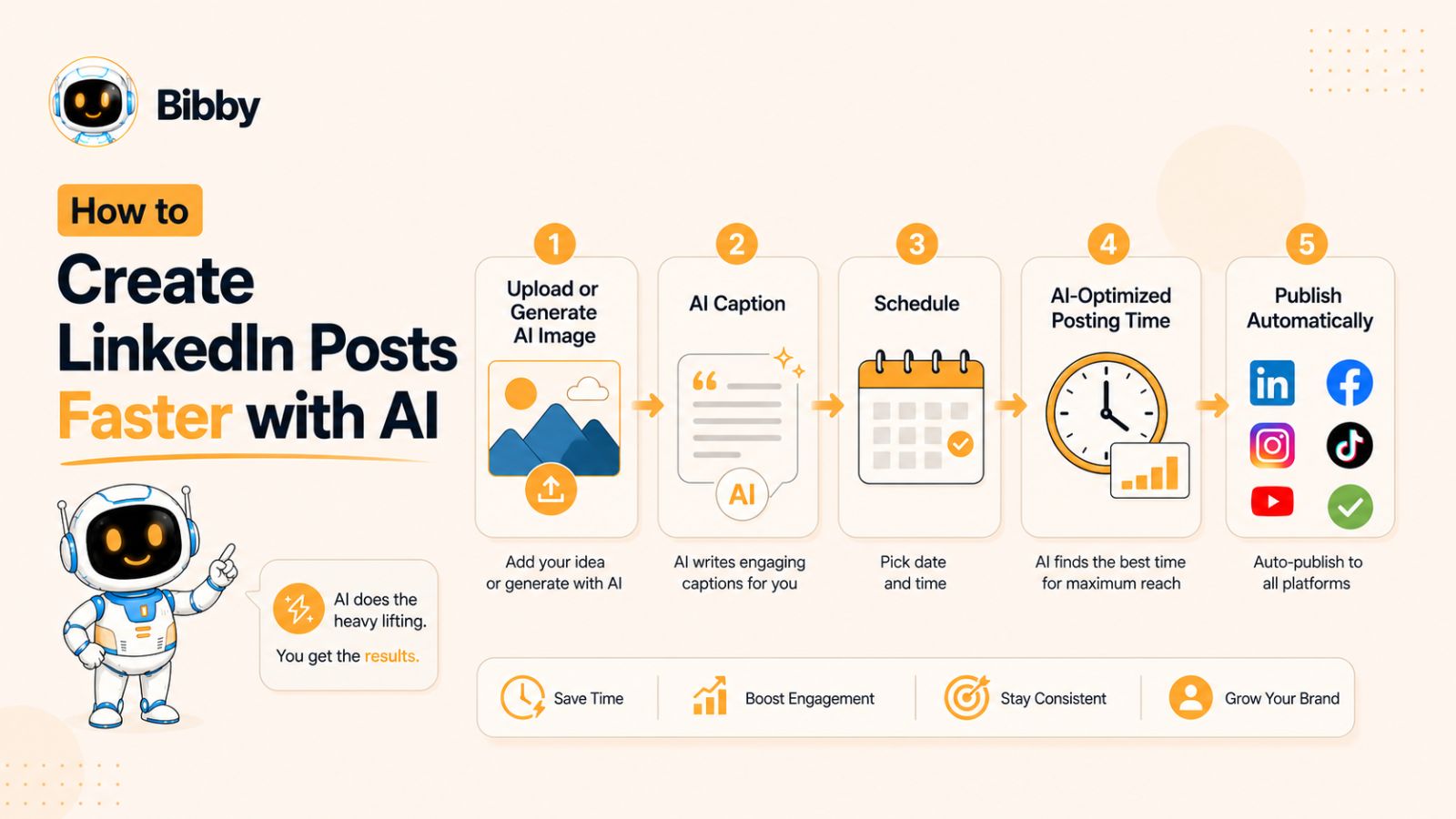
A typical workflow looks like this:
- Upload an image or generate one with AI.
- Choose your preferred posting style.
- Let Bibby create engaging captions automatically.
- Review and make any edits.
- Select the social platforms you want to publish to.
- Schedule your content.
- Bibby automatically publishes everything at AI-optimized times.
- Monitor analytics to refine your future content strategy.
This streamlined workflow eliminates repetitive tasks and helps you maintain a consistent posting schedule without spending hours managing multiple social media accounts.
Focus on Creating, Not Posting
Consistency is one of the biggest factors behind LinkedIn success. However, maintaining that consistency becomes difficult when you're manually creating, scheduling, and publishing every post.
By automating repetitive work, tools like Bibby allow you to spend less time managing content and more time building relationships, engaging with your audience, and creating high-quality posts that drive meaningful results.
Frequently Asked Questions
What type of LinkedIn post gets the most engagement?
There isn't a single format that always performs best, but personal stories, carousel posts, step-by-step tutorials, case studies, and thought leadership posts consistently generate high engagement. The key is to provide value, encourage meaningful discussions, and post consistently.
How often should I post on LinkedIn?
For most professionals and businesses, posting 3–5 times per week is enough to build momentum. Consistency is more important than posting every day. Focus on publishing high-quality content that educates, inspires, or starts conversations.
How long should a LinkedIn post be?
The ideal length depends on your content, but posts between 150 and 300 words often perform well because they're detailed enough to provide value while remaining easy to read. Longer storytelling posts can also perform exceptionally well if they keep readers engaged.
Are images better than text-only posts?
Both formats can perform well. Images, carousels, infographics, and videos typically attract more attention, while text-only posts with strong storytelling can generate meaningful conversations. Test different formats to see what resonates with your audience.
Should I use hashtags on LinkedIn?
Yes, but use them strategically. Adding 3–5 relevant hashtags helps categorize your content without making your post look spammy. Choose hashtags that closely relate to your topic and audience.
What is the best time to post on LinkedIn?
Many creators see strong engagement on Tuesday, Wednesday, and Thursday, particularly during morning, lunchtime, or late afternoon. However, your ideal posting time depends on your audience, so monitor your analytics and adjust your schedule based on performance.
Can AI help write LinkedIn posts?
Yes. AI can help brainstorm ideas, generate first drafts, write captions, improve grammar, and repurpose existing content. However, your personal experiences, expertise, and unique perspective should always remain at the center of your content to keep it authentic.
Should I schedule LinkedIn posts?
Absolutely. Scheduling helps you maintain a consistent publishing schedule, even during busy periods. It also allows you to plan campaigns, batch-create content, and ensure your posts go live when your audience is most active.
What is the best tool for scheduling LinkedIn posts?
The best tool depends on your workflow and requirements. If you're looking for an all-in-one solution, Bibby simplifies the entire process by allowing you to upload or generate AI images, create captions automatically, schedule posts at AI-optimized times, publish across LinkedIn, Facebook, Instagram, TikTok, and YouTube, and monitor detailed analytics from a single dashboard.
How can I increase engagement on LinkedIn?
Focus on writing compelling hooks, sharing valuable insights, telling authentic stories, using visuals, responding to comments, and posting consistently. Experiment with different content formats to discover what resonates most with your audience, then refine your strategy based on analytics.
Conclusion
Driving engagement on LinkedIn isn't about chasing viral posts—it's about consistently creating content that informs, inspires, and starts meaningful conversations. By experimenting with different post formats, such as personal stories, tutorials, case studies, carousels, and thought leadership posts, you'll discover what resonates most with your audience and build a stronger professional presence over time.
The three biggest takeaways are simple: choose the right content format for your message, publish consistently, and use your analytics to improve your strategy. Small, continuous improvements often lead to better long-term results than trying to create the perfect post every time.
As your content strategy grows, managing multiple platforms manually can become time-consuming. Tools like Bibby simplify the entire workflow by helping you generate AI-powered images, create engaging captions, schedule posts at AI-optimized times, publish across LinkedIn, Facebook, Instagram, TikTok, and YouTube, and track performance from one intuitive dashboard. This allows you to spend less time on repetitive tasks and more time building relationships and creating valuable content.
Now it's your turn. Start experimenting with these 20 LinkedIn post formats, track what works best for your audience, and refine your approach with every post. Consistency, authenticity, and continuous learning are the foundations of long-term success on LinkedIn.
If you're ready to take your content strategy even further, a natural next step is learning how to build a complete LinkedIn content calendar that helps you plan weeks of engaging posts in advance while maintaining consistency across all your social media channels.