
Depending on the platform, a Story can include photos, videos, text, music, links, polls, questions, and other interactive elements. Archives or saved collections may let you keep frames after they leave the public tray.
Stories suit today, right now, or a limited window. Feed posts suit information people should still find next month.
Bibby can upload or generate visuals, generate AI captions, and schedule images, carousels, videos, and Stories on Facebook, Instagram, LinkedIn, YouTube, and TikTok. Polls, stickers, Highlights, and replies stay in the native apps. Insights stay on-platform. Bibby does not publish to X.
What Are Stories?
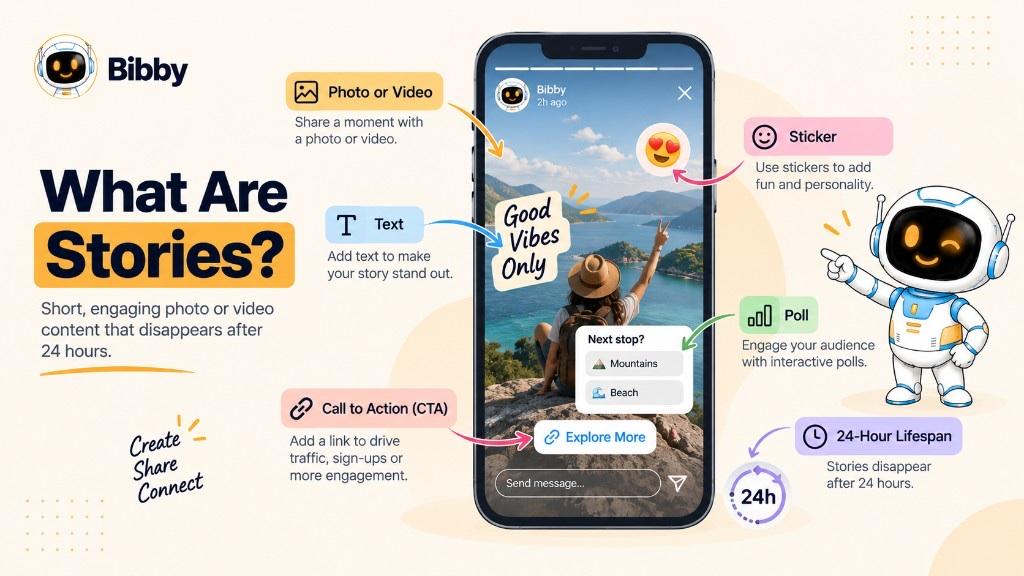
Stories are built for quick, visual, often temporary sharing. They usually appear full-screen and vertical.
Unlike a typical feed post, they are meant to expire. After about 24 hours they leave the active Story area, though you may still find them in an archive or a saved collection.
Creators use them for “what I’m doing.” Businesses use them for product updates, behind-the-scenes, customer quotes, limited offers, or announcements. People can reply, react, vote, ask, or tap links when the platform allows it.
Stories are for timely communication. Permanent feed content is for what should stay discoverable.
How Do Social Media Stories Work?
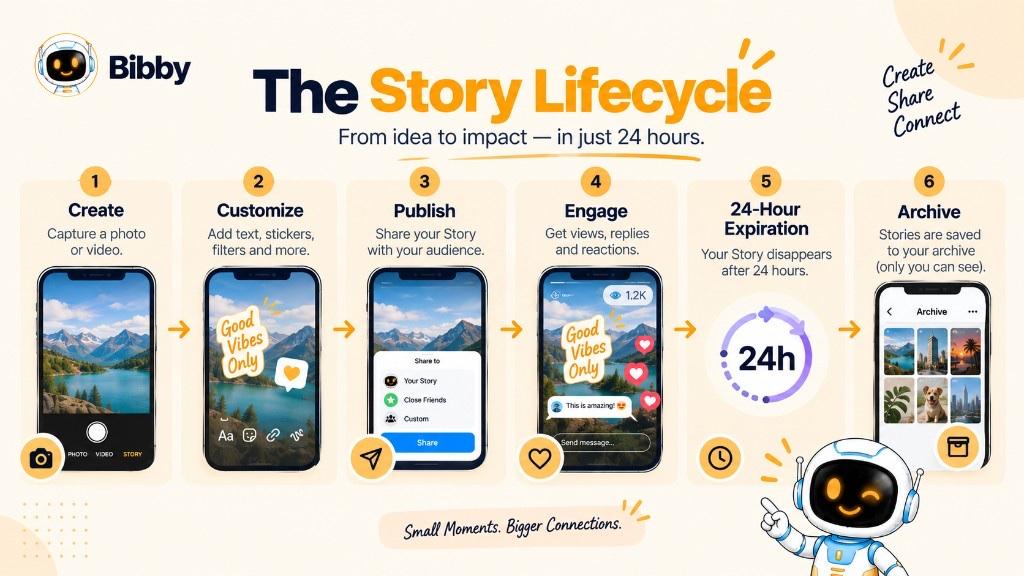
The cycle is simple, even when tools differ:
- Create — capture in the app or upload (or generate a visual in Bibby).
- Customize — text, music, stickers, filters, mentions, links, polls, questions—in the native editor when those extras exist.
- Publish — it appears in the Story tray for eligible viewers.
- Interact — replies, reactions, polls, questions, links.
- Expire — usually after 24 hours as an active Story; archive or save if the platform offers it.
That loop fits timely updates, casual talk, BTS, promotions, and quick feedback.
Why Are Stories Used on Social Media?
They share what is relevant *now* without filling the grid:
- Timely updates and announcements
- Behind-the-scenes
- Engagement via polls and questions (native tools)
- Product or service promotion
- Genuine urgency for real deadlines
- Traffic where links exist
- Relationship-building through frequent, human updates
- Testing ideas before a larger post
- Repurposing a feed idea into vertical frames
A feed post can last. A Story can say what is happening today. Consistency across accounts is the hard part—create and schedule the assets; still reply as a person.
What Can You Post in a Story?
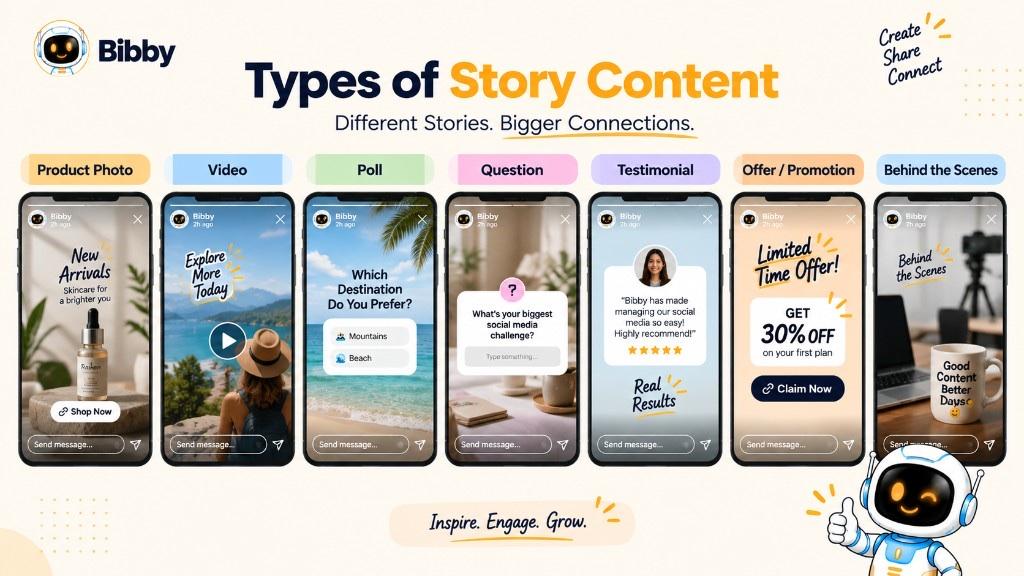
Match format to the message. You do not need every sticker.
| Content | Typical use |
|---|---|
| Photos | Products, events, everyday updates |
| Videos | Demos, BTS, short explainers |
| Text | Announcements, tips, reminders |
| Product frames | Features, launches, promotions |
| Polls | A choice or opinion (native) |
| Questions | Feedback or Q&A (native) |
| Links | Site, product, or article where supported |
| UGC | Customer content with permission |
| Testimonials | Quotes as social proof you already have |
| Offers | Real limited-time deals |
| Event updates | Reminders and live moments |
A launch sequence might be: problem → product → benefit → CTA. Keep each frame scannable.
Stories vs. Social Media Posts
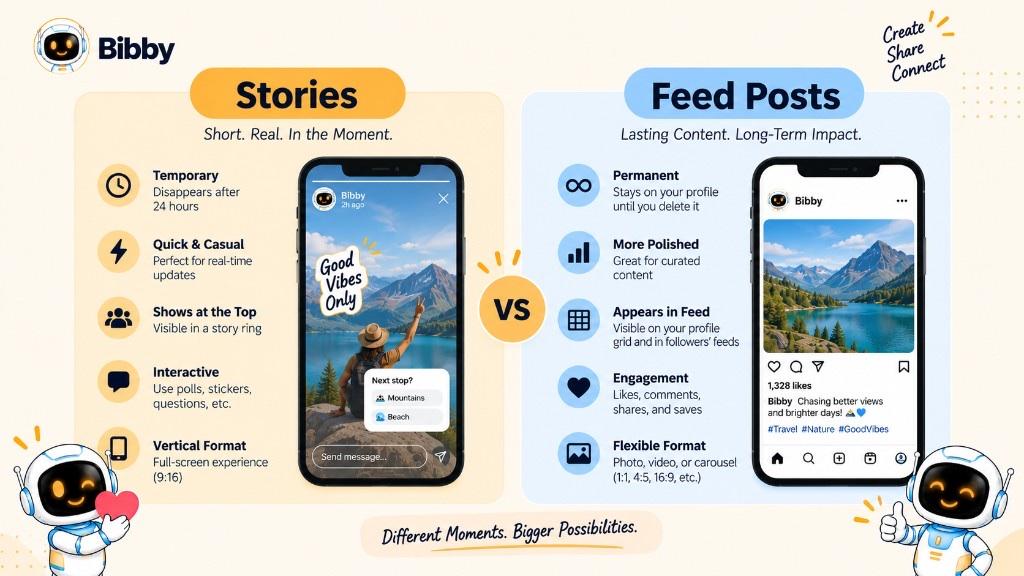
| Stories | Feed posts | |
|---|---|---|
| Lifespan | Usually ~24 hours | Until you remove or archive |
| Format | Often full-screen vertical | Mix of layouts |
| Purpose | Timely, casual, interactive | Evergreen, educational, shareable |
| Frequency | Often more often | Usually more selective |
| Urgency | Built into the clock | Usually less time-bound |
| Best for | BTS, updates, offers, polls | Teaching, portfolio, campaigns, lasting news |
Use both: posts as a library, Stories as frequent, short-lived contact. See Reel vs Story when the question is Story vs Reel.
Stories on Different Social Media Platforms
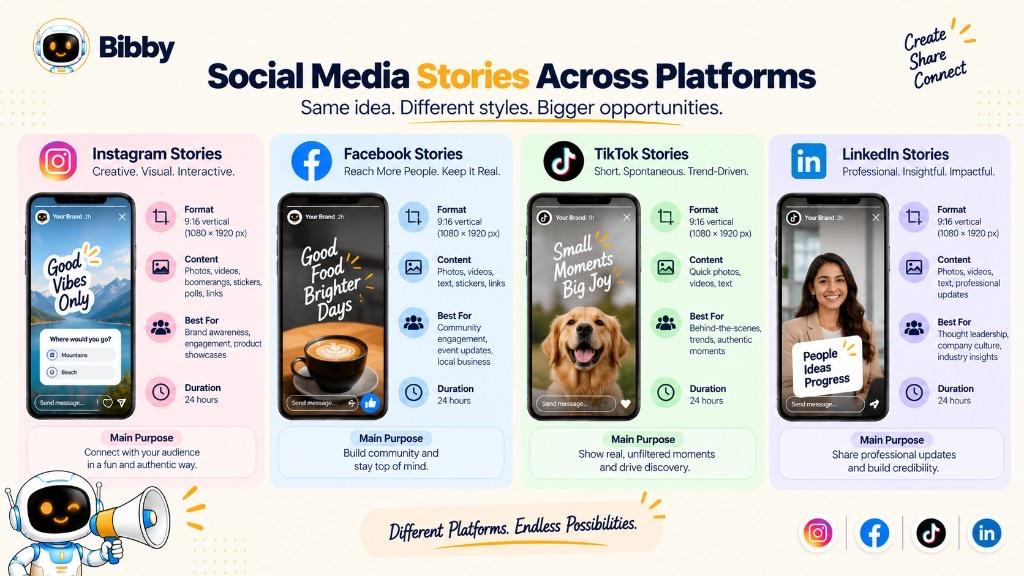
Features are not identical.
Instagram — photos, video, text, music, stickers, polls, questions, links (when eligible). Highlights can keep selected frames after 24 hours—Highlights are native Instagram, not Bibby.
Facebook — similar temporary photos and video for personal, community, or business updates. Options vary by account and region.
TikTok — temporary Stories beside regular short-form videos: quick updates between main posts.
YouTube — do not assume a 1:1 “Stories” product. Use whatever short or community formats YouTube currently offers.
LinkedIn — do not assume Instagram-style Stories. Use LinkedIn’s current formats. If you schedule a Story-shaped asset in a tool, confirm the network actually accepts that placement.
Adapt crop, copy, and CTA per network. Analytics differ too—open Insights on each platform.
How Long Do Stories Last?
About 24 hours in the active tray is the usual rule. That is why they feel immediate.
Expired is not always deleted. You may still open an archive or save a collection. A one-day offer can leave the tray and still live in your files.
Not always 24 hours: you can delete early; save/highlight features can extend public access. Distinguish the active Story from saved copies.
Examples of Social Media Stories
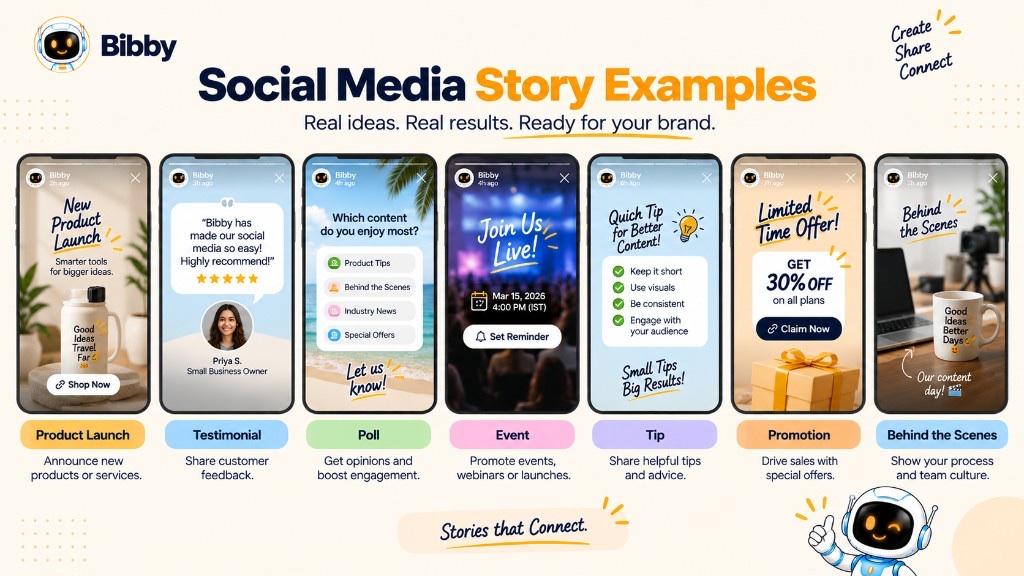
- Behind-the-scenes — kitchen prep; a feature in progress
- Product launch — teaser, reveal, benefit, CTA
- Educational — one tip per frame, then a question
- Testimonial — approved quote + visual (social proof you collected yourself)
- Limited-time offer — real deadline + clear next step
- Poll or question — which color; what topic next (native stickers)
- Day-in-the-life — short, approachable glimpses
- Event — before, during, after
Clear purpose, simple message, easy next step. Skip unused features.
How Businesses Use Stories
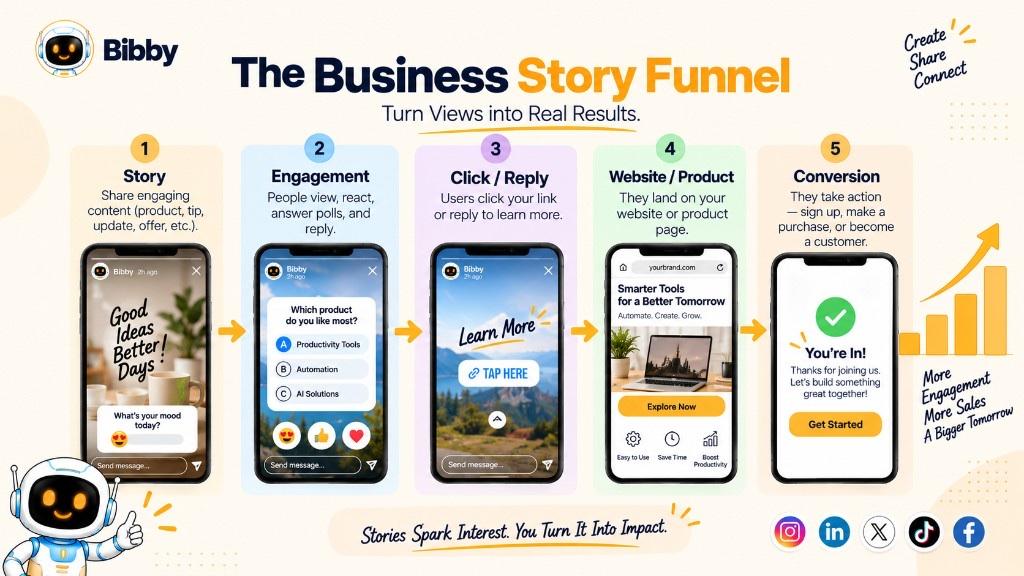
- Stay visible between feed posts (awareness)
- Show products, benefits, customer moments
- Send traffic where links exist (measure on the site or in Insights—not in Bibby)
- Tease and announce launches
- Show people and process
- Collect feedback with native polls
- Share reviews and UGC with permission
- Promote and recap events
- Time-sensitive offers that are actually time-sensitive
- Humanize without selling every frame
The bottleneck is a repeatable workflow: visuals, captions, calendar. That is create-and-schedule—not auto-replies or a views guarantee.
How to Create a Social Media Story
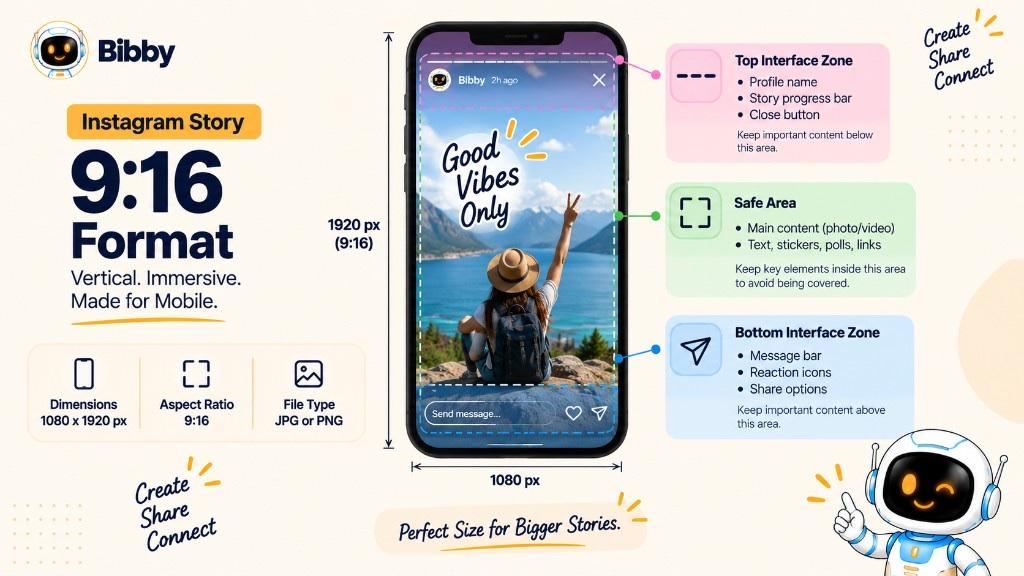
- Goal — update, teach, promote, engage, traffic, or BTS.
- Visual — clear on a phone.
- 9:16 — keep key elements in safe zones.
- Short text — one idea per frame.
- Interactive tools when they help — poll instead of a mute product dump.
- CTA — only if you want an action the platform can support.
- Preview — readable, uncropped, makes sense without a caption novel.
- Publish or schedule — in-app now, or queue in Bibby for supported networks.
A strong Story is one idea, fast, plus a reason to watch, tap, or reply.
How to Create and Schedule Stories With Bibby
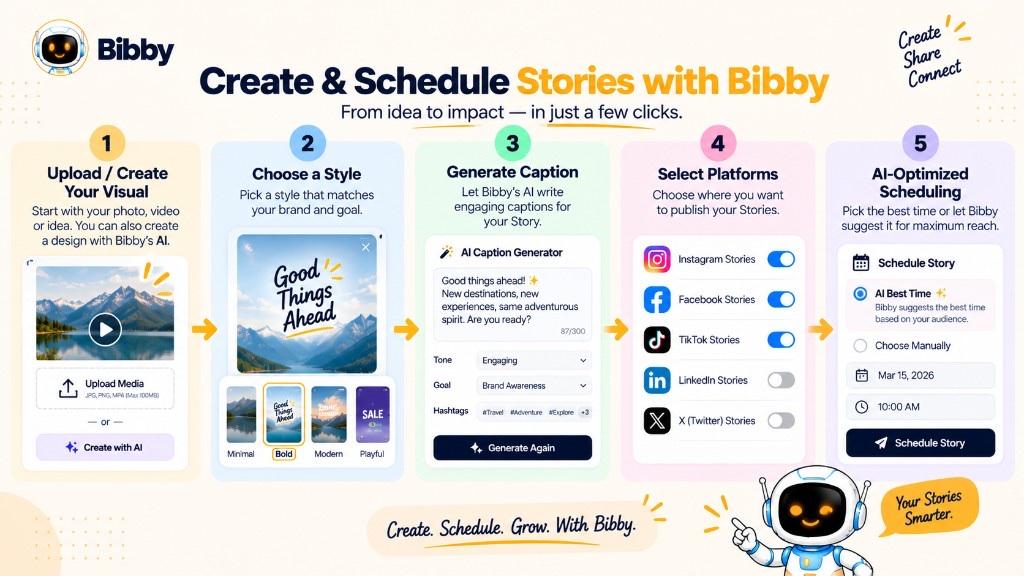
One Story is easy. A week of Stories plus feed posts is the real workload.
In Bibby you can:
- Upload or generate a visual
- Choose a posting style so generated copy fits the brand
- Generate or regenerate captions
- Schedule selected channels at AI-optimized times on Facebook, Instagram, LinkedIn, YouTube, and TikTok
- Use chat for a brand kit, campaign, posts, caption regenerations, and content tasks
Bibby supports images, carousels, videos, and Stories. It does not add Instagram poll stickers, Highlights, music licenses, or Story Insights. Add those in the app after or around the scheduled publish. Replies stay human.
Scheduling is a workflow. It is not a promise of reach.
Best Practices for Creating Stories
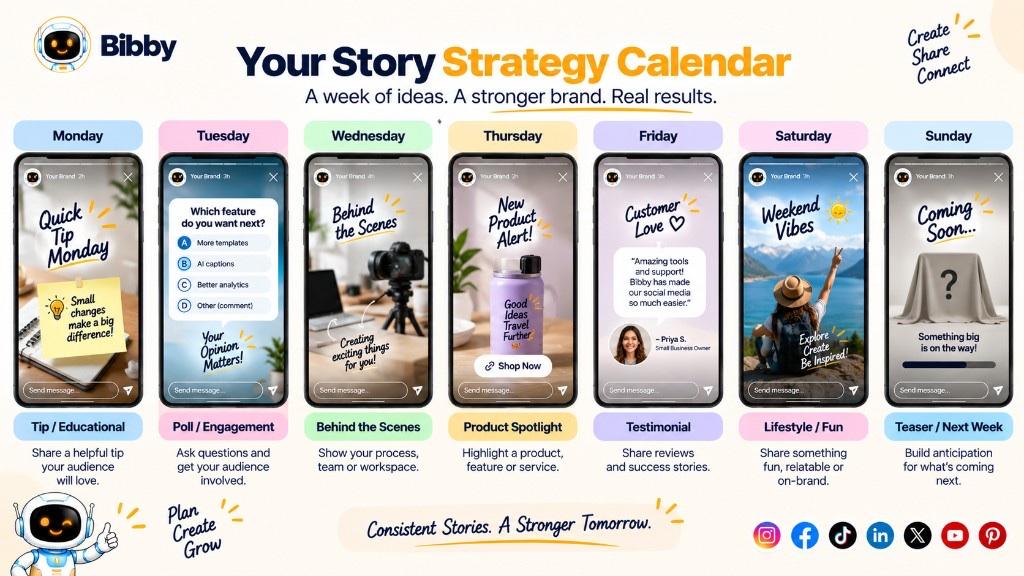
- Hook the first frame
- Design vertical and mobile-first
- Keep text scannable
- Give each Story one job
- Make the CTA obvious when you need action
- Use interactive tools on purpose
- Mix promo and non-promo
- Keep brand colors and tone recognizable
- Post on a schedule you can keep—a content calendar helps
- Adapt per platform
Clarity beats a pile of effects.
Common Mistakes to Avoid With Stories
- Every frame is a pitch
- Walls of text
- Blurry, stretched, or badly cropped video
- No hook
- No next step when you needed one
- Stickers for decoration only
- Posting only to “stay active”
- Ignoring replies and poll answers
- Pasting a feed post into 9:16 unchanged
- Unrecognizable branding
- Too many animations
Deliver the message quickly. Leave people a way to engage.
Conclusion
Stories are temporary, usually full-screen vertical photos or videos that leave the public tray after about 24 hours. They are visual, interactive when the platform allows, and they complement—not replace—the feed.
Remember:
- Temporary — about a day unless you save or highlight in-app.
- Timely — for now, not for the archive of the grid.
- Interactive on-platform — polls and replies live in the apps; Insights too.
- Schedulable — create and queue Stories in Bibby on supported networks; do not expect X, ads, or analytics there.
Pair Stories with a social media strategy so the tray is not random.