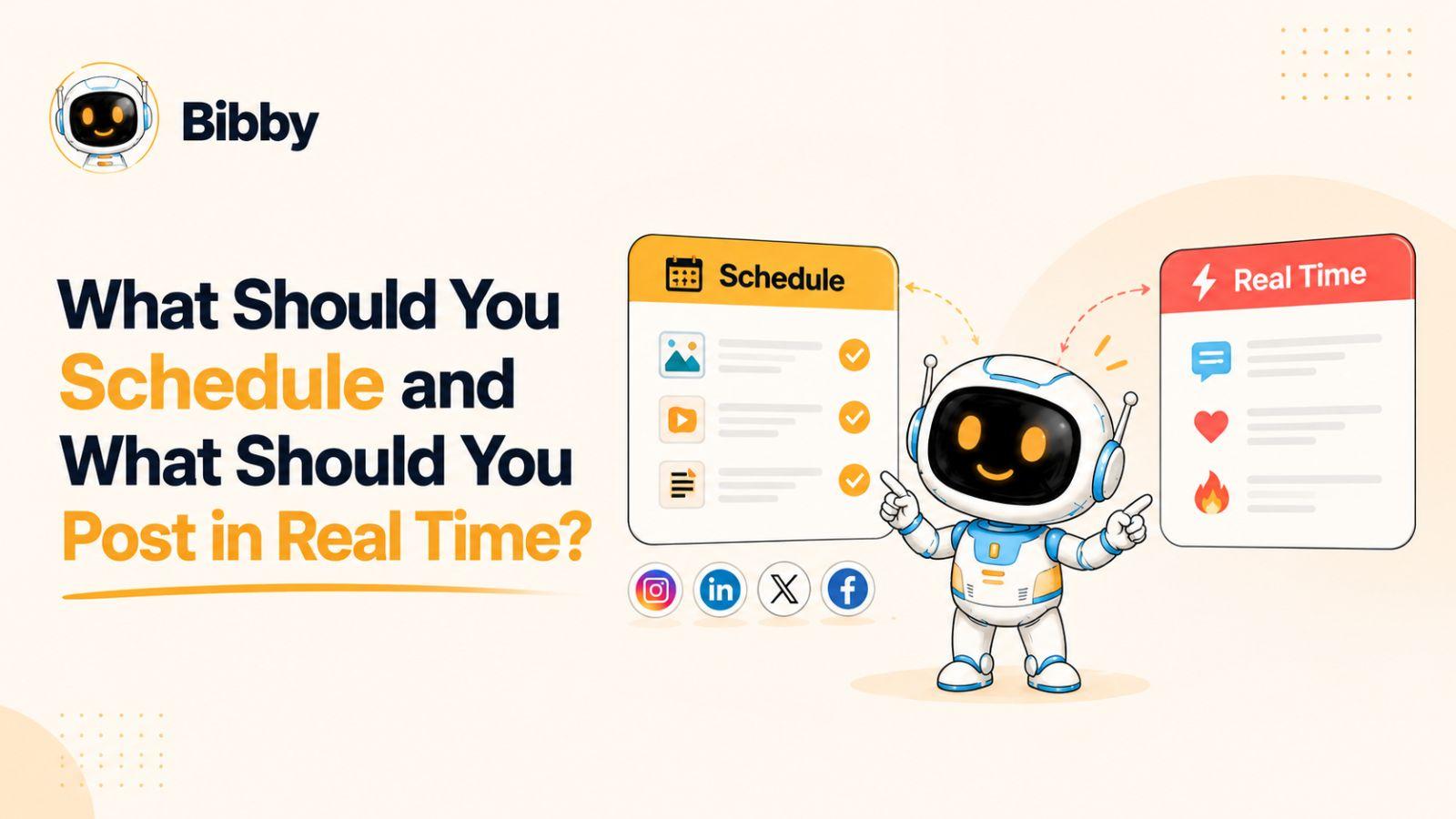
Social media gives you two ways to publish: schedule content ahead of time or post it in real time when something is happening.
The challenge is knowing which approach to use for each type of content. The right social media strategy combines planned, evergreen content with timely posts that respond to conversations, trends, launches, and moments as they happen—and tools like Bibby can make the scheduled side dramatically easier.
The goal isn’t to choose between scheduling and real-time posting—it’s to build a workflow that uses both strategically.
Scheduled vs. Real-Time Social Media Posts: What’s the Difference?
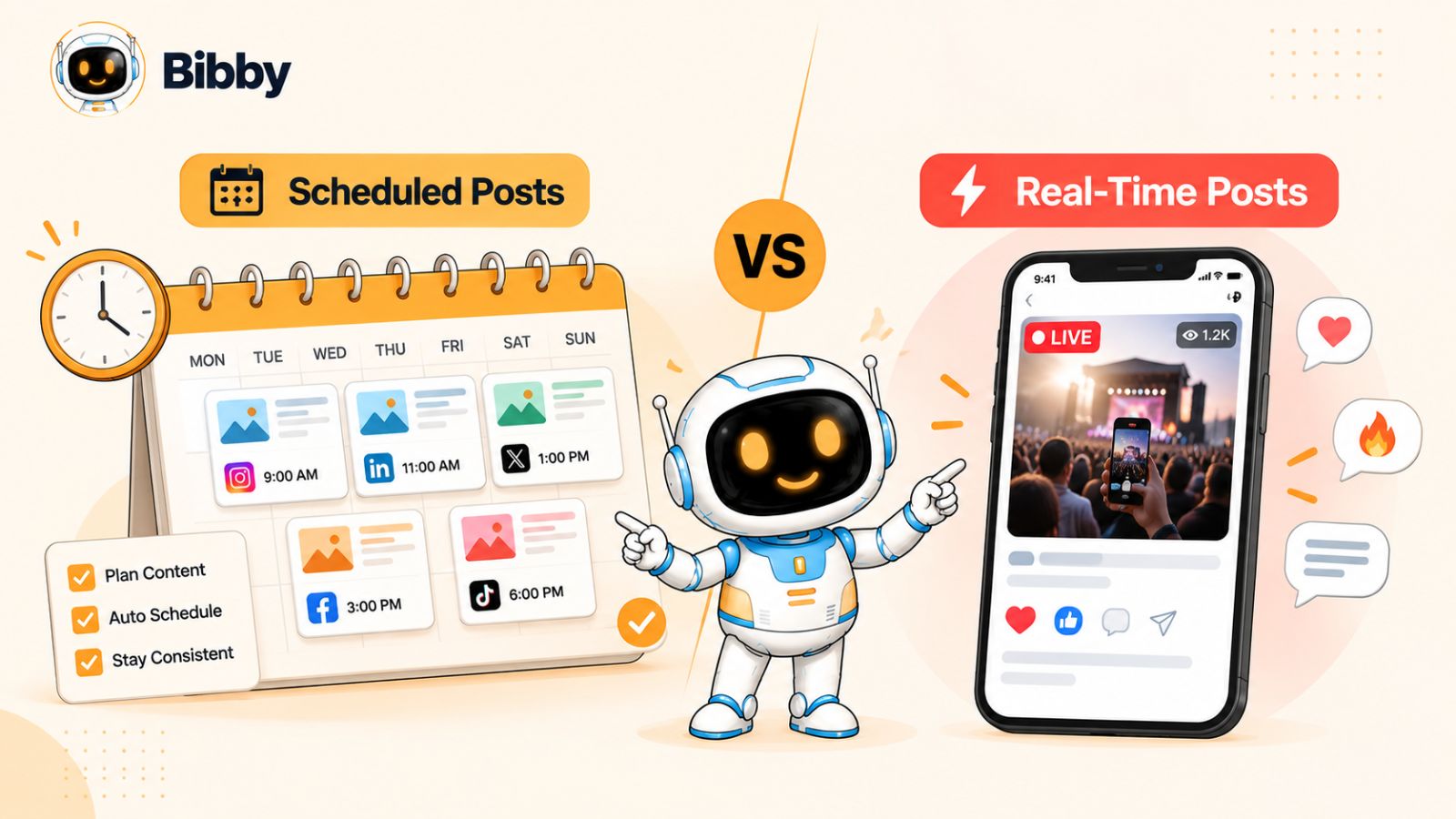
The simplest way to think about social media scheduling is this: schedule what you can predict, and post in real time when timing is part of the message.
Scheduled posts are planned content that can be created and approved ahead of time. This includes educational posts, product features, customer stories, evergreen tips, promotional content, carousels, videos, and other content that remains relevant regardless of what is happening on a particular day.
Real-time posts are different. Their value often comes from being connected to a specific moment, conversation, event, trend, announcement, or audience reaction. A brand responding to a breaking industry development, sharing an event as it happens, commenting on a viral conversation, or reacting to a customer interaction may need to publish immediately rather than wait for a content calendar.
Why scheduling matters
Without a scheduling system, social media can quickly become a daily production task. Someone has to find or create the visual, write the caption, decide where it should be published, choose a time, upload it, and repeat the process across every platform.
Scheduling separates content creation from content publishing.
Instead of creating one post every day, you can prepare multiple pieces of content in advance and organize them into a publishing schedule. With a tool such as Bibby, you can upload an image or generate one with AI, select a posting style, and have captions generated automatically before scheduling the content across your selected social platforms.
That workflow becomes particularly useful when your content needs to appear consistently across Facebook, Instagram, LinkedIn, YouTube, TikTok, and other supported channels.
Why real-time posting still matters
Automation does not mean your entire social media presence should run on autopilot.
Some of the most valuable social posts depend on context. If an important industry announcement happens this morning, publishing a pre-written post next week misses the moment. If customers are actively discussing your product, joining that conversation while it is happening can be more relevant than waiting for the next scheduled slot.
Real-time publishing also gives brands room to experiment. You can observe what people are talking about, identify questions or reactions worth addressing, and create content based on what your audience is actually experiencing.
That creates an important distinction:
Scheduled content helps you maintain consistency. Real-time content helps you maintain relevance.
A strong social media strategy needs both.
The mistake is treating scheduling and real-time posting as competing strategies. They solve different problems, and the most efficient workflow is usually to automate the predictable work while keeping enough flexibility to respond manually when something genuinely time-sensitive happens.
That is where the modern social media workflow starts to look less like a simple content calendar and more like a combination of automation, AI-assisted creation, and human judgment.
What Should You Schedule on Social Media?
If a piece of content can be planned without losing its relevance, it is usually a strong candidate for scheduling.
The biggest advantage of social media scheduling is not simply saving a few minutes. It is creating a reliable publishing system so your audience continues to see useful content even when you are busy with other parts of the business.
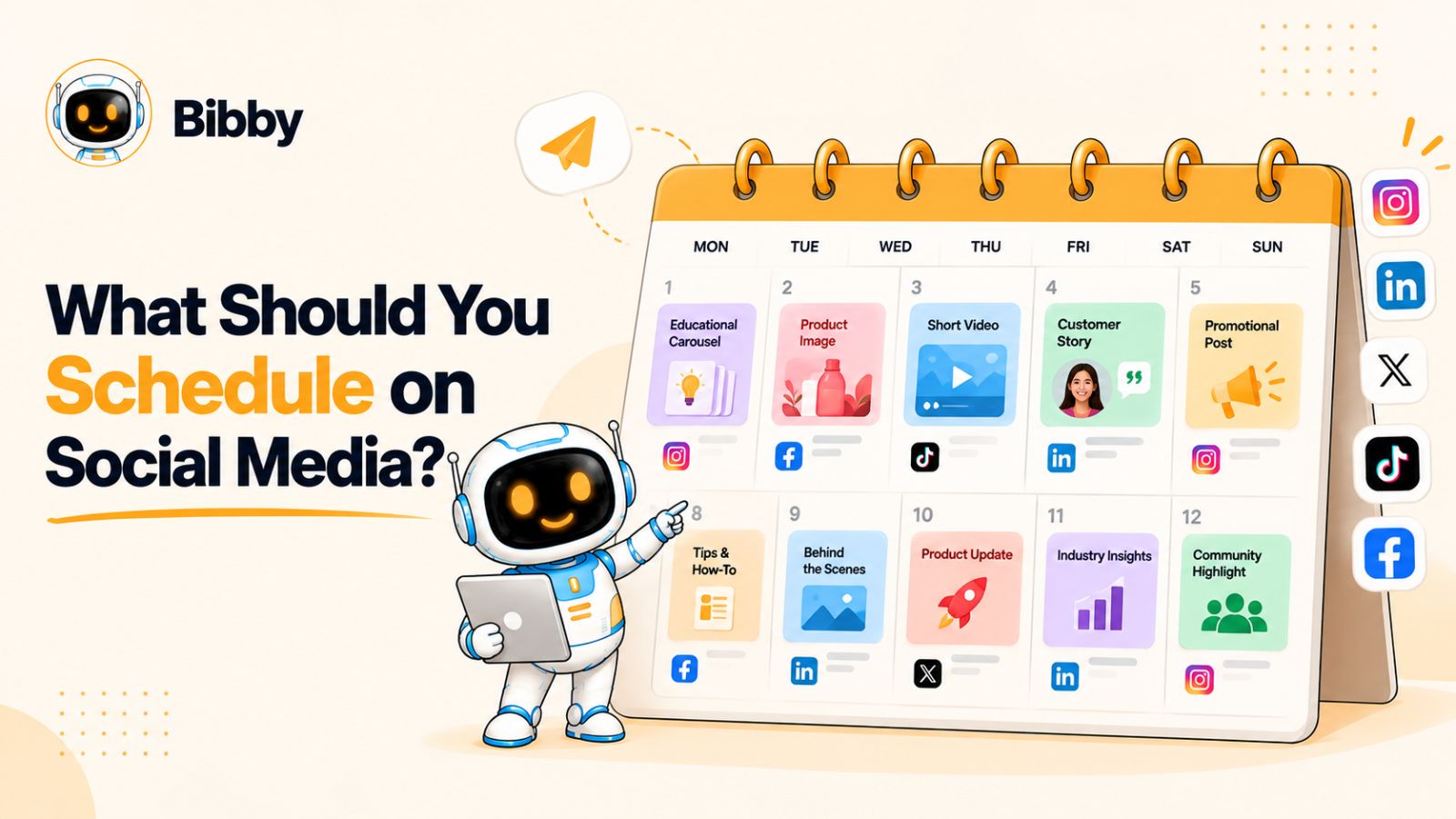
Here are the types of content you should generally schedule in advance.
1. Evergreen educational content
Educational content is one of the easiest categories to schedule because its value does not depend on a specific moment.
Think about:
- How-to posts
- Tutorials
- Industry tips
- Checklists
- FAQs
- Educational carousels
- Explanatory videos
- Common mistakes to avoid
For example, a marketing company might schedule a carousel explaining how to write better social media captions. There is little reason to wait until a particular day to publish it.
Creating several educational posts at once and distributing them throughout the month can give your social media presence a consistent foundation.
2. Product and service content
Your audience needs repeated exposure to what you actually offer.
Product announcements, feature explanations, service benefits, use cases, customer problems, and demonstrations can often be prepared ahead of time.
This is particularly useful for businesses with multiple products or recurring campaigns. Rather than remembering to promote each offer manually, you can build the content into a broader publishing calendar.
For example, Bibby can take an uploaded or AI-generated visual, apply a selected posting style, generate a caption, and schedule the content for different dates and AI-optimized times across selected platforms.
That turns a product-promotion process that might normally require several separate steps into a more centralized workflow.
3. Repurposed content
You do not always need to create something completely new for every social media post.
A single piece of valuable content can often become several formats:
- A blog post can become a LinkedIn post.
- A video can become several short clips.
- A customer story can become a carousel.
- A product tutorial can become an image post.
- A long-form article can provide multiple educational posts.
Once the core idea is created, scheduling the variations across different dates can help you extend the life of the original content without publishing everything simultaneously.
4. Brand-building content
Some social posts exist primarily to make your brand recognizable and memorable.
These might include:
- Brand values
- Company stories
- Behind-the-scenes content
- Team introductions
- Founder insights
- Recurring series
- Industry perspectives
Because these posts can usually be prepared in advance, they work well inside a social media content calendar.
The important part is maintaining variety. Scheduling should create consistency, not make every post feel identical.
5. Promotional campaigns with known dates
If you already know when something is happening, there is little benefit in relying on memory to publish it manually.
Product launches, webinars, seasonal promotions, event registrations, holiday campaigns, and limited-time offers can all be mapped onto a publishing schedule.
A campaign might include several pieces of content rather than one announcement:
Announcement → Education → Reminder → Social proof → Final call to action
Scheduling these pieces in advance helps make sure the campaign has a coherent sequence rather than becoming a collection of last-minute posts.
6. Recurring social media content
Recurring content is particularly well suited to automation.
For example, a company might publish:
- A weekly industry tip
- A monthly customer story
- A regular product feature
- A recurring educational series
- Weekly community questions
- Regular thought-leadership posts
Once you know the format and frequency, you can prepare the content and schedule it ahead of time.
This is where automation can become more than a convenience. It can help turn social media from something you constantly have to remember into a repeatable operating system.
The simple scheduling rule
A useful test is:
If the post would still make sense if you published it next week, schedule it.
That does not mean every evergreen post must be automated. Human review still matters, particularly for brand voice, accuracy, and context.
But when your content is predictable, scheduling gives you the freedom to focus your attention on the posts that actually require you to be present.
What Should You Post in Real Time?
Scheduling gives your social media strategy consistency, but not everything should be placed into a content calendar weeks in advance.
Some content becomes more valuable precisely because it is happening now.
Real-time social media posting is most useful when the timing, conversation, or audience reaction is an important part of the content itself. In these situations, waiting for an automated publishing schedule can make the post feel disconnected from the moment you wanted to join.
Here are the situations where real-time posting makes the most sense.
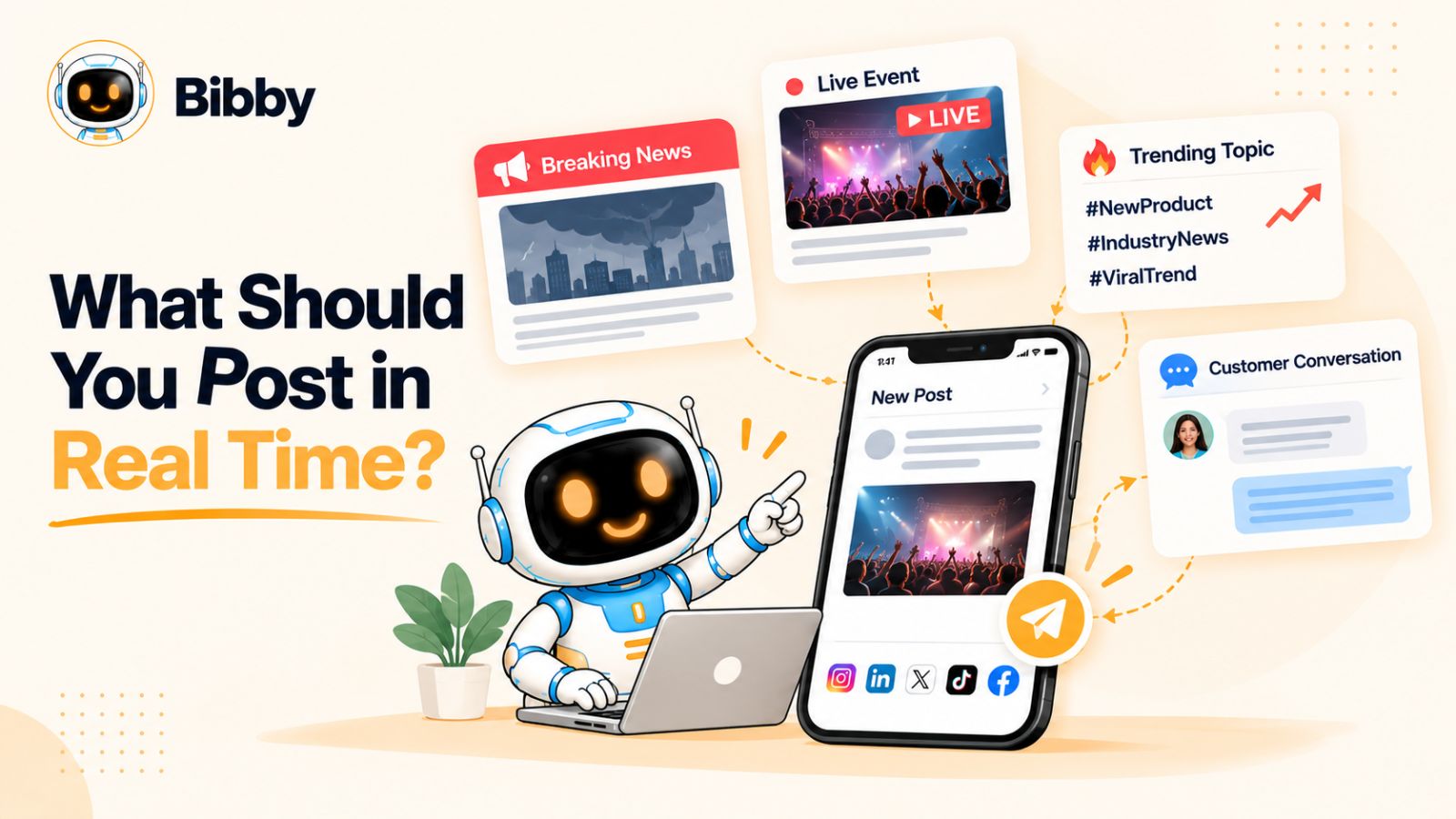
1. Breaking industry news
When something significant happens in your industry, your audience may already be discussing it.
A timely post can help your brand contribute to that conversation while interest is high.
For example, a technology company might respond to a major product announcement, while a marketing agency might explain what a newly announced platform change means for businesses.
The key is not simply posting quickly. The post should add something useful—an explanation, perspective, data point, or practical implication.
2. Live events
Conferences, trade shows, product launches, webinars, sporting events, community gatherings, and other live experiences can create natural opportunities for real-time content.
Instead of publishing a generic event post several days later, you can share what is happening as it happens.
That might include:
- Photos from the venue
- Short videos
- Speaker quotes
- Audience reactions
- Behind-the-scenes moments
- Quick observations
- Live updates
This type of content benefits from immediacy because followers get to experience the event alongside you.
3. Trending conversations
Trends can create enormous opportunities—but they also have a short shelf life.
If a relevant conversation is gaining attention today, scheduling a response for next week may mean the audience has already moved on.
That is why trend-based content is one of the clearest examples of when human judgment should remain in the publishing process.
However, relevance matters more than simply chasing whatever is popular.
A brand should ask:
Does this trend naturally connect to our audience, expertise, or brand?
If the answer is no, publishing simply because something is trending can make the content feel forced.
4. Customer conversations
Some of the best social content comes directly from interactions with customers.
A customer might ask an interesting question, share a useful experience, or raise a problem that other people are experiencing too.
Those moments can inspire posts that would have been difficult to plan weeks ahead.
For example, if several customers ask the same question about a product, you could turn that question into a quick social post while the conversation is still active.
The original interaction provides the context. Your social post provides the answer.
5. Unexpected company moments
Not every important brand moment can be predicted.
You might receive an unexpected award, reach a major milestone, welcome a new team member, launch something earlier than planned, or have a piece of content unexpectedly take off.
These moments are often worth sharing while they are fresh.
Trying to force them into a pre-existing content calendar can remove some of what makes them interesting in the first place.
6. Community engagement and replies
Real-time social media is not limited to publishing original posts.
Sometimes the most important real-time activity is responding.
Comments, questions, mentions, messages, and conversations give brands opportunities to demonstrate that there are actual people behind the account.
This is one area where automation should be used carefully. Scheduled content can keep your publishing engine moving, but genuine conversations require awareness of what the other person actually said.
The real-time rule
A simple test can help you decide whether a post belongs in the calendar or in the moment:
If the value of the post depends on what is happening right now, publish it in real time.
That could mean responding to breaking news, joining a relevant trend, sharing an event, reacting to a customer conversation, or documenting an unexpected moment.
The objective isn't to eliminate automation. It is to reserve your attention for the content where your presence actually adds value.
What Should You Never Fully Automate on Social Media?
Social media automation is powerful, but automation should not mean removing people from the process entirely.
The best social media workflows automate repetitive publishing tasks while keeping humans involved wherever context, judgment, or genuine interaction matters.
Some content therefore deserves a human review—or a completely manual approach.
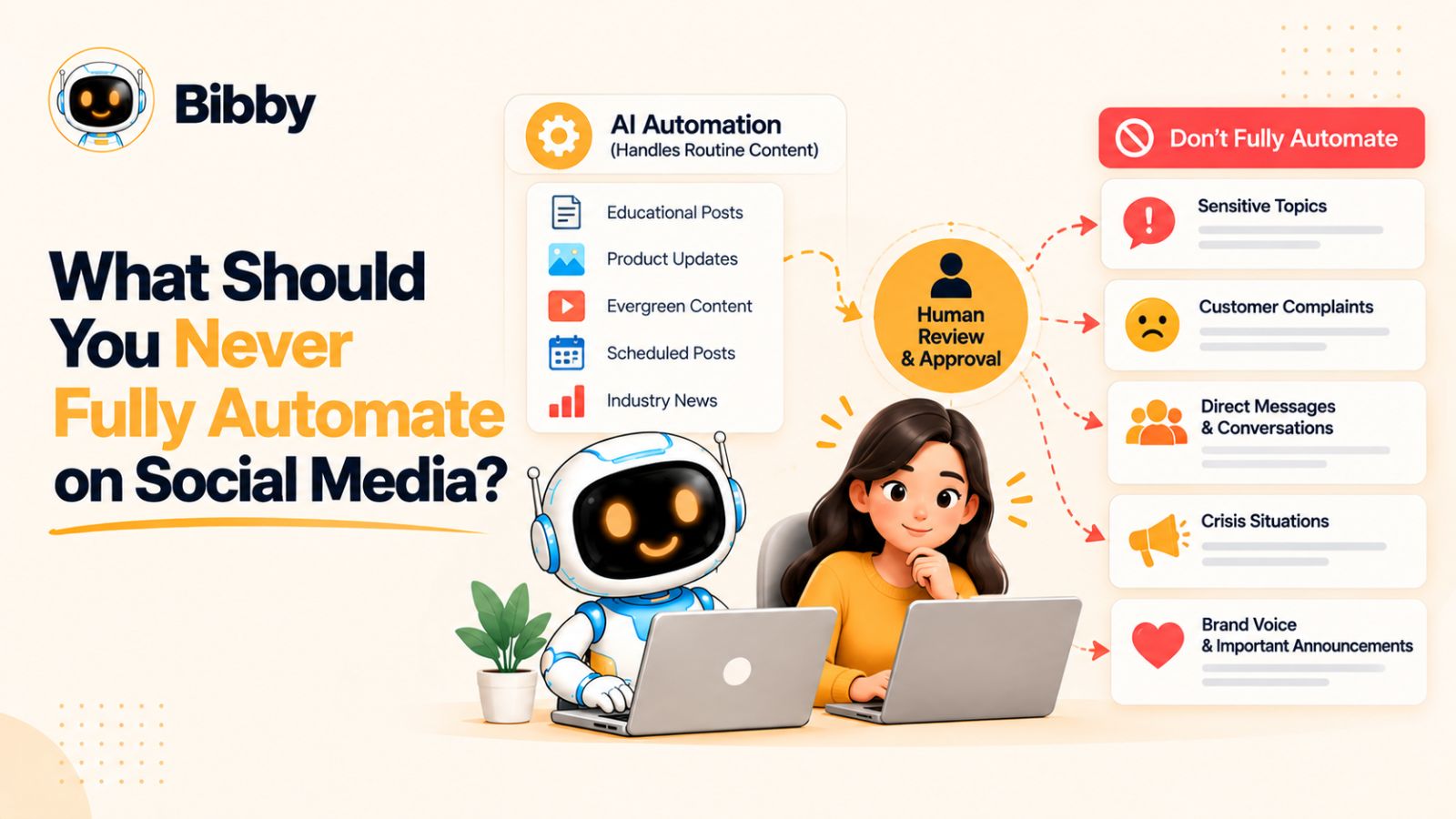
1. Sensitive or controversial topics
If a major political event, crisis, tragedy, controversy, or sensitive industry issue suddenly dominates the conversation, a pre-scheduled promotional post can quickly become inappropriate.
This is one reason a social media calendar should never be treated as something that runs independently of reality.
Before publishing scheduled content during a major event, someone should be able to review what is going out and decide whether it still makes sense.
2. Customer complaints
A customer complaint rarely fits neatly into a predefined caption template.
If someone publicly criticizes your product or service, the response should reflect what actually happened rather than sound like an automated customer-service message.
Automation can help you monitor and organize social activity, but the response itself may require empathy, investigation, and human judgment.
3. Conversations requiring context
A scheduled post can communicate a predetermined message. A conversation requires understanding what another person means.
When responding to comments, mentions, questions, or community discussions, blindly automating replies can create more problems than it solves.
The goal should be to automate the repetitive parts of social media management—not the relationships.
4. Rapidly changing situations
A post that was completely accurate yesterday might become outdated today.
This can happen when:
- A product changes
- An event is canceled
- An offer expires
- A company announcement changes
- A platform introduces a major update
- A news story develops unexpectedly
Scheduled content should therefore be reviewed periodically, particularly during major campaigns or rapidly changing periods.
5. Posts where authenticity is the main value
Some social content works because it feels spontaneous.
A founder sharing an unexpected lesson, an employee celebrating a milestone, or a team documenting something happening behind the scenes may lose some of its appeal if it feels overly polished or automated.
Not every post needs to be optimized.
Sometimes the value comes from showing the real moment.
Automation should support judgment, not replace it
The goal of a modern social media workflow isn't to automate every possible action.
It is to identify the repetitive work that software can handle reliably and reserve human attention for the work where it creates a meaningful difference.
That distinction is important when using an AI-powered social media tool such as Bibby.
Bibby can handle much of the predictable production workflow—from creating or uploading visuals to generating captions, selecting a posting style, and scheduling different media across selected platforms. It can also work with different formats, including images, carousels, videos, and stories.
But the person managing the brand still decides what should be said, what campaigns should run, and when a situation requires a different response.
That combination is more useful than either extreme:
100% manual social media is inefficient.
100% automated social media is disconnected.
A human-led, AI-assisted workflow gives you both consistency and flexibility.
How to Combine Scheduled and Real-Time Social Media Content
The most effective social media workflow isn't built around choosing between scheduling and real-time publishing. It is built around giving each type of content a specific job.
Think of your social media strategy as having two layers.
The first layer is your planned content engine. The second is your real-time response layer.
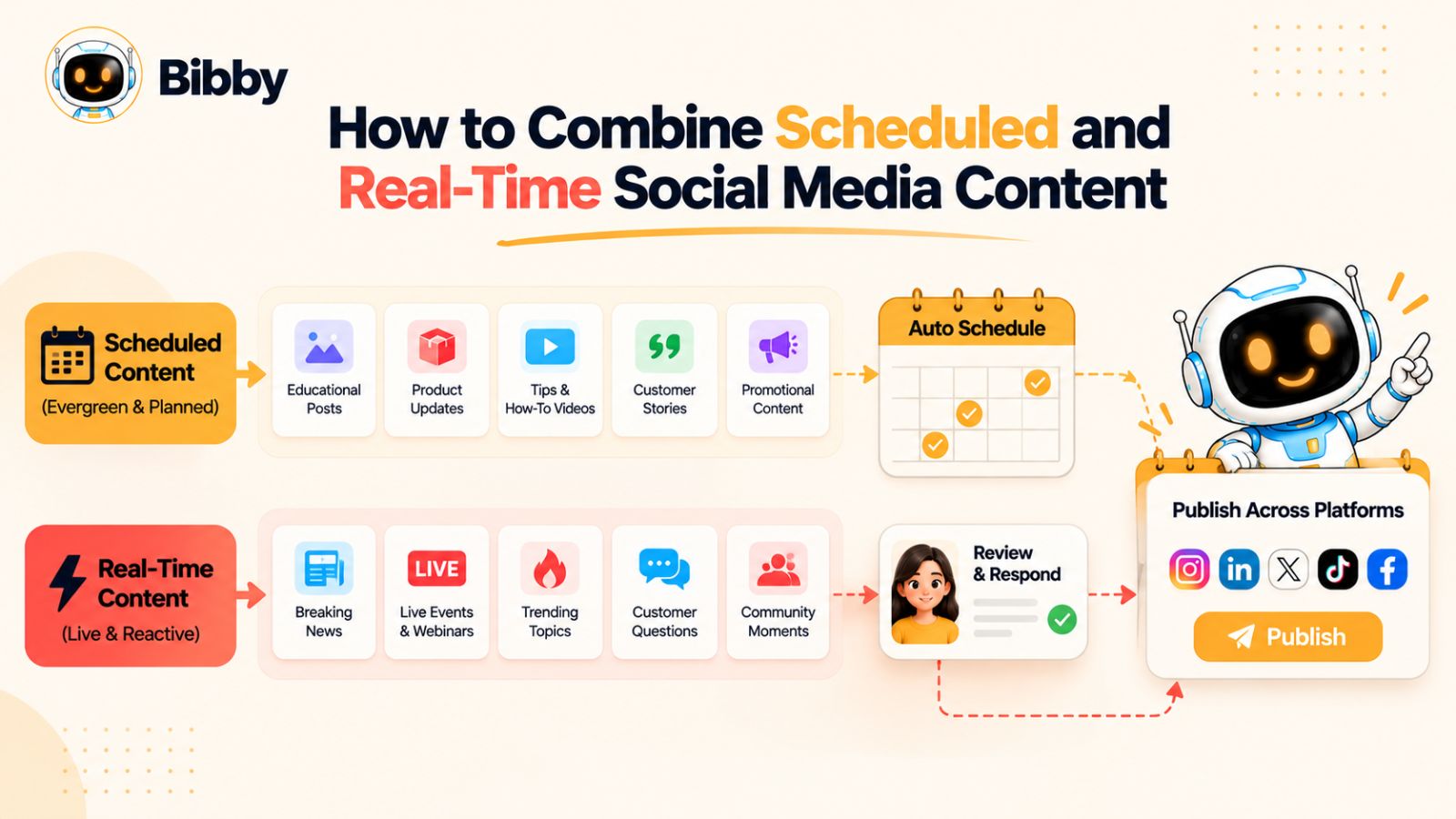
Step 1: Build your planned content foundation
Start by identifying the content you already know you want to publish.
This might include educational posts, product content, customer stories, promotional campaigns, videos, carousels, and recurring content series.
Instead of creating these one at a time every morning, create them in batches.
This gives you a bank of content that can continue publishing even when you are working on other parts of your business.
Step 2: Schedule content across your platforms
Once your content is ready, organize it into a publishing calendar.
The advantage of a social media scheduling tool is that you can manage this process from one workflow rather than repeatedly logging into individual platforms.
Bibby is designed around this approach. You can upload your own image or generate a visual with AI, choose a posting style, and have captions generated automatically. You can then schedule different pieces of media for different dates and AI-optimized times across the platforms you select.
That can include formats such as images, carousels, videos, and stories, depending on the platform and workflow you're using.
Instead of asking, “What do I need to post today?” every morning, you can create a planned content pipeline.
Step 3: Leave room in the calendar
One of the biggest mistakes businesses make with social media scheduling is filling every available publishing slot.
A completely packed calendar leaves no room for unexpected opportunities.
Instead, treat your scheduled content as the foundation and leave enough flexibility to respond to what happens during the week.
For example, if you normally publish five times per week, you might plan the majority of those posts while leaving space for timely content when something genuinely relevant occurs.
The exact ratio will depend on the brand, audience, industry, and platform.
Step 4: Monitor what is happening
Scheduling solves the publishing problem, but it doesn't eliminate the need to pay attention.
Keep an eye on:
- Customer questions
- Comments and mentions
- Industry developments
- Relevant trends
- Competitor activity
- Events
- News affecting your audience
- Performance of recent posts
These signals can tell you when your planned calendar needs to be supplemented—or adjusted.
Step 5: Create real-time content when the moment deserves it
When something relevant happens, don't force it into your existing schedule simply because you already have a calendar.
Create the appropriate post and publish it while the context is still useful.
For example, if your industry announces an important development, a short analysis posted today may be more valuable than a perfectly designed post scheduled for next Thursday.
Step 6: Use AI for production, not blind decision-making
AI can dramatically reduce the time required to create social media content.
It can help generate visuals, captions, variations, ideas, and publishing schedules. But the strategic decision—what should we say, why should we say it, and is this the right moment?—still deserves human oversight.
Bibby increasingly approaches social media management through this AI-assisted model. Its chat interface allows users to manage parts of their social workflow conversationally, including creating a brand kit, creating campaigns, creating posts, and regenerating captions.
That changes the interaction from repeatedly navigating publishing screens to simply telling the system what you want to accomplish.
Step 7: Review performance and adjust
Finally, your publishing strategy should evolve based on what your audience actually responds to.
Look beyond individual likes and ask broader questions:
- Which topics consistently generate engagement?
- Which formats produce meaningful interactions?
- Which platforms are driving useful results?
- Which scheduled posts outperform your expectations?
- Which real-time posts created unusually strong responses?
- What content should be repeated, improved, or retired?
Over time, these observations make your content calendar more intelligent.
The result is a social media system where scheduled content provides consistency, real-time content provides responsiveness, and AI reduces the operational work required to manage both.
A Simple Framework for Deciding What to Schedule
Knowing the difference between scheduled and real-time content is useful. Being able to make the decision quickly is even more useful.
Before publishing a post, ask five questions.
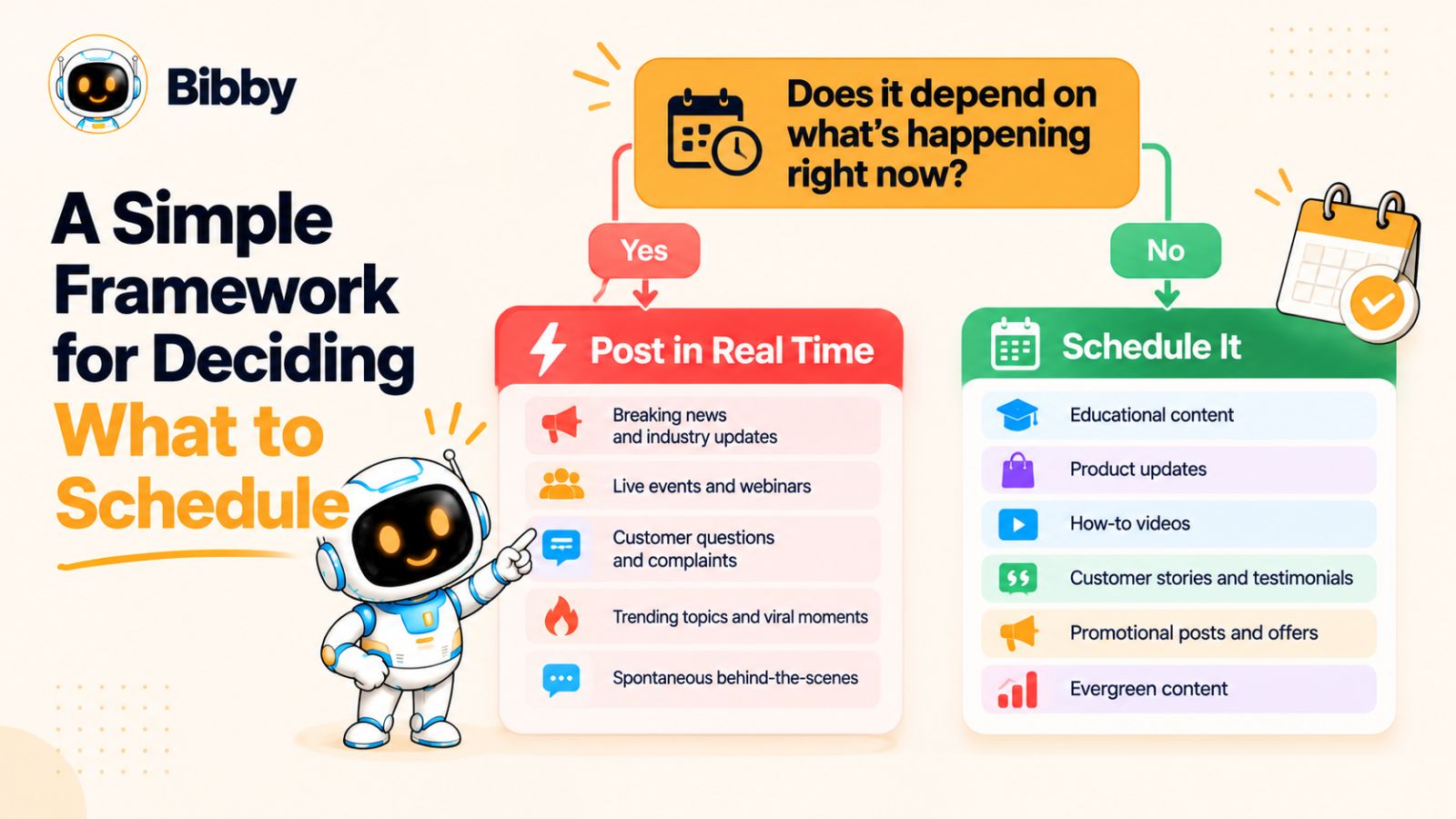
1. Does the post depend on a specific date?
If the content is tied to a known date—such as a product launch, webinar, holiday, event, or campaign deadline—it can usually be prepared and scheduled in advance.
For example, if your webinar is happening on October 20, there is no reason to wait until October 20 to publish the announcement.
Schedule the promotional content beforehand and use real-time posts for updates or moments that happen during the event.
2. Will the post still be relevant next week?
This is one of the fastest tests you can use.
If the answer is yes, the content is probably a good scheduling candidate.
If the answer is no, ask why.
If it will become irrelevant because a trend will disappear, a news story will develop, or an event will end, real-time publishing may be more appropriate.
3. Is the audience already talking about this?
If people are actively discussing a topic, timing may be part of the opportunity.
For example, imagine your industry has just experienced a major change and your customers are asking what it means.
A useful explanation posted while those questions are being asked has a different value from an evergreen article scheduled several days later.
4. Does the post require a human response?
If the content involves a customer complaint, sensitive topic, unexpected development, or nuanced conversation, give a person responsibility for the final decision.
AI can help with drafts and variations, but context should determine whether the post is appropriate.
5. Can automation make the process meaningfully easier?
If you have answered the previous questions and the content is predictable, scheduling becomes the obvious operational choice.
This is where an automation platform can remove a large amount of repetitive work.
Instead of separately creating visuals, writing captions, choosing dates, and publishing across multiple social networks, you can centralize much of the workflow.
With Bibby, for example, you can start with an uploaded image or generate one with AI, select a posting style, generate captions, and schedule content across your chosen platforms. The workflow can accommodate multiple formats and publishing dates rather than requiring you to manually recreate every post for every channel.
The five-question decision tree
You can simplify the entire framework into this:
Does it depend on what is happening right now?
→ Yes: Consider posting in real time.
No?
→ Can it be prepared ahead of time without losing relevance?
→ Yes: Schedule it.
Does it involve a sensitive situation or conversation?
→ Yes: Keep human review in the loop.
Is it a recurring or high-volume content task?
→ Yes: Look for opportunities to automate it.
This approach prevents a common social media mistake: treating every post as if it requires the same publishing process.
Some posts need speed.
Some need consistency.
Some need conversation.
And some simply need to get published reliably without taking another hour out of your day.
The skill is knowing which is which.
How AI Is Changing Social Media Scheduling and Automation
Social media scheduling used to be relatively simple: create a post, choose a date and time, and let the platform publish it.
AI is changing that workflow.
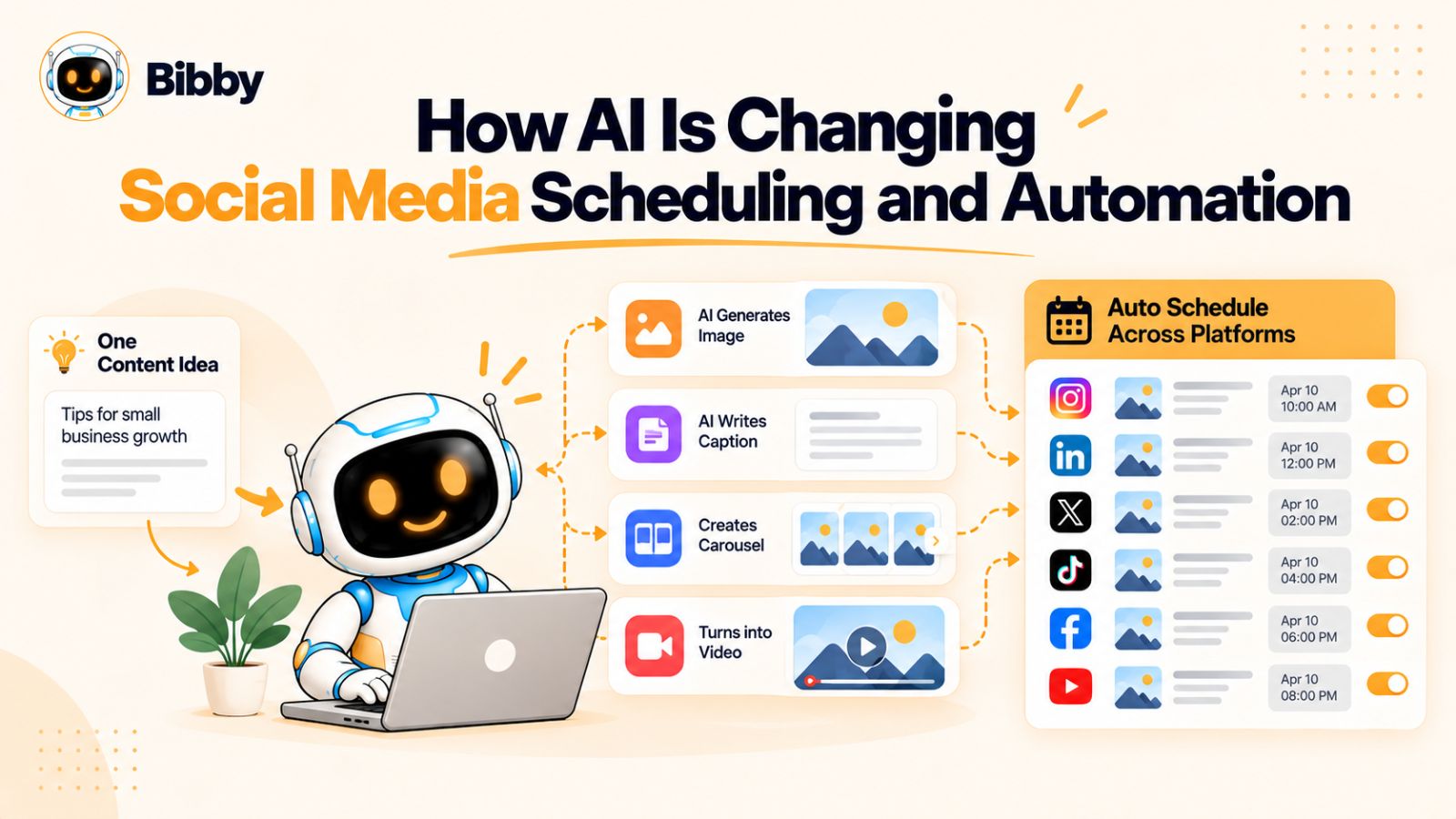
Instead of automation handling only the final publishing step, newer social media tools can assist with much more of the process—from creating visuals and captions to organizing campaigns and adapting content for different publishing needs.
The result is a shift from social media scheduling toward AI-assisted social media management.
From scheduling posts to managing a content workflow
Traditional scheduling tools typically require you to prepare almost everything before you reach the scheduling screen.
You create the visual.
You write the caption.
You decide which platforms should receive it.
You choose the date.
You choose the time.
Then you repeat the process for the next post.
AI can reduce the amount of manual work involved in each of those steps.
For example, an AI-powered workflow can start with a basic content idea and help turn it into a visual, caption, platform-specific variation, and publishing schedule.
That doesn't eliminate the need for strategy. It reduces the operational friction between having an idea and getting useful content published.
AI can help with captions and variations
Writing captions at scale is one of the repetitive parts of managing multiple social platforms.
A single idea may need different wording depending on whether it is being published on LinkedIn, Instagram, Facebook, TikTok, or another platform.
AI can help generate those variations much faster than writing each one from scratch.
Bibby incorporates this into its workflow by generating captions based on the content and posting style you select. If the first version isn't right, its conversational interface can also be used to regenerate captions and make further changes.
The important distinction is that AI-generated content should still be reviewed against the brand's voice, audience, and objective.
AI can help turn one idea into a multi-platform workflow
Managing multiple platforms becomes complicated when every network has its own audience expectations and content formats.
A social media manager might have to think about an image for Instagram, a carousel for LinkedIn, a video for TikTok, and another version for Facebook.
A centralized AI-assisted workflow can make the operational side easier.
Bibby supports multiple media formats, including images, carousels, videos, and stories, while allowing users to organize content across selected social platforms.
This means the objective isn't necessarily to create one identical post and distribute it everywhere. Instead, the same underlying idea can become part of a broader multi-platform publishing workflow.
Chat is becoming a new interface for social media management
One of the more interesting changes is how users interact with these tools.
Instead of navigating through multiple menus, calendars, and settings, conversational interfaces allow users to describe what they want.
Bibby's chat interface takes this approach.
A user can interact with the system to work on tasks such as creating a brand kit, creating a campaign, creating posts, or regenerating captions.
That makes the interface closer to working with a social media assistant than operating a traditional scheduling dashboard.
For example, instead of manually starting each part of a campaign, a marketer could describe the campaign objective and then use the conversation to develop and refine the content workflow.
But AI doesn't replace social media strategy
The more capable automation becomes, the more important the strategic layer becomes.
AI can help answer:
“How can we create and distribute this content?”
A human still needs to answer:
“Should we create this content in the first place?”
That distinction matters.
The strongest social media workflows use AI for scale, speed, consistency, and repetitive production while keeping humans responsible for brand positioning, creative direction, sensitive decisions, relationships, and real-time judgment.
That is also why the future of social media management isn't necessarily about scheduling everything.
It is about automating the predictable work so people have more time to handle the unpredictable work.
Common Social Media Scheduling Mistakes to Avoid
Scheduling can make social media management significantly easier, but simply automating more posts does not automatically create a better social media strategy.
The biggest problems usually happen when businesses automate without considering context, audience, or platform differences.
Here are some of the most common mistakes to avoid.
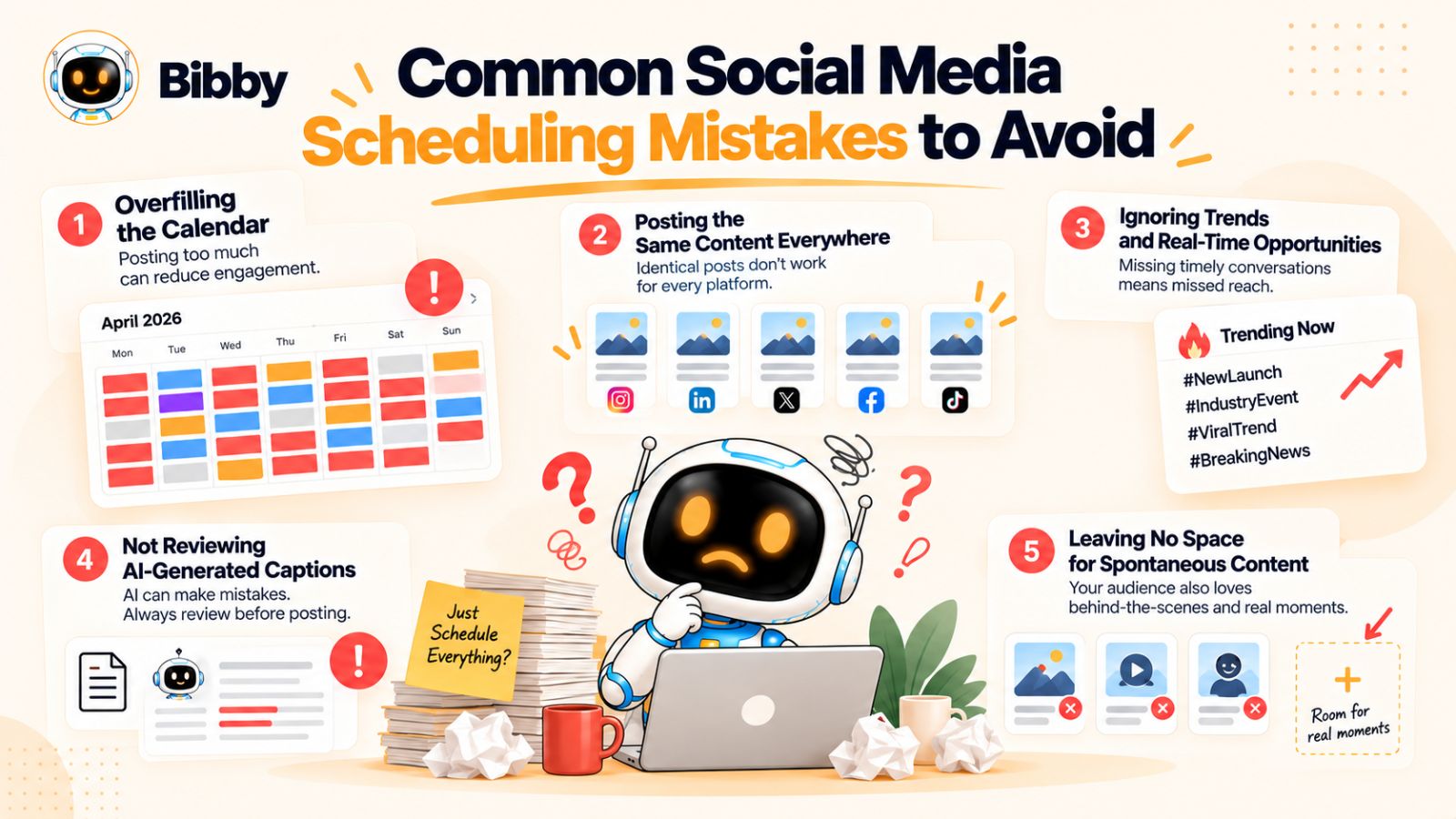
1. Scheduling everything and monitoring nothing
A content calendar should not become a substitute for paying attention.
If your entire month is scheduled and nobody checks what is happening, you can miss important conversations, industry developments, customer questions, or situations that make previously scheduled content inappropriate.
Automation should reduce repetitive work—not eliminate awareness.
2. Treating every platform exactly the same
Publishing the same content everywhere can be efficient, but efficiency should not come at the expense of relevance.
LinkedIn audiences may respond to professional insights and detailed explanations, while TikTok may favor a different presentation style. Instagram may require greater emphasis on visual storytelling, while Facebook can support different types of community-oriented content.
Your core message can remain consistent while the presentation changes.
This is one reason multi-platform scheduling needs more than a simple “publish everywhere” button.
3. Publishing at the same time on every platform
Your audience isn't necessarily active on every platform at the same time.
If you publish everything simultaneously, you may miss opportunities to distribute content according to the behavior of each platform's audience.
A scheduling system that can organize different content for different dates and optimized publishing times can make this process easier.
Bibby's workflow, for example, is designed to schedule selected media across multiple platforms at AI-optimized times rather than requiring every piece of content to be published manually at the same moment.
4. Automating content that requires context
A post about an evergreen marketing tip can usually be prepared in advance.
A post responding to a developing news story cannot always be treated the same way.
Before automating a post, ask whether the message could become inappropriate, inaccurate, or irrelevant because circumstances change.
If the answer is yes, human review should remain part of the workflow.
5. Focusing on volume instead of value
Automation makes it easier to publish more.
That does not mean you should publish more simply because you can.
A dozen low-value posts can be less useful than a smaller number of posts that consistently answer questions, solve problems, entertain the audience, or communicate something genuinely useful.
Use automation to increase consistency and efficiency, not to manufacture activity for its own sake.
6. Forgetting to review AI-generated captions
AI can dramatically speed up caption creation, but generated content isn't automatically perfect.
Before publishing, check:
- Does the caption sound like the brand?
- Is the information accurate?
- Does the opening make sense?
- Is the call to action appropriate?
- Does the caption fit the platform?
- Does it actually match the visual?
- Could the wording be misunderstood?
A quick review can turn an acceptable AI-generated caption into one that genuinely represents the brand.
7. Leaving no space for spontaneous content
A completely full content calendar can become its own problem.
If every publishing slot is occupied, you may hesitate to publish something timely because it would disrupt the schedule.
Leave room for real-time content.
Your calendar should provide structure without becoming a cage.
8. Measuring the wrong thing
The number of scheduled posts isn't a meaningful measure of social media success by itself.
Instead, connect publishing activity to the outcomes that matter to your business.
Depending on your goals, that might include:
- Engagement
- Website visits
- Leads
- Sales
- Sign-ups
- Audience growth
- Brand awareness
- Community interactions
The purpose of automation is to make the work more efficient so you can spend more time improving the outcomes.
The best scheduling system, therefore, isn't the one that lets you publish the most content.
It's the one that helps you consistently publish useful content while preserving enough human attention to respond when the moment matters.
A Practical Weekly Social Media Workflow
Knowing what to schedule and what to post in real time is useful. Turning that knowledge into a repeatable process is what makes it sustainable.
You don't need to spend every morning deciding what to publish. A better approach is to build a weekly workflow that handles predictable content in advance while preserving time for real-time opportunities.
Here is a simple model.
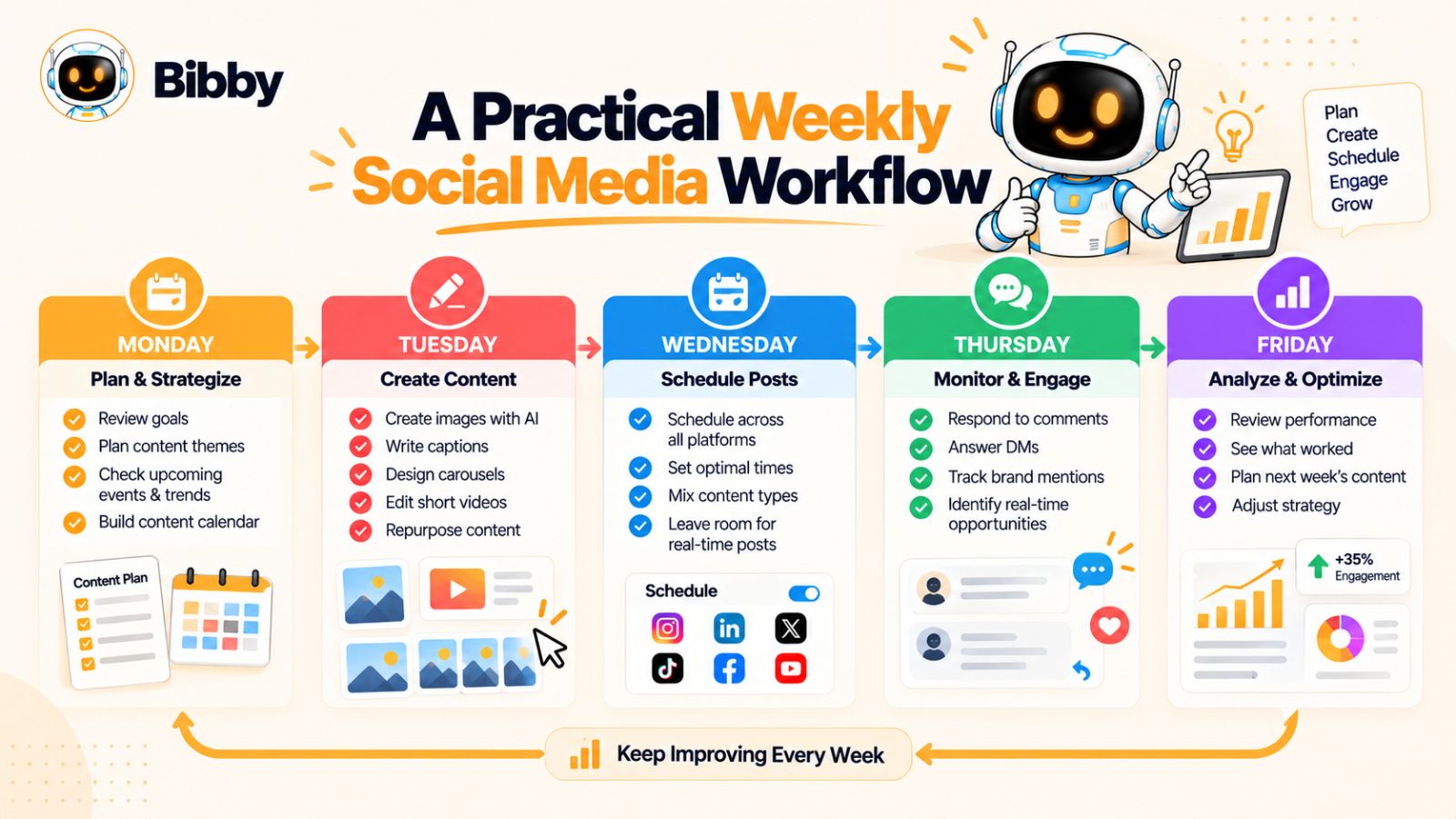
Monday: Plan the week
Start by identifying the week's priorities.
Ask:
- What are we trying to promote?
- What questions are customers asking?
- Are there upcoming events?
- Are there product or company announcements?
- What evergreen content should we publish?
- Are there important industry dates this week?
Then divide potential posts into two groups:
Schedule: predictable content that can be prepared now.
Real time: content that depends on what happens during the week.
This simple separation prevents you from trying to plan things that cannot realistically be planned.
Tuesday: Create the scheduled content
Batch your predictable content rather than creating it one post at a time.
Prepare your visuals, captions, carousels, videos, and other planned media.
This is where an AI-assisted workflow can save significant time.
With Bibby, for example, you can upload your own creative or generate an image with AI, select a posting style, and have captions generated automatically. You can then organize the content across your selected social platforms and schedule it for different dates and AI-optimized times.
The objective is to get the predictable publishing work out of your daily task list.
Wednesday: Review and refine
Don't treat scheduled content as finished the moment it enters the calendar.
Review the posts together.
Does the week feel repetitive?
Are you promoting too much?
Are there enough educational or useful posts?
Does the content reflect the brand?
Are different platforms receiving content appropriate to their audiences?
A short review can catch problems before they become published posts.
Thursday: Monitor conversations
Now shift some attention from publishing to listening.
Look at comments, mentions, customer questions, industry discussions, and emerging topics.
You may discover an opportunity that wasn't visible when you planned the week.
If something genuinely relevant emerges, create a real-time post rather than waiting for the next scheduled publishing slot.
Friday: Review what happened
At the end of the week, look at performance and context.
Don't only ask which post received the most likes.
Ask:
- Which topics attracted meaningful engagement?
- Which formats performed well?
- Did any real-time posts outperform expectations?
- Which scheduled posts generated useful traffic or leads?
- What questions appeared repeatedly?
- What should become part of next week's content?
These observations should feed directly into your next planning session.
Keep a buffer for the unexpected
The most important part of this workflow may be the simplest:
Don't schedule every available publishing opportunity.
Leave space for something unexpected.
An important industry announcement might happen. A customer might raise an excellent question. Your team might have an interesting behind-the-scenes moment. A relevant trend might emerge.
Your social media calendar should be structured enough to keep you consistent but flexible enough to let you participate in the present.
Use the workflow as a system, not a rigid formula
There is no universal rule saying every brand should publish a certain number of posts or use a specific ratio of scheduled versus real-time content.
Your industry, audience, goals, team, and platforms all influence the right balance.
The underlying principle is more useful:
Automate what is predictable. Stay available for what is unpredictable.
With an AI-powered platform such as Bibby handling much of the repetitive creation and scheduling workflow, the social media manager can spend less time moving content between platforms and more time making the decisions that actually require human attention.
How Bibby Fits Into a Modern Social Media Workflow
The biggest challenge with social media isn't always knowing what to post. It is managing everything that happens between having an idea and getting the right content in front of the right audience.
You need creative assets, captions, platform variations, publishing dates, campaign coordination, and ongoing adjustments.
That is where an all-in-one social media automation workflow can make a difference.
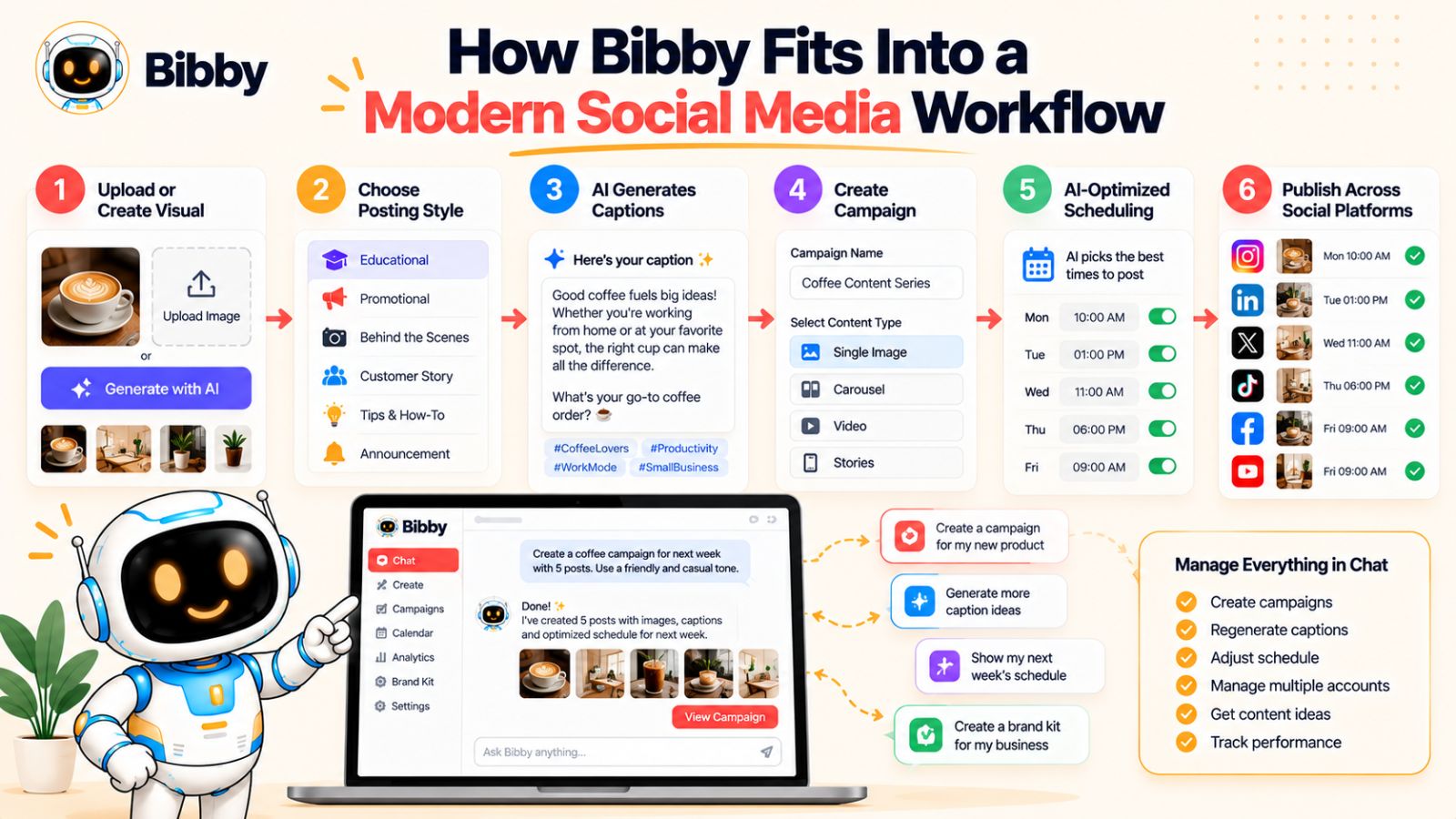
Bibby brings many of these tasks into one place, allowing you to move from content creation to publishing without treating every platform as a separate project.
Start with the creative
Every social post needs something to communicate visually.
With Bibby, you can upload your own image or use AI to generate one. This means the workflow doesn't have to begin with a finished creative asset.
You can start with what you already have or create something from the idea you want to communicate.
From there, you can choose the posting style you want to use.
Let AI help with the caption
Writing a caption for every post can quickly become one of the most repetitive parts of social media management.
Bibby can automatically generate captions based on the content and selected style.
If the first version doesn't feel right, you don't have to start over. Its chat interface allows you to interact with the system and regenerate or refine captions as part of the same workflow.
That makes the process more conversational: instead of repeatedly filling out forms, you can tell the tool what you want changed.
Turn individual posts into a campaign
Social media rarely works as a collection of completely disconnected posts.
A product launch, for example, might require several pieces of content spread across multiple days.
You could have an announcement, educational content, a demonstration, social proof, a reminder, and a final call to action.
Bibby's campaign functionality can help organize this type of content into a broader publishing workflow rather than treating every post as an isolated task.
Schedule across your social channels
Once the content is ready, the next challenge is distribution.
Publishing manually to Facebook, Instagram, LinkedIn, YouTube, TikTok, and other selected platforms can create a significant amount of repetitive work.
Bibby is designed to centralize that process, allowing you to schedule media for different dates and AI-optimized times across selected platforms.
The benefit isn't simply convenience.
It means your social media presence can continue operating consistently while you spend your time on strategy, customer relationships, creative direction, and real-time opportunities.
Manage social media through chat
Perhaps the most interesting part of the workflow is the move toward conversational management.
Instead of thinking of the software as a calendar you have to operate, you can think of it as an assistant you can instruct.
Inside Bibby's chat interface, you can work on tasks such as:
- Creating a brand kit
- Creating a campaign
- Creating posts
- Regenerating captions
- Refining your content workflow
- Managing other social media tasks conversationally
This can make the experience particularly useful when you know what you want to accomplish but don't want to manually navigate through every individual step.
Keep the human at the center
Even with an AI-powered social media workflow, the strategy should remain yours.
You decide what your brand stands for.
You decide which conversations are worth joining.
You decide whether a trend is relevant.
You decide when a scheduled post should be paused.
And you decide when a real-time response matters more than the content already sitting in your calendar.
Bibby's role is to reduce the repetitive operational work around those decisions.
That distinction brings the entire strategy together:
Use automation to keep your social media machine moving. Use human judgment to decide where it should go.
When those two things work together, scheduling stops being about simply filling a content calendar and becomes a way to create more space for the work that only a human can do.
Conclusion
The question isn't whether you should schedule social media posts or publish them in real time. You need both.
Schedule predictable content such as evergreen education, product posts, campaigns, recurring series, and repurposed content so your social presence stays consistent without requiring daily manual publishing. Post in real time when timing and context matter, including breaking industry developments, live events, relevant trends, customer conversations, and unexpected brand moments.
The most effective workflow is therefore simple: automate the predictable, stay flexible for the unexpected, and keep human judgment in the loop.
Tools like Bibby can handle much of the repetitive work—from AI-generated visuals and captions to multi-platform scheduling, campaigns, different media formats, and conversational social media management—giving you more time to focus on strategy and meaningful audience interaction.
The natural next step is turning this strategy into a social media content calendar that tells you exactly what to create, what to schedule, and what to leave open for real-time opportunities.