


Social media can be one of the most valuable channels for building an audience, generating demand, and staying connected with customers—but it can also consume far more time than it deserves.
The problem isn't always the amount of content you're creating. Often, it's the small repetitive tasks surrounding every post: switching between platforms, rewriting captions, uploading media, checking calendars, and coordinating campaigns. Individually, these tasks seem harmless. Together, they can turn social media management into hours of operational work every week.
Let's look at where that time is actually going.
1. Manually Scheduling Every Social Media Post
Scheduling social media posts one at a time might seem manageable when you only publish occasionally. But once you’re posting consistently across several platforms, the process quickly becomes repetitive.
You create a post, choose a date, select a time, write or paste the caption, upload the media, check the formatting, and schedule it. Then you repeat the same process for Instagram, Facebook, LinkedIn, YouTube, TikTok, and every other channel you manage.
The problem isn’t just the number of clicks. It’s the constant context switching.
You may spend an entire afternoon organizing social media content instead of working on the ideas, campaigns, and creative decisions that actually move your brand forward.

Why Manual Scheduling Becomes a Problem
A consistent social media strategy often requires publishing content on different days and at different times. If you’re managing this manually, you have to maintain your own publishing calendar and remember when each piece of content needs to go live.
You also have to consider that the ideal publishing time can vary by platform and audience. Manually guessing those times adds another layer of work to an already repetitive process.
This is where social media scheduling automation becomes useful.
Instead of treating every post as a separate task, an automated workflow can turn your content into a publishing queue. You provide the creative, choose your preferred posting style and platforms, and let the system handle the scheduling process.
Automate the Publishing Workflow
Bibby takes this approach by connecting content creation and scheduling in one workflow. You can upload an image or generate one with AI, select your posting style, and have captions generated automatically before scheduling the content across your selected social media platforms.
Rather than manually deciding when every post should be published, Bibby can schedule your content at AI-optimized times and distribute it across channels such as Facebook, Instagram, LinkedIn, YouTube, and TikTok.
That means the workflow changes from:
Create → write → choose platform → choose date → choose time → schedule → repeat
to something closer to:
Create → choose your style → let Bibby prepare and schedule it
The difference becomes even more significant when you’re publishing different types of content. Images, carousels, videos, and stories can all become part of the same social media workflow instead of living in separate manual processes.
The goal isn't to remove humans from social media. It’s to remove the repetitive administrative work that keeps humans from doing the parts of social media that actually require judgment.
And scheduling is only the beginning. Caption writing is another task that can quietly consume hours every week.
2. Writing Every Social Media Caption From Scratch
Creating the visual for a social media post is only half the job. You still need a caption that explains the idea, matches your brand voice, fits the platform, and gives people a reason to stop scrolling.
Doing that once is easy.
Doing it every day across multiple social media platforms is not.
If you publish consistently, Caption writing can become one of those tasks that quietly eats away at your schedule. You open a blank document, stare at the cursor, rewrite the opening line, adjust the tone, add a call to action, and then repeat the process for the next post.
And the work doesn't necessarily end there.
A caption that works for LinkedIn may not be the right fit for Instagram. A TikTok post may need a completely different approach from a Facebook update. Copying the same caption everywhere can make your social media presence feel repetitive rather than intentionally adapted to each channel.
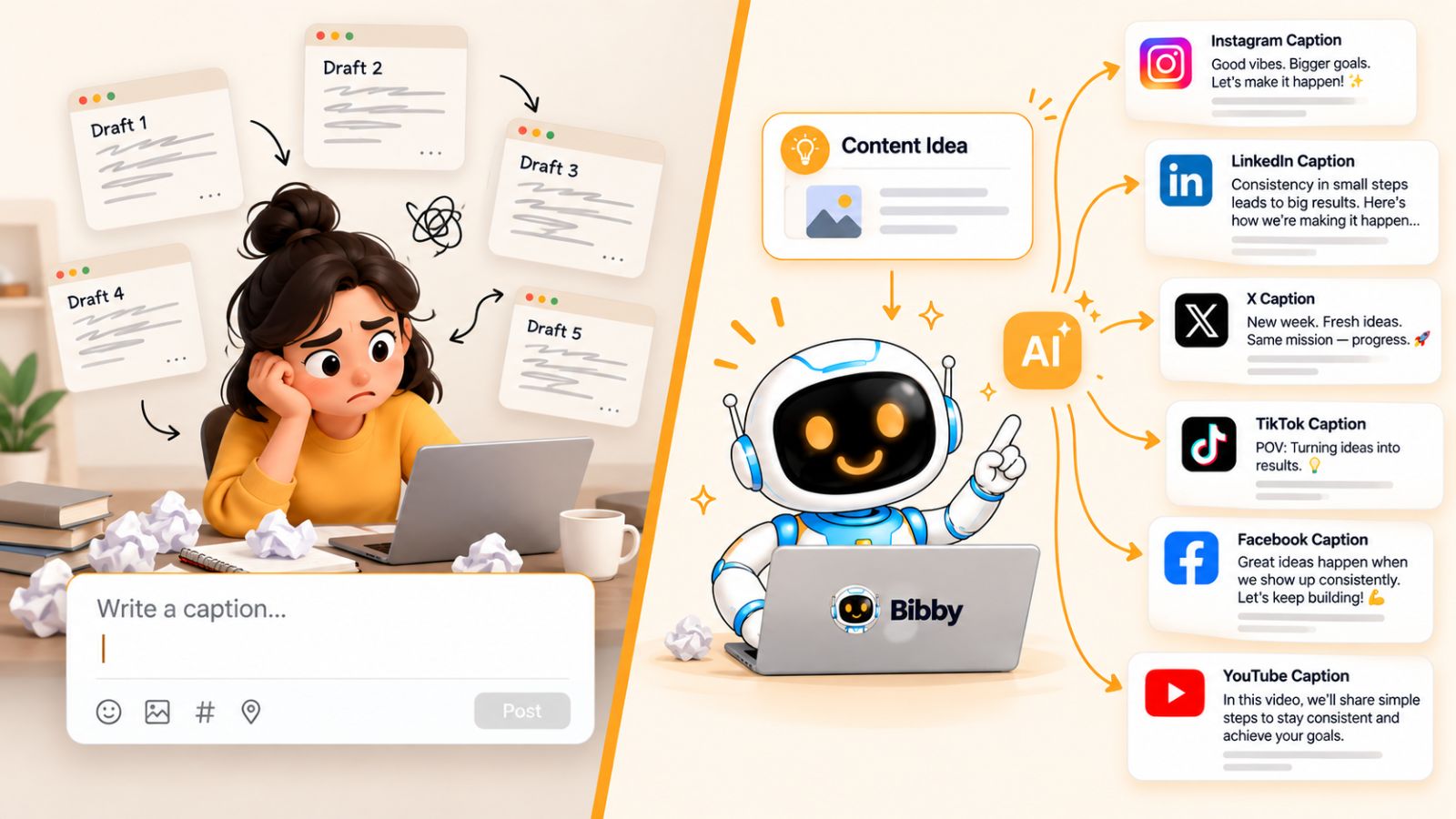
AI Can Take the Blank Page Away
This is one area where AI can make social media management significantly faster.
Instead of starting every caption from an empty text box, you can give AI the context it needs and let it create an initial version. You can then review, edit, or regenerate the caption rather than spending several minutes—or longer—writing every sentence yourself.
The important distinction is that automation should assist the creative process, not eliminate your judgment.
You still decide what your brand wants to communicate. You decide which ideas are worth publishing and whether the final message sounds right. AI simply removes much of the repetitive writing involved in turning those ideas into publishable social media content.
How Bibby Simplifies Caption Creation
Bibby brings caption generation directly into the social media publishing workflow.
After uploading or generating your visual, you can choose a posting style and let Bibby automatically generate the caption for the content. If the first version doesn't fit what you had in mind, you can regenerate it instead of starting over.
This creates a much faster workflow:
Idea → visual → posting style → AI-generated caption → review → schedule
That matters when you're managing dozens of posts rather than one.
You also don't have to treat captions as isolated pieces of copy. When your social media workflow includes your creative assets, posting style, platforms, and publishing schedule, caption generation becomes part of a larger content system.
And that's the real advantage of automation.
You aren't simply using AI to write faster. You're reducing the number of manual steps between having an idea and getting that idea in front of your audience.
Once captions are automated, there's another obvious bottleneck: creating the actual social media content for every format and platform.
3. Creating Every Social Media Post Manually
Even when you know what you want to say on social media, you still need something worth publishing.
That might be an image for Instagram, a carousel explaining an idea, a short video for TikTok, a visual update for Facebook, or a story designed to keep your audience engaged. When every piece of content has to be created from scratch, social media quickly becomes a production job rather than a marketing channel.
The bigger problem is that one content idea can turn into several separate tasks.
You might write the concept in one place, create the visual in another tool, edit a video somewhere else, prepare the caption separately, and then move everything into your scheduling platform.
That fragmented workflow creates unnecessary friction.
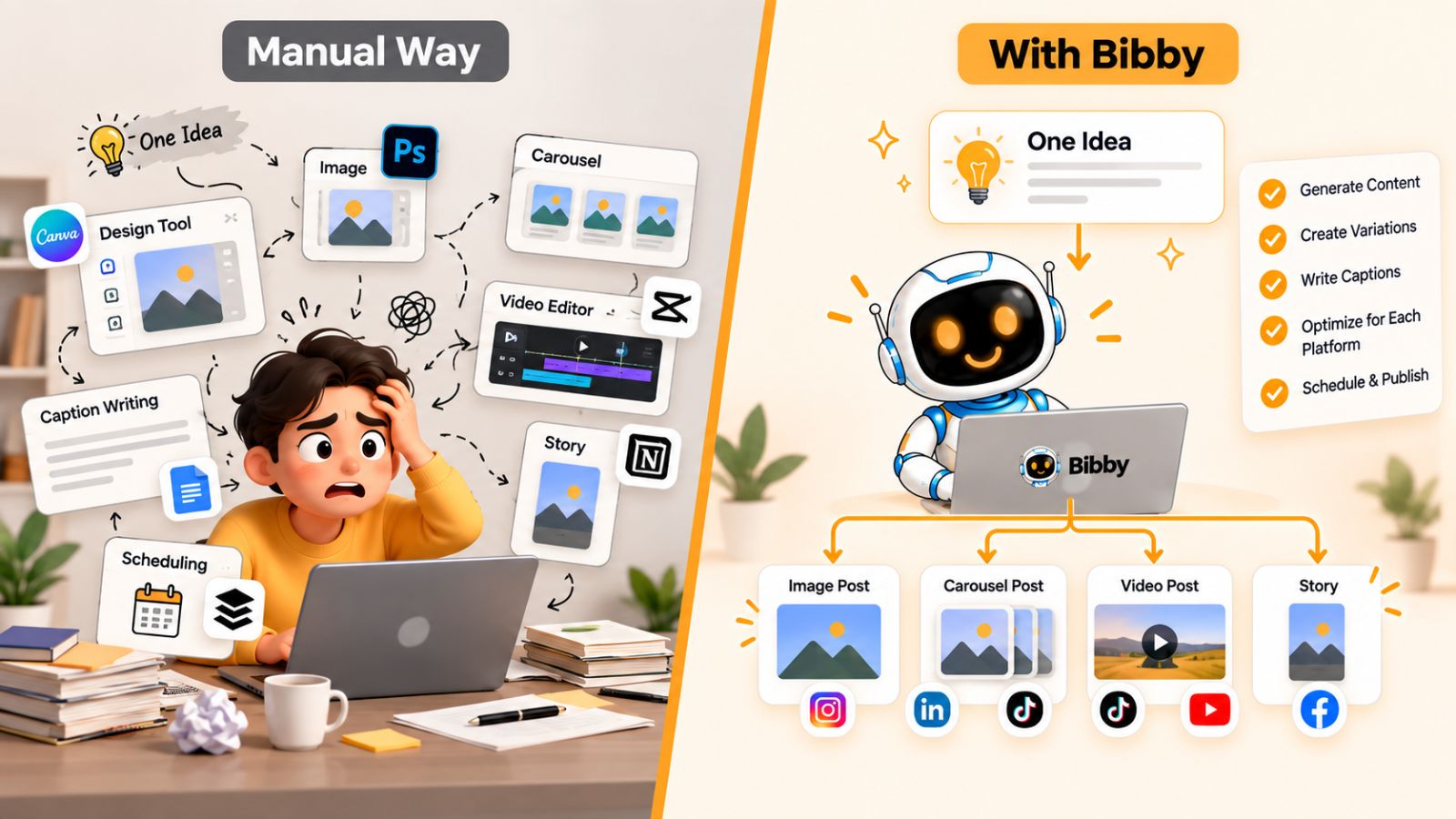
Your Content Workflow Shouldn't Require Five Different Tools
Creating social media content doesn't necessarily mean eliminating the creative process. It means eliminating unnecessary repetition around it.
For example, if you already know that you want to publish a post explaining a specific product feature, you shouldn't have to manually coordinate every step between the idea and the final scheduled post.
A modern social media workflow can connect those steps.
You can start with an existing image or use AI to generate a visual. From there, the same workflow can help prepare the caption, determine the appropriate publishing format, and schedule the finished content.
This is particularly useful for businesses that need to publish consistently without maintaining a large social media team.
Create Different Types of Social Media Content
Social media isn't limited to static posts anymore.
Brands may use:
- Single-image posts
- Carousels
- Short-form videos
- Stories
- Educational content
- Promotional posts
- Product updates
- Behind-the-scenes content
Manually creating each format can make your content calendar difficult to maintain.
Automation can help reduce that operational burden while still leaving the important creative decisions in human hands.
Bibby supports multiple content formats, including images, carousels, videos, and stories, so these different types of content can become part of the same publishing workflow.
You can upload your own media or generate an image with AI, choose how you want the post to be presented, and then let Bibby handle the repetitive work around captions and scheduling.
The Goal Is a Repeatable Content System
The real value isn't simply being able to create one social media post faster.
It's being able to create the next 20 posts without multiplying your workload by 20.
That's the difference between creating content manually and building a social media content system.
With a system, your role shifts toward deciding:
What should we publish?
Who is it for?
What do we want the audience to understand or do?
The software can take care of much of the operational work that comes afterward.
And once you have multiple pieces of content ready, there's another task that becomes surprisingly inefficient when handled manually: repurposing the same idea for different social media channels.
4. Reposting and Repurposing Content Manually
You don't need a completely new idea for every social media post.
In fact, some of your most useful content ideas can be adapted into multiple posts, formats, and platforms. A detailed LinkedIn post can inspire an Instagram carousel. A product video can become a TikTok post. A customer question can become an educational Facebook post or a short video.
The problem is that many teams still repurpose this content manually.
They copy the original content, rewrite the caption, adjust the creative, change the format, upload everything again, and then schedule each version separately.
At that point, repurposing can start feeling almost as time-consuming as creating the original content.
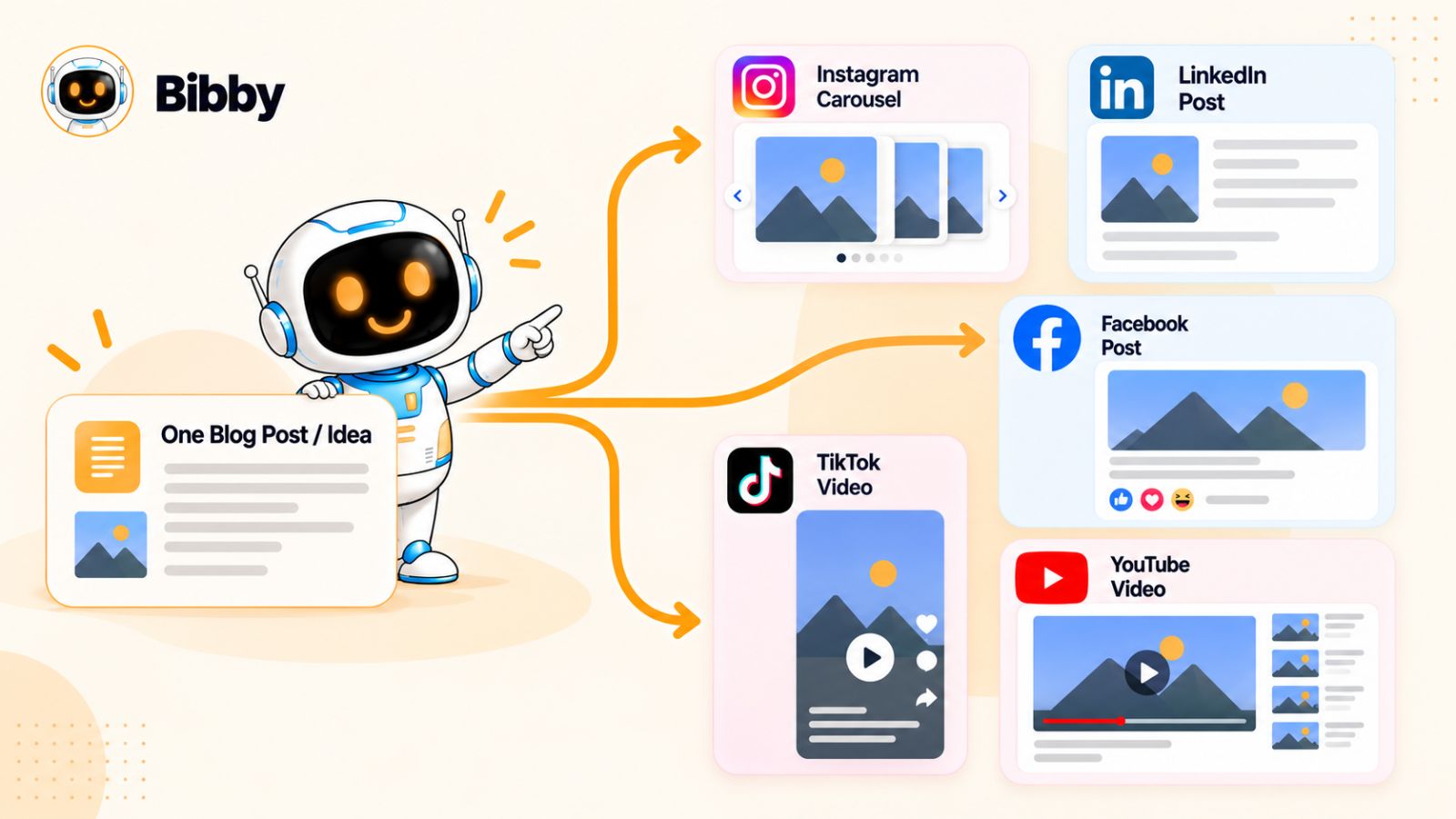
One Idea Can Power Multiple Social Media Posts
Effective repurposing isn't simply publishing exactly the same thing everywhere.
Each platform has its own audience behavior, content formats, and expectations. The same core idea may need a different hook, caption, visual treatment, or format depending on where you're publishing it.
The underlying idea, however, doesn't have to change.
That's where a structured social media workflow becomes valuable.
Instead of asking, “What should we create next?” every time you open your content calendar, you can ask:
“How many useful pieces of content can we get from this idea?”
That shift can dramatically increase the output of your existing content.
Automate the Repetitive Parts
The goal of automation isn't to blindly duplicate content across every platform.
It's to reduce the manual work involved in preparing and distributing variations of that content.
A tool like Bibby can help bring that process into one workflow. You can provide your media, choose your posting style, generate captions, and schedule the resulting content across your selected social media platforms.
That makes it easier to build a publishing system where one content idea can contribute to a larger calendar instead of disappearing after a single post.
For example, imagine you've created a video explaining a useful feature of your product.
Instead of manually managing every publication, you could incorporate that video into your social media workflow alongside image posts, carousels, stories, and other content. Bibby can then help organize the captions and scheduling across the channels you've selected.
The creative idea remains yours. The repetitive distribution work becomes much easier to manage.
Repurposing Creates More Room for Better Content
The biggest benefit of repurposing isn't simply saving time.
It's giving your best ideas more opportunities to reach people.
Your audience isn't necessarily seeing every post you publish. Someone may miss your LinkedIn post but see its adapted version on Instagram days later. Another person may discover the same idea through a short video on TikTok.
A consistent repurposing system helps you get more mileage from the work you've already done without requiring you to constantly invent something completely new.
But there is still a problem.
Once you're publishing across several platforms, managing those channels individually becomes another major source of manual work.
5. Managing Multiple Social Media Platforms Separately
Managing one social media account manually can be straightforward. Managing five platforms at the same time is a completely different job.
You may need to open Facebook to publish one post, Instagram to schedule another, LinkedIn to update your company page, YouTube to upload a video, and TikTok to publish short-form content.
Every platform has its own interface, publishing options, content formats, and workflow.
The more channels you manage, the more time you spend managing the platforms rather than managing your social media strategy.

The Problem With Platform-by-Platform Publishing
Imagine you've created a new product announcement.
You could upload the creative to Facebook, write the caption, select the publishing time, and schedule it.
Then you switch to Instagram and repeat the process.
Then LinkedIn.
Then YouTube if the announcement has a video.
Then TikTok if you want to turn the same idea into short-form content.
None of these individual actions is particularly difficult. The problem is that you're repeating essentially the same operational process over and over again.
That repetition adds up.
It also makes consistency harder. When content is managed across separate platforms, it becomes easier to miss a publishing date, forget a channel, or accidentally publish content at inconsistent times.
Centralize the Social Media Workflow
A social media management workflow should give you one place to organize the repetitive parts of publishing without forcing you to abandon the characteristics of individual platforms.
This is where automation can make a significant difference.
Instead of treating Facebook, Instagram, LinkedIn, YouTube, and TikTok as five completely separate publishing jobs, you can manage them as destinations within one broader content workflow.
Bibby is designed around this kind of centralized workflow. You can select the social media platforms you want to publish to, prepare your content, generate captions, and schedule the media rather than repeating the entire process separately on every platform.
That can be particularly useful when your content calendar contains dozens of posts.
One Workflow, Multiple Platforms
Centralization doesn't mean every platform needs identical content.
Your social media strategy should still account for the differences between channels. A professional insight may work naturally on LinkedIn, while the same underlying idea might become a visual carousel on Instagram or a short video for TikTok.
The point is to centralize the workflow, not necessarily to make every post identical.
When the repetitive publishing work is handled in one place, you have more time to think about the things that actually differentiate your social media presence:
- Your audience
- Your positioning
- Your brand voice
- Your creative direction
- Your content ideas
- Your campaign goals
That is a much better use of your time than repeatedly clicking through five different publishing dashboards.
And once your platforms are connected, the next challenge is making sure all those individual posts work together as part of an actual campaign.
6. Planning Social Media Campaigns Manually
A social media strategy becomes much more powerful when individual posts work together.
A product launch, seasonal promotion, webinar, new feature, or educational campaign may require several pieces of content published over days or weeks. There might be an announcement post, an educational carousel, a short video, a reminder, a customer-focused post, and a final call to action.
When you plan all of this manually, campaign management can quickly become another spreadsheet-heavy task.
You have to decide what gets published, write down the publishing dates, prepare the creative, write captions, coordinate different platforms, and make sure everything appears in the right order.
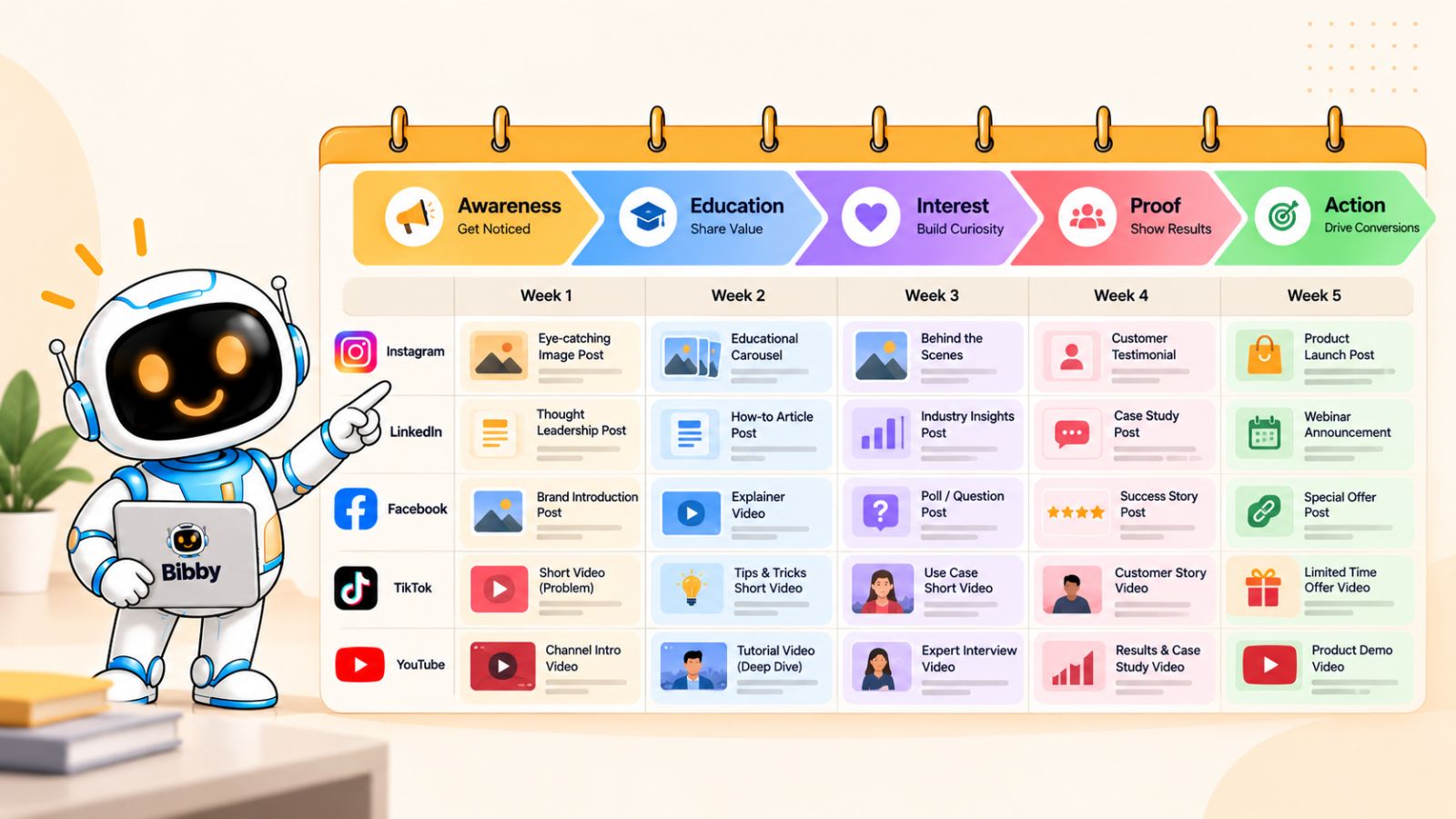
Individual Posts Don't Always Make a Campaign
One of the biggest mistakes in social media management is treating every post as an isolated piece of content.
A campaign needs a common objective.
For example, if you're launching a new product, your content might move through several stages:
Awareness → Education → Interest → Proof → Action
Each stage can have different content, but the posts should contribute to the same broader goal.
Planning that sequence manually can become difficult when you're also managing your day-to-day social media calendar.
Turn Campaign Planning Into a Workflow
Automation can reduce the operational work involved in turning a campaign idea into scheduled content.
Instead of creating every post independently, you can organize related content around a campaign and establish the publishing sequence in advance.
This is another area where Bibby's workflow can be useful.
Rather than managing campaign content across separate tools, you can use Bibby's chat interface to help manage your social media workflow conversationally. You can create a campaign, create posts, work with captions, and make changes without having to navigate through every individual step manually.
That changes the experience from “Which dashboard do I need to open next?” to “What do I want this campaign to accomplish?”
The second question is much closer to actual marketing.
AI Can Help With the Operational Layer
AI is particularly useful when it handles the repetitive layer underneath your campaign strategy.
You can still determine the campaign message, audience, offer, and creative direction. AI can then help turn that direction into individual pieces of social media content.
With Bibby, for example, you can use the chat interface to create a campaign and then work with the resulting content through conversation. You can also regenerate captions or make other adjustments without rebuilding the entire workflow from scratch.
The benefit is not that AI suddenly creates a perfect campaign without human input.
The benefit is that the distance between having a campaign idea and having a structured social media campaign ready to publish becomes much shorter.
And that leads to the final manual task—and arguably the biggest one of all: trying to personally coordinate every part of your social media operation.
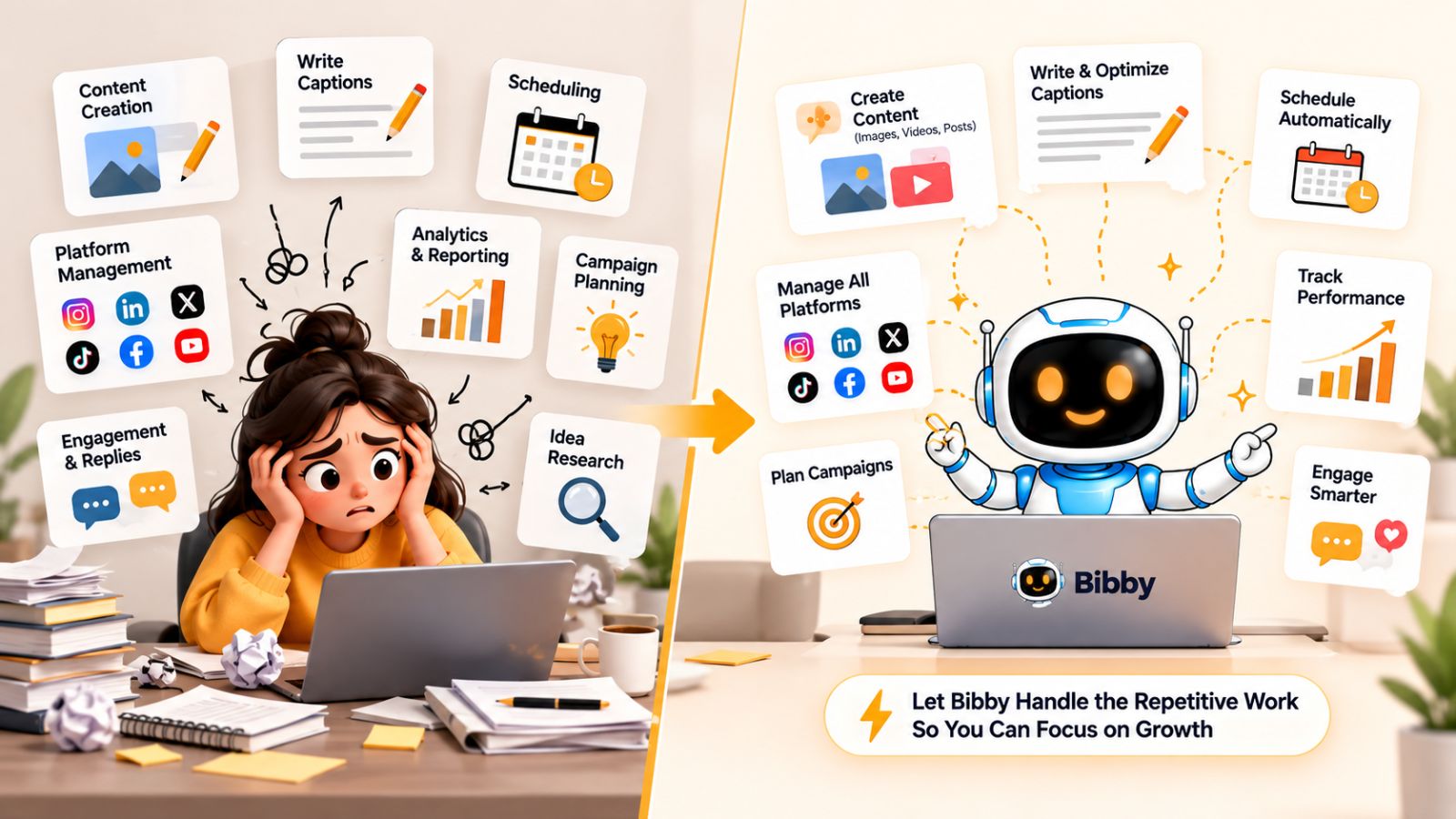
7. Acting as Your Own Social Media Manager
At some point, the problem with social media stops being any single task.
It's the fact that you're responsible for all of them.
You need to come up with content ideas, create visuals, write captions, adapt posts for different platforms, schedule everything, manage campaigns, maintain consistency, and keep the entire content calendar moving.
If you're doing all of this manually, you're not just creating social media content.
You're managing a social media operation.
And for a founder, marketer, creator, or small team, that can become a significant drain on time.
Your Job Shouldn't Be Clicking Buttons
The most valuable part of social media management is the human part.
You understand your customers. You know your brand. You can recognize a good idea, make a strategic decision, respond to your audience, and decide what your business should communicate.
You don't necessarily need to spend your time performing repetitive administrative actions.
Yet that's exactly what happens when your social media workflow is fragmented.
You become the person responsible for moving information from one tool to another:
Idea → design tool → caption tool → scheduler → platform → calendar → spreadsheet
Every additional handoff creates another opportunity for something to be delayed, forgotten, or duplicated.
Manage Social Media Through Conversation
This is where conversational AI changes the workflow.
Instead of navigating through a series of menus for every task, you can describe what you want to accomplish and let the tool help execute the operational steps.
Bibby now includes a chat interface designed around this idea.
Through the chat, you can manage different parts of your social media workflow conversationally. You can create a brand kit, create campaigns, create posts, regenerate captions, and work through other content tasks without treating every action as a separate manual process.
That creates a fundamentally different workflow.
Instead of thinking:
“Which button do I need to click?”
you can think:
“What do I want my social media to accomplish?”
The software can then help translate that instruction into the individual tasks required to get there.
From Social Media Management to Social Media Automation
This doesn't mean you should hand your entire social media strategy to AI.
You still need a clear brand voice, useful ideas, good creative judgment, and an understanding of your audience. Automation works best when it removes repetitive execution rather than replacing strategic thinking.
That's the bigger lesson behind all seven tasks in this article.
You shouldn't be trying to eliminate the human side of social media.
You should be eliminating the unnecessary manual work surrounding it.
With a workflow like Bibby, the process can become much more centralized: create or upload your media, choose your posting style, generate captions, organize campaigns and posts, schedule content at AI-optimized times, and manage the workflow through chat.
The result is a social media process where you spend less time managing the machinery and more time deciding what your brand should actually say.
What You Should Automate Instead
The goal of social media automation isn't to make your content completely hands-off.
It's to make the repetitive parts hands-off.
You should still control your strategy, brand voice, creative direction, and the ideas you want your audience to see. But once you've made those decisions, there's little reason to manually perform the same operational tasks hundreds of times.
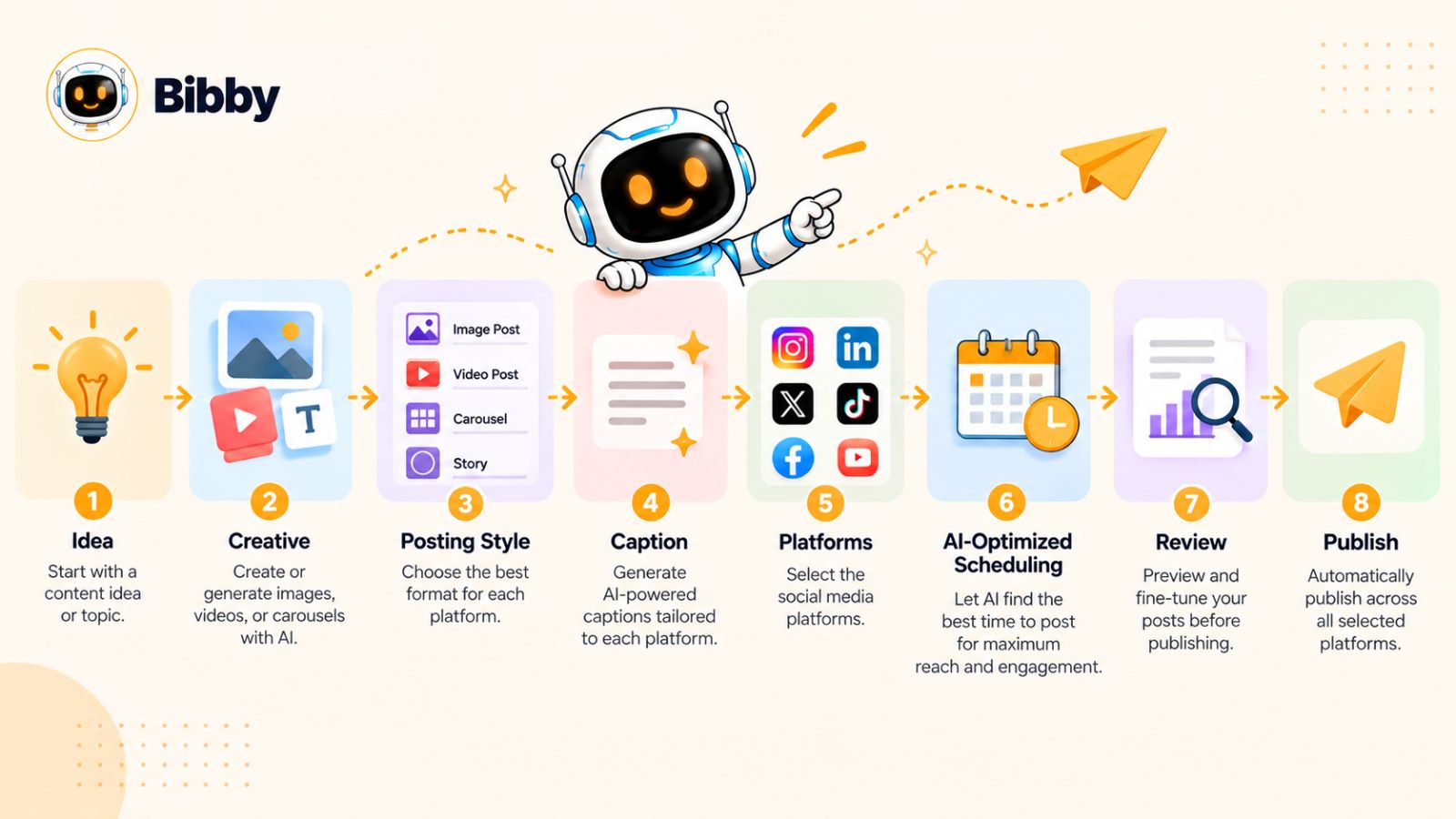
A more efficient social media workflow can look like this:
1. Start with an idea
Decide what you want to communicate, who it's for, and what action or response you want to encourage.
2. Create or upload the visual
Use your existing creative or generate an image with AI rather than spending unnecessary time moving between disconnected tools.
3. Choose your posting style
Give the system enough direction to understand how you want the content presented.
4. Generate the caption
Instead of starting with a blank text box, let AI create a first version that you can review, edit, or regenerate.
5. Select your platforms
Choose where the content should appear instead of manually uploading the same media to every social network.
6. Automate scheduling
Let the system organize publishing dates and use AI-optimized times rather than manually deciding when every individual post should go live.
7. Review and refine
This is where your judgment matters. Check the content, make changes where necessary, and ensure everything reflects your brand.
8. Let the system handle distribution
Once everything is ready, the repetitive publishing work shouldn't require you to sit in front of your computer.
What Humans Should Still Do
Automation doesn't mean removing people from the social media process.
There are several things humans should continue to own:
- Brand strategy
- Audience understanding
- Creative direction
- Campaign objectives
- Original ideas
- Community relationships
- Final quality control
Those are decisions where context and judgment matter.
The software should handle more of the operational workload around those decisions.
What AI and Automation Can Handle
The repetitive layer is different.
AI and automation can help with:
- Generating captions
- Creating visual assets
- Repurposing content
- Organizing campaigns
- Scheduling posts
- Distributing content across platforms
- Regenerating content variations
- Managing repetitive publishing tasks
The result is a simple principle:
Humans should decide what matters. Automation should handle what repeats.
That's the mindset behind an efficient social media workflow.
And when those capabilities are brought together instead of scattered across multiple tools, the workflow becomes even simpler. That's where Bibby enters the picture.
How Bibby Fits Into an Automated Social Media Workflow
The biggest problem with social media management isn't that there aren't enough tools.
It's that the workflow is often scattered across too many of them.
You might use one tool to generate images, another to write captions, another to schedule posts, separate platforms to publish them, and a spreadsheet to keep track of everything.
Bibby takes a different approach by bringing much of that workflow together.
Instead of treating content creation, caption writing, scheduling, and publishing as completely separate jobs, Bibby connects them into one social media workflow.
Start With Your Creative
The process can begin with something you already have: an image, video, or other piece of content.
You can upload your own media or use AI to generate an image, giving you a starting point for the post without requiring a separate creative workflow for every piece of content.
From there, you can choose the posting style you want.
Bibby can then generate the caption automatically, giving you a ready-to-review piece of social media content without requiring you to write every caption from scratch.
If you don't like the result, you can regenerate it rather than rebuilding the post manually.
Schedule Across Your Social Media Platforms
Once the content is ready, you can select the platforms where you want it published.
Bibby supports channels including Facebook, Instagram, LinkedIn, YouTube, and TikTok, allowing you to manage distribution from a centralized workflow.
Instead of manually opening each platform and scheduling the same content repeatedly, you can organize your media in Bibby and let the system schedule it at AI-optimized times.
That becomes particularly valuable when you're managing a large content calendar.
You can prepare multiple pieces of content and let the scheduling system handle the repetitive publishing work while you focus on the bigger picture.
More Than Just Image Posts
Modern social media requires more than a stream of static images.
Depending on your strategy, you may need:
- Images
- Carousels
- Videos
- Stories
- Educational posts
- Promotional content
- Campaign content
Bibby supports these different media types, allowing them to become part of the same broader social media workflow.
That means you're not limited to automating one specific type of post.
Manage Social Media Through Chat
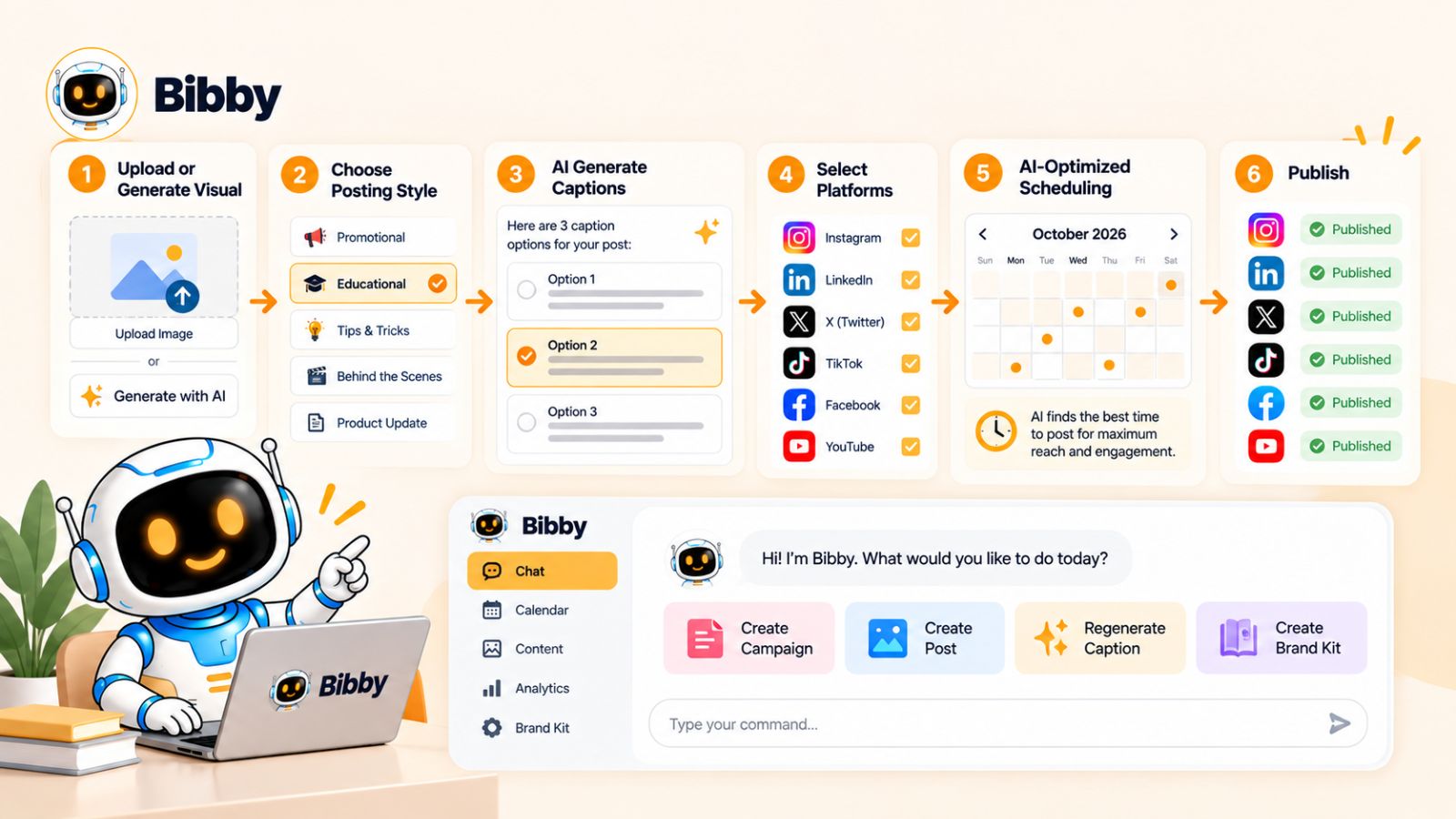
One of Bibby's more interesting additions is its chat interface.
Instead of navigating through the product step by step, you can interact with your social media workflow conversationally.
Inside the chat, you can create a brand kit, create a campaign, create posts, regenerate captions, and manage other content-related tasks.
This matters because social media management is fundamentally a communication problem.
You're already thinking in terms of instructions:
“Create a campaign for our new product.”
“Make this caption more engaging.”
“Create posts for this idea.”
“Regenerate the caption.”
A conversational interface lets you express those instructions directly instead of translating every request into a sequence of buttons and menus.
The Bigger Idea Behind Bibby
Bibby's value isn't simply that it can schedule a social media post.
Scheduling alone solves only one part of the problem.
The more interesting workflow is:
Create → customize → generate → review → schedule → publish
When those steps can happen within one connected system, the amount of manual coordination required from you decreases.
That's ultimately what social media automation should accomplish.
You shouldn't have to spend your best hours moving content between tools, rewriting captions, copying posts across platforms, and manually maintaining a publishing calendar.
You should be spending that time thinking about your audience, developing better ideas, building your brand, and creating content people actually want to see.
The technology should take care of more of the repetitive work in the background.
Final thoughts
Social media shouldn't require you to spend hours performing repetitive tasks that software can already handle.
Scheduling posts, writing captions, creating content, repurposing ideas, managing multiple platforms, coordinating campaigns, and maintaining the entire publishing workflow manually can quickly turn social media management into a full-time operational job.
The better approach is to separate strategy from repetition. You should remain responsible for your brand, ideas, audience, and creative decisions while automation handles more of the repetitive execution.
And that is where tools like Bibby can change the workflow. By bringing AI content creation, caption generation, campaign management, multi-platform publishing, scheduling, and conversational social media management into one workflow, Bibby can help reduce the amount of manual work between having an idea and getting it published.
The next step is to look at your own social media workflow and identify which repetitive tasks are consuming the most time. Once you know where the friction is, you can start automating those tasks one by one—and spend more of your time actually growing your social media presence.