
If you manage multiple social platforms, automation can turn a time-consuming publishing process into a streamlined workflow. The key is understanding what automation can actually handle, where human input still matters, and how AI can assist without replacing judgment.
Let’s start with what social media automation actually means.
What Is Social Media Automation?
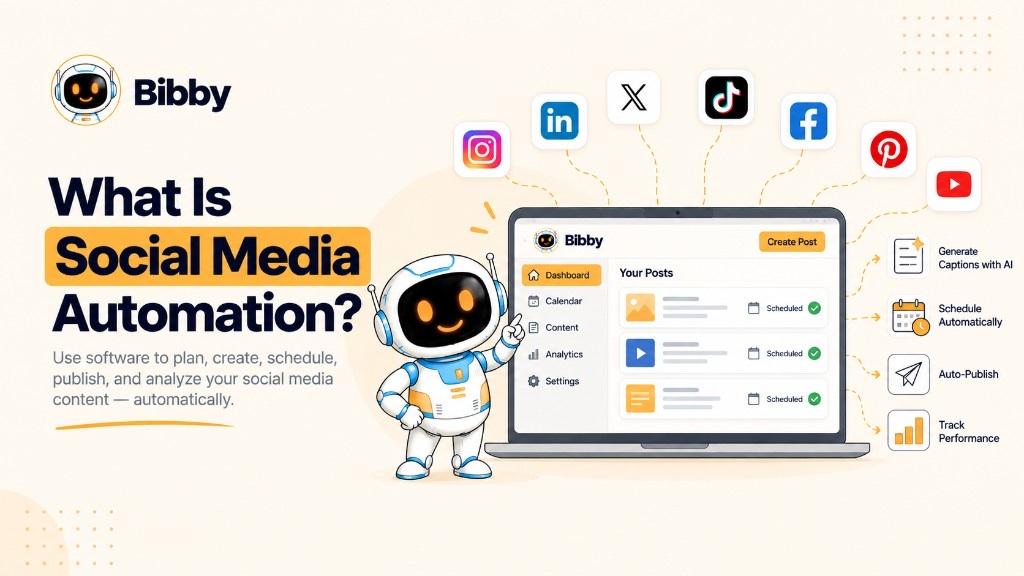
Social media automation is the use of software to automatically handle repetitive social media tasks, such as creating, scheduling, and publishing content across social platforms. It helps businesses, creators, marketers, and agencies reduce manual work while maintaining a consistent presence.
Instead of manually preparing and publishing every post, you can upload an image, have AI generate a caption, select the platforms you want, and let the software schedule and publish at chosen or AI-optimized times.
Automation can cover more than a calendar. Depending on the tool, it can help with:
- Content creation: Generate or prepare images, videos, carousels, and other assets
- Caption generation: Draft copy from your content, brand voice, or posting style
- Scheduling: Plan dates and times across accounts
- Publishing: Post approved content to connected accounts
- Content repurposing: Adapt one idea for different formats
- Campaign management: Group posts around a launch or theme
- Analytics and reporting: Some products collect performance data; Bibby does not replace Insights
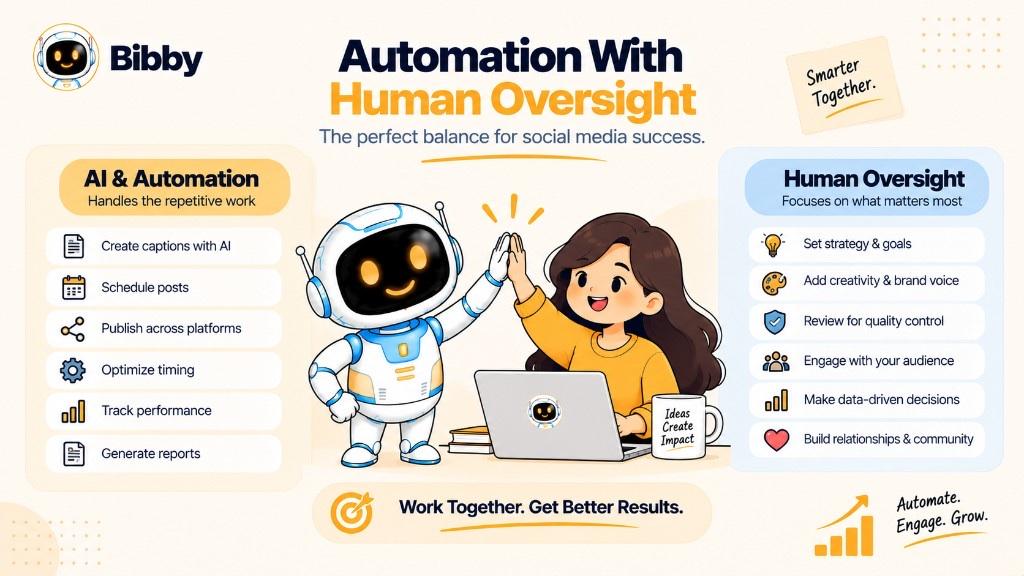
The goal is not to remove humans from social media. It is to automate operational work so you can spend more time on strategy, creativity, community, and real conversations.
A Simple Example of Social Media Automation
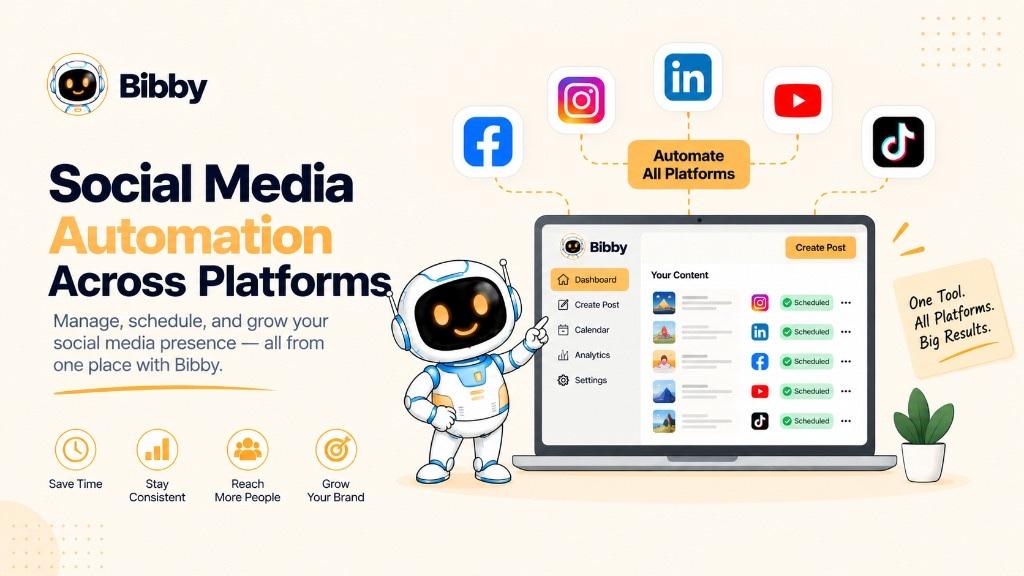
Imagine you want to publish on Facebook, Instagram, LinkedIn, YouTube, and TikTok.
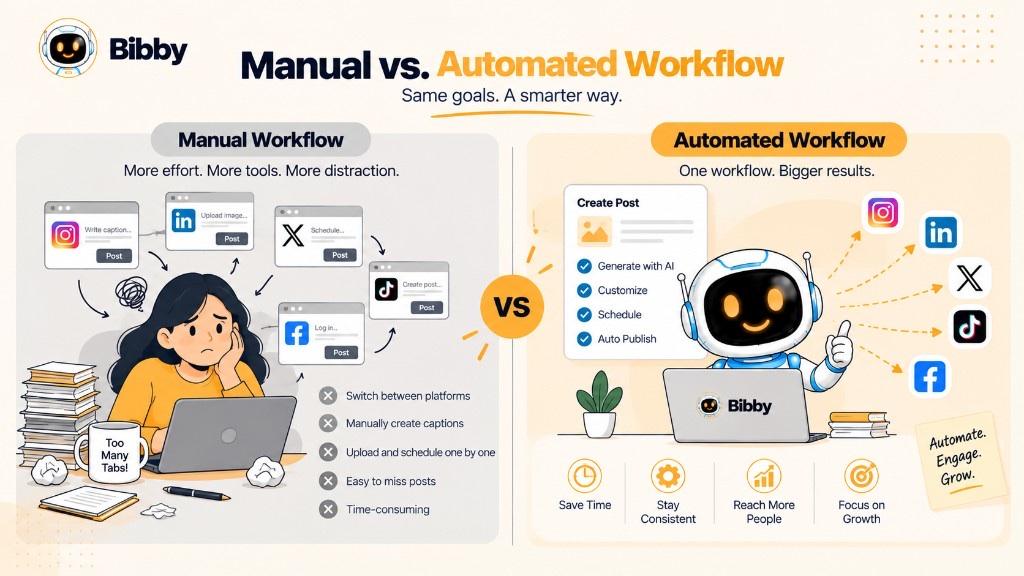
Without automation, you may prepare each post separately, write captions, pick times, and switch apps.
With automation, you can upload once, generate caption variations, select platforms, and schedule through one workflow. The software then handles the repetitive publishing steps you approved.
In simple terms, automation turns repetitive social work into a workflow software can run.
How Does Social Media Automation Work?
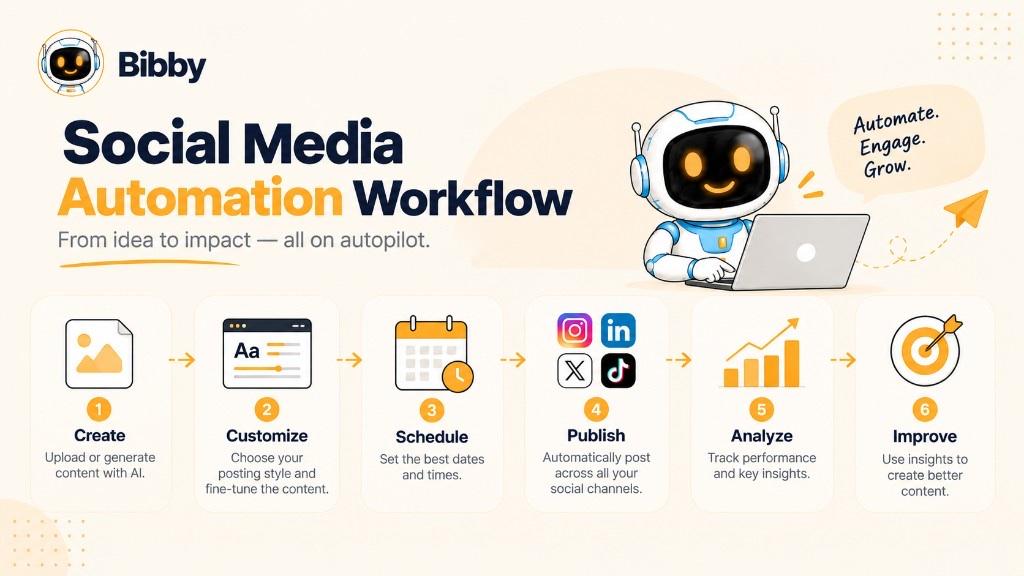
A typical workflow looks like this:
Create → Customize → Schedule → Publish → Analyze → Improve
1. Create or Upload Your Content
Start with images, videos, carousels, or Stories. Some tools, including Bibby, also let you generate visuals with AI.
2. Customize the Content
The same idea may need a different caption, crop, or length on each network. Keep brand voice while adapting the format.
3. Generate Captions and Other Copy
AI can draft captions from the asset and a posting style. Review, edit, or regenerate before anything goes live. Try the caption generator for a first draft.
4. Select Platforms and Publishing Dates
Choose where the post should appear and when. A content calendar coordinates several accounts. Some tools recommend publishing times from audience patterns—treat those as inputs, not guarantees. See also best time to post.
5. Automatically Publish the Content
After approval, the software publishes so you do not log into every app at the exact minute.
6. Analyze Performance
After publishing, review engagement, reach, impressions, clicks, and conversions in native Insights or a social media analytics tool. Bibby does not collect those dashboards.
7. Improve the Next Content Cycle
Create → Automate → Publish → Measure → Improve
Use what Insights show to decide the next topics and formats, then schedule another batch.
Software handles repetitive execution. People keep creativity, context, judgment, and genuine interaction.
What Can Social Media Automation Automate?
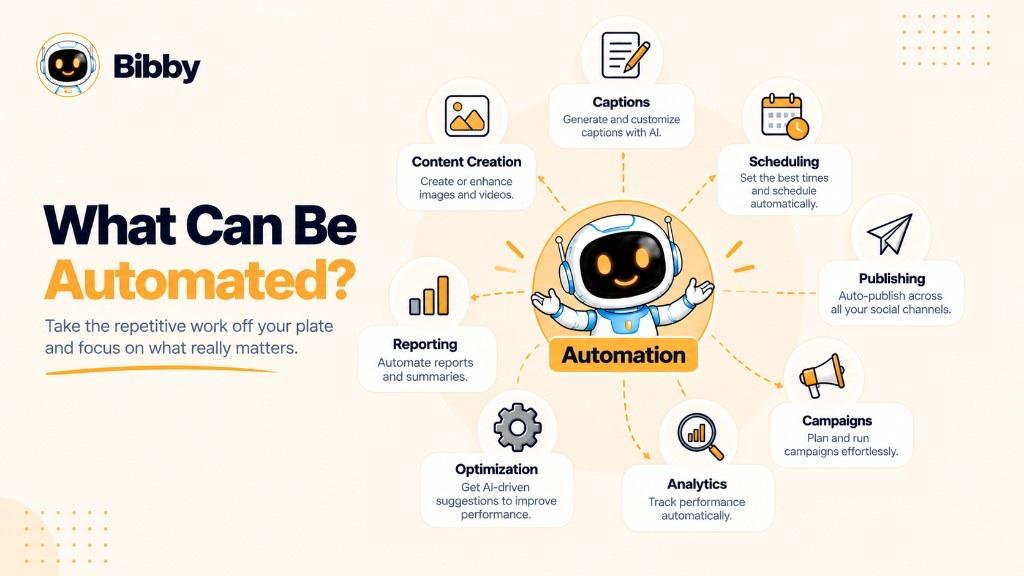
Capabilities vary. Common tasks include:
Post Scheduling
Prepare content in advance and set it to publish on specific dates and times.
Social Media Publishing
Send approved posts to connected accounts instead of hopping between apps.
Caption Generation
Draft copy from content, voice, and style. Always review before publish.
Content Creation
Generate images, write variations, or prepare assets for different surfaces.
Content Repurposing
Turn one idea into a Reel, a carousel, a LinkedIn text post, and a Story rather than cloning one file everywhere.
Campaign Management
Group images, videos, and announcements around a launch timeline.
Social Media Analytics
Some platforms pull reach, impressions, likes, comments, shares, clicks, and views into one report. That is a dedicated analytics product—not Bibby.
Reporting
Some tools turn those numbers into recurring reports. Stakeholders still need interpretation, not only charts.
Publishing-Time Optimization
AI can suggest windows when your audience has been active. It does not lock in organic reach.
Audience Engagement Assistance
A few products draft reply suggestions. Do not fully automate comments, DMs, or crisis responses. Relationships need a person.
What Shouldn't Be Fully Automated?
Strategy, creative direction, brand decisions, community relationships, and sensitive customer issues need human judgment.
Automate repetitive execution. Keep humans on decisions that need context and authenticity.
Do not automate spam, fake likes, mass unsolicited messages, or other activity that breaks platform rules.
Examples of Social Media Automation
Example 1: A Small Business
A shop wants a steady Facebook and Instagram presence. They prepare images at the start of the week, generate captions, and schedule the calendar. Owners spend remaining time answering customers.
Example 2: A Creator
A creator uploads a video, writes platform-specific captions, and schedules TikTok, YouTube, and Reels. Automation handles the posting; the creator records the next clip.
Example 3: A Marketing Agency
An agency sets brand kits per client, prepares batches, and schedules across the right networks. Time shifts to strategy and creative review.
Example 4: AI-Powered Workflow
Upload image → Generate caption → Select platforms → Choose schedule → Publish
That is automation beyond a timer. The marketer still checks the caption and calendar.
Example 5: A Product Launch
The team groups educational posts, product shots, and announcements into a two-week campaign. Software publishes the sequence; people watch Insights and adjust.
These examples connect preparation, captions, scheduling, and publishing. Performance tracking happens after, in the right analytics system.
What Are the Benefits of Social Media Automation?
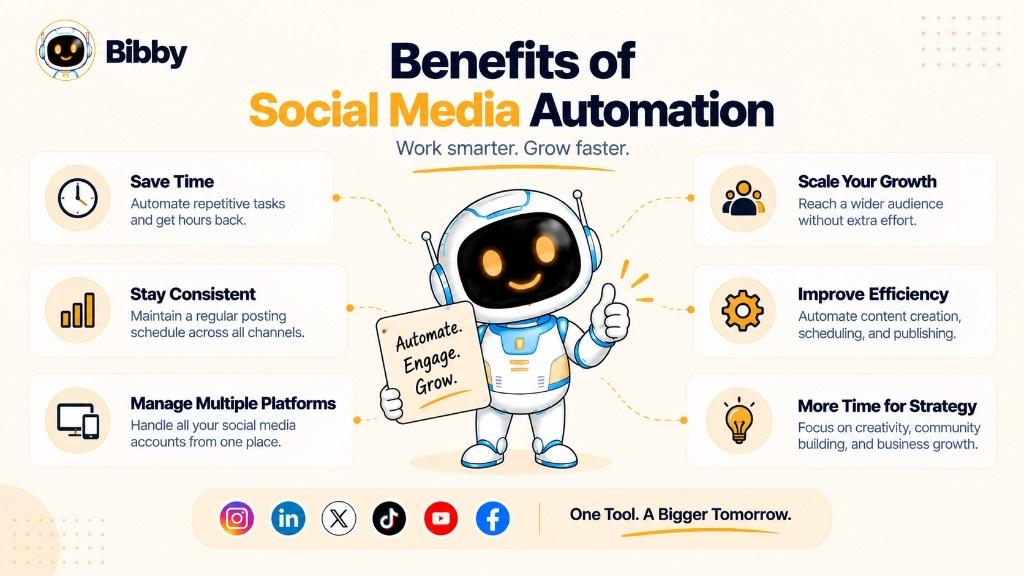
The main benefit is less repetitive work—not automatically more viral posts.
- Saves time on uploads, captions, dates, and switching apps
- Supports a consistent calendar so posting does not depend on memory
- Coordinates multiple platforms from one workflow
- Cuts copy-paste busywork
- Lets you batch content instead of treating every post as a one-off
- Can suggest publishing times from data—not a guaranteed lift
- Makes campaigns easier to sequence
- Frees time for strategy and replies
- Scales the same workflow as channels and brands grow
The value is a more efficient system with human attention where it matters. Start a Bibby trial or compare plans if that workflow fits.
Social Media Automation vs. Social Media Scheduling
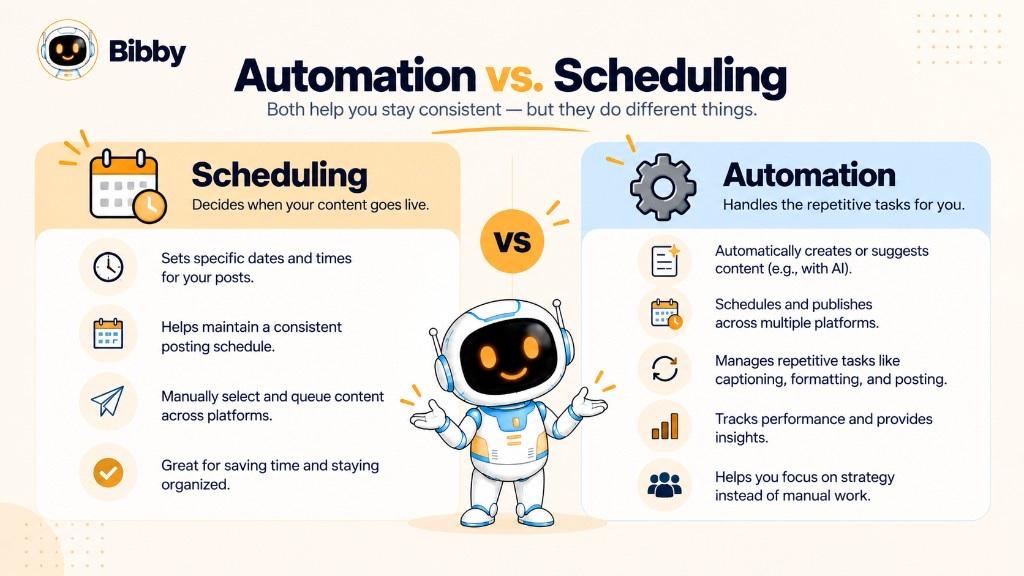
They are related, but not the same. Scheduling is one part of automation.
Scheduling answers: “When should this content be published?”
Automation answers: “Which parts of the workflow can software handle?”
| Social Media Scheduling | Social Media Automation |
|---|---|
| Focuses on when posts go live | Can cover more of the workflow |
| Needs content already prepared | May help create and caption |
| Publishes at selected times | Can include campaigns and AI steps |
| One component | Broader category |
Yes—scheduling is a type of automation. A basic scheduler may only fire the clock. A broader platform can also generate captions, organize campaigns, and store a brand kit. Bibby is the broader create-and-schedule type; it does not replace Insights.
Social Media Automation vs. Social Media Management
Management is the whole job: strategy, planning, creating, publishing, community, listening (in other tools), and improving.
Automation is software that reduces repetitive pieces of that job.
| Automation | Management |
|---|---|
| Repetitive tasks | The full presence |
| Software and workflows | People, strategy, and tools |
| Can schedule and publish | Decides what and why |
| Can draft captions | Owns the content strategy |
| Some tools report numbers | Interprets results |
| Less manual execution | Includes community |
Automation usually cannot replace management. Software can publish a post. A person still decides if the message is right, replies to a customer, or pauses a campaign when news breaks.
What Is an AI Social Media Automation Tool?
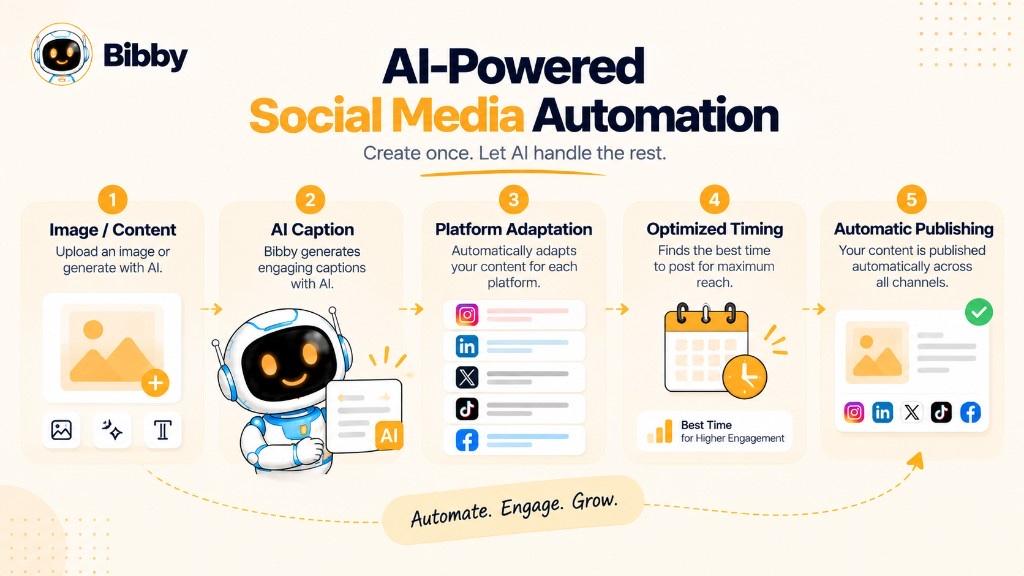
An AI automation tool uses models to assist with tasks that used to be fully manual—interpreting an image, drafting copy, suggesting times—while still following your schedule and approvals.
Traditional rule: “Publish this Instagram post at 10:00 AM.”
AI-assisted workflow: “Draft a caption for this image, adapt it for LinkedIn, and suggest a time.”
| Traditional automation | AI-powered automation |
|---|---|
| Follows predefined rules | Can draft from context |
| Schedules finished posts | Can help create posts |
| Fixed workflows | Chat or style-based steps |
| More manual prep | Less blank-page work |
What Can AI Assist With?
- Captions from an image, topic, or posting style
- Image generation from a prompt
- Adaptation of length and tone by platform
- Ideas and campaign concepts (post ideas)
- Time recommendations from available signals
- Chat workflows such as “create a campaign” or “build a brand kit”
How Is AI Different From a Social Media Bot?
AI automation can support legitimate create-and-publish work. A bot may instead auto-follow, spam DMs, or fake engagement. The difference is the purpose. Do not use automation to manufacture interactions.
Does AI Replace Humans?
No. People still own brand meaning, appropriateness, and situations that need a human reply. The strong pattern is AI speed plus human review.
How AI Is Changing Social Media Automation
AI is stretching automation from a timer toward a connected workflow: idea → asset → caption → platforms → schedule → publish.
- From scheduling to creation — generate images and first-draft copy
- From one caption to platform-specific copy — Instagram, LinkedIn, TikTok, Facebook, YouTube
- From fixed clocks to suggested times — still not a performance promise
- From separate clicks to one flow — Bibby chat can create campaigns, posts, and regenerated captions
- From generic output to brand-aware drafts — a brand kit keeps tone steadier
The direction is “help me manage the workflow,” not “post without me.” Humans keep strategy, creativity, and relationships.
What Are the Risks of Social Media Automation?
Over-Automation
If every post and reply is unreviewed, the account can feel empty. Automation supports strategy; it is not the strategy.
Generic or Repetitive Content
Repeated templates flatten the brand. Leave room for new ideas and platform-specific work.
AI-Generated Errors
Captions can misread an image, invent facts, or miss tone. Review claims, offers, and sensitive topics.
Loss of Authentic Engagement
A scheduled post is not a relationship. Comments and complaints need people.
Platform Rules
Use official integrations. Do not buy fake engagement, scrape, or bypass access controls.
Brand Voice Drift
Without guidelines, AI drafts wander. Use a brand kit and examples.
Scheduling Mistakes
A stale promo or wrong date can publish while nobody is watching. Recheck the calendar around holidays, news, and product changes.
Automate repetitive tasks. Keep humans on strategy, quality, sensitive messages, and important decisions. Include guidelines, review, calendar checks, legitimate publishing, Insights review, and human conversations.
Best Practices for Social Media Automation
- Start with a content strategy — audience, themes, goals, platforms.
- Write brand guidelines — voice, terms, visuals, CTAs, words to avoid.
- Automate busywork first — schedule, publish, caption drafts, campaigns.
- Customize per platform — do not treat every network as identical.
- Review AI output — facts, offers, reputation, compliance.
- Use your own timing data — Insights plus time suggestions, not folklore.
- Audit the calendar — outdated or conflicting posts.
- Keep humans on engagement.
- Measure in Insights — engagement, reach, clicks, conversions—not vanity metrics alone.
- Refine the workflow — drop unused steps; keep what saves real time.
Automate the repetitive, review the important, keep the human element where it matters.
Social Media Automation Tools
A useful tool should match how you actually create and publish.
Look for:
- Multi-platform publishing on the networks you use
- Scheduling and a visible calendar
- AI visuals and captions when you need them
- Platform-specific edits
- Images, carousels, video, and Stories
- Optional time recommendations
- Campaign grouping
- Brand kits
- Analytics in Insights or a separate product
- A simple review step
- Optional chat controls
Typical path: create or upload → caption → choose platforms → schedule → approve → publish → analyze in Insights.
Bibby for Social Media Automation
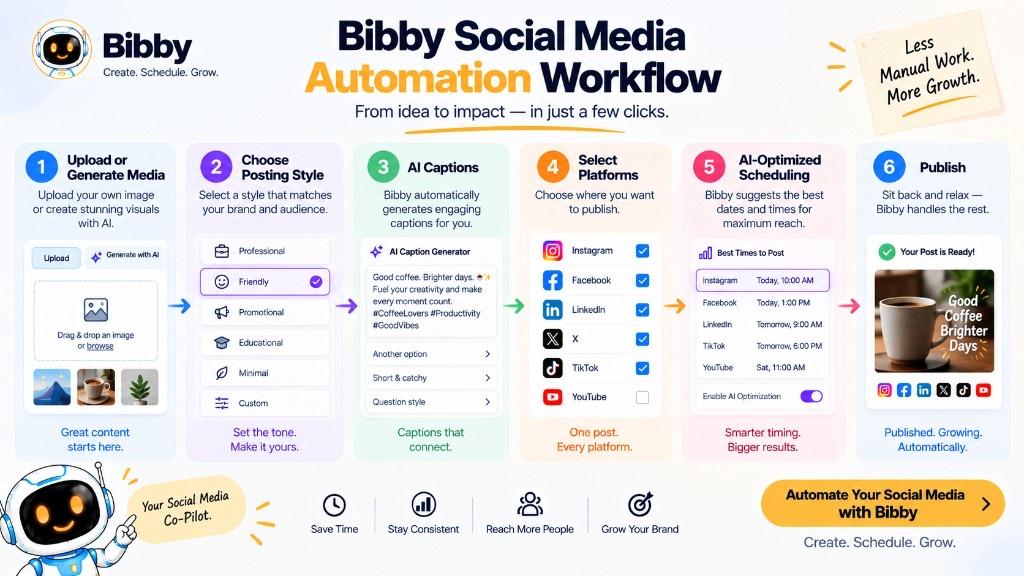
Bibby puts create, caption, campaign, brand kit, and schedule in one place. Upload media or generate visuals, pick a posting style, generate captions, and schedule across Facebook, Instagram, LinkedIn, YouTube, and TikTok at AI-optimized times.
Chat can create a brand kit, a campaign, posts, or regenerated captions. That is workflow automation, not a promise of reach and not an Insights replacement.
Browse free tools, AI content, channels, the blog, or onboarding when you want to try the loop.
The best tool is the one that fits your formats, saves real busywork, and still leaves room for judgment.
Conclusion
Social media automation is more than scheduling later. Software and AI can take repetitive work across creation, captions, publishing, and campaigns. Analytics still belongs in Insights or a dedicated analytics product.
Remember three points:
- Automation reduces repetitive work so you can focus on strategy and engagement.
- Scheduling is only one part—modern tools can support more of the workflow.
- AI can draft and organize, but people still review and converse.
If you want to put this into practice, start with a calendar and a review habit, then choose a tool that matches your platforms. Social media scheduling is the natural next term if you want the timing piece in more detail. Create a Bibby account when you are ready to schedule the next batch—without treating automation as a growth hack.