
Going live is the act of broadcasting video to an audience in real time on a social media platform.
Unlike prerecorded content, a live broadcast lets you interact with viewers as it happens, making it useful for conversations, events, product launches, tutorials, and community building. Understanding what going live means can help you choose when and how to use live video as part of your social media strategy.
Let’s look at what going live actually means and how it differs from regular social media content.
In this article, you will learn:
- What going live means and how a livestream works
- How live video differs from a regular video
- When brands and creators should go live
What Does Going Live Mean?
Going live means broadcasting video to an audience in real time through a social media platform or other online service. Instead of recording and editing a video before publishing it, you start a live broadcast and communicate with viewers while the event is happening.
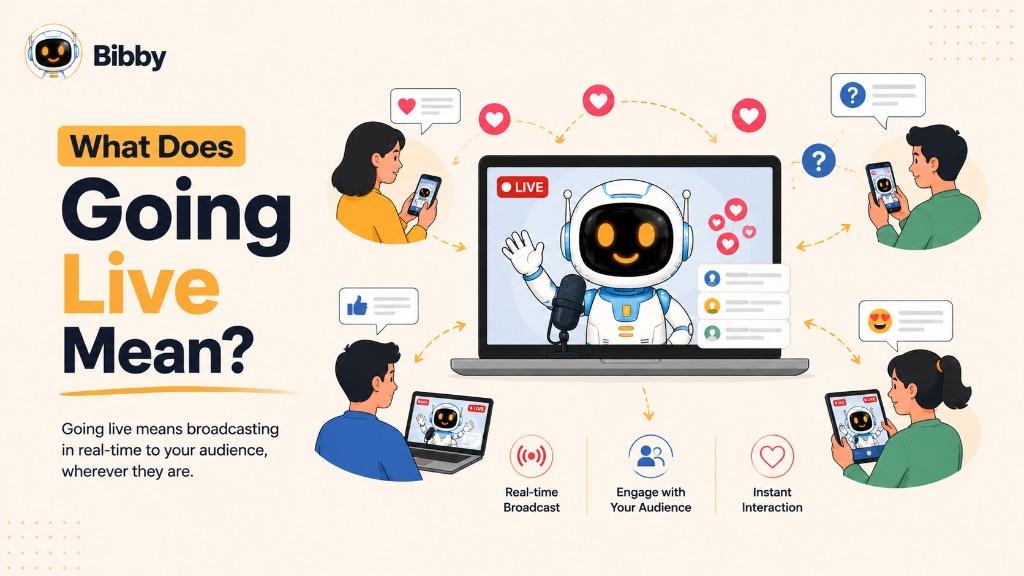
During a live broadcast, viewers may be able to comment, ask questions, react to the video, or otherwise participate in the conversation. This real-time interaction is what makes going live different from simply uploading a prerecorded video.
For creators and businesses, going live can be used for many purposes, including hosting Q&As, demonstrating products, making announcements, conducting interviews, teaching tutorials, covering events, or simply having an informal conversation with an audience.
The term is often used interchangeably with live streaming, livestreaming, live video, and live broadcasting. While the terminology can vary between platforms, the core idea remains the same: you are sharing video with your audience as it happens rather than publishing it as prerecorded content.
How Does Going Live Work?
Going live is usually a straightforward process. You choose a platform, prepare what you want to share, start the broadcast, and interact with viewers in real time.
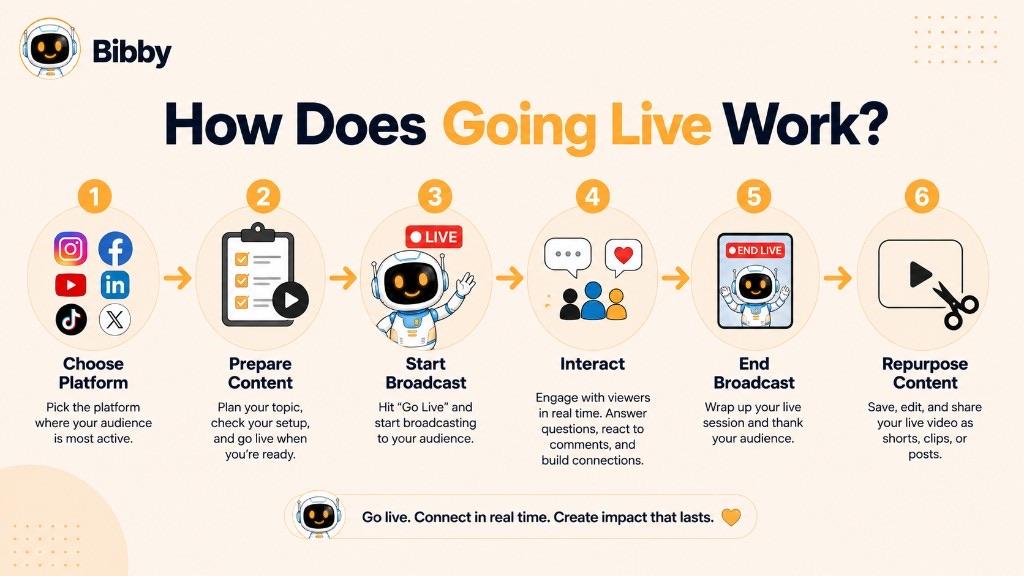
The exact steps vary between social media platforms, but the general workflow looks like this:
- Choose a platform: Decide where you want to broadcast, such as Instagram, Facebook, YouTube, TikTok, or LinkedIn.
- Prepare your content: Choose a topic, gather any visuals or products you need, and check your camera, microphone, lighting, and internet connection.
- Start the live broadcast: Use the platform's live feature to begin broadcasting to your audience.
- Interact with viewers: Respond to comments, answer questions, acknowledge reactions, and encourage participation while you are live.
- End the broadcast: When your session is finished, end the livestream from the platform.
- Reuse the content: If the platform saves the recording, you can often turn the broadcast into clips, posts, or other social media content.
The biggest difference from traditional social media publishing is timing: going live creates an immediate connection between the person broadcasting and the people watching.
Why Do People Go Live on Social Media?
People go live because real-time video creates opportunities for interaction that prerecorded posts cannot fully replicate. A live broadcast can make communication feel more immediate, conversational, and personal.
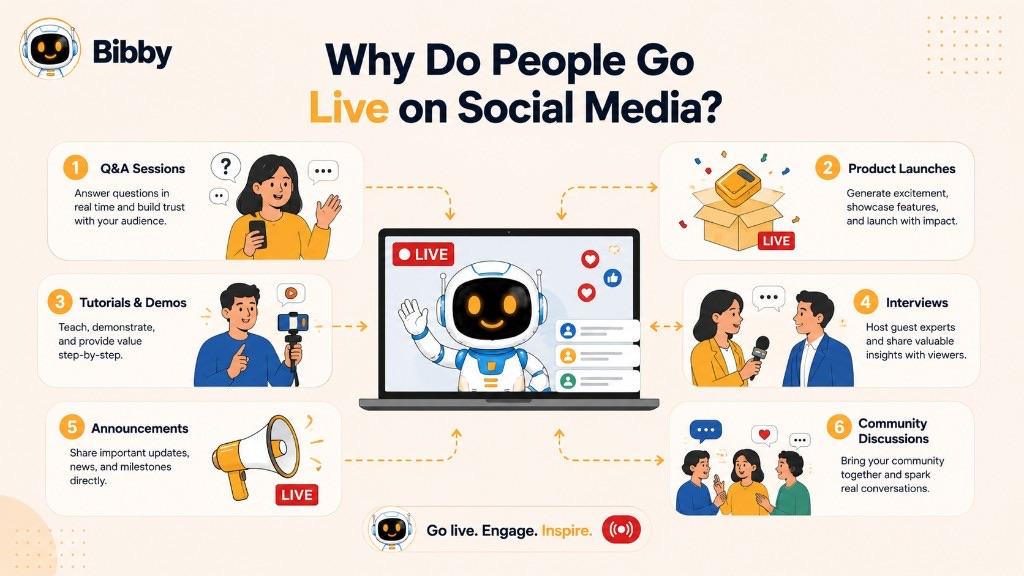
Common reasons for going live include:
- Engaging with an audience: Creators and brands can communicate directly with viewers through comments, questions, and reactions.
- Answering questions: Live Q&A sessions allow audiences to get immediate answers without waiting for a follow-up post.
- Launching products or services: Businesses can introduce new products, demonstrate features, or explain an offer while viewers are watching.
- Hosting events: Brands, creators, and organizations can broadcast interviews, discussions, workshops, performances, and other events.
- Teaching and demonstrating: Tutorials, walkthroughs, demonstrations, and educational sessions can be delivered interactively.
- Building community: Regular live sessions can give followers a recurring opportunity to connect with a creator, brand, or group.
- Sharing announcements: Important news, updates, behind-the-scenes moments, and campaign announcements can be delivered directly to an audience.
Ultimately, going live is less about simply broadcasting video and more about creating a two-way experience in real time. That combination of immediacy and interaction makes live video a useful format for building relationships and keeping audiences engaged.
Going Live on Different Social Media Platforms
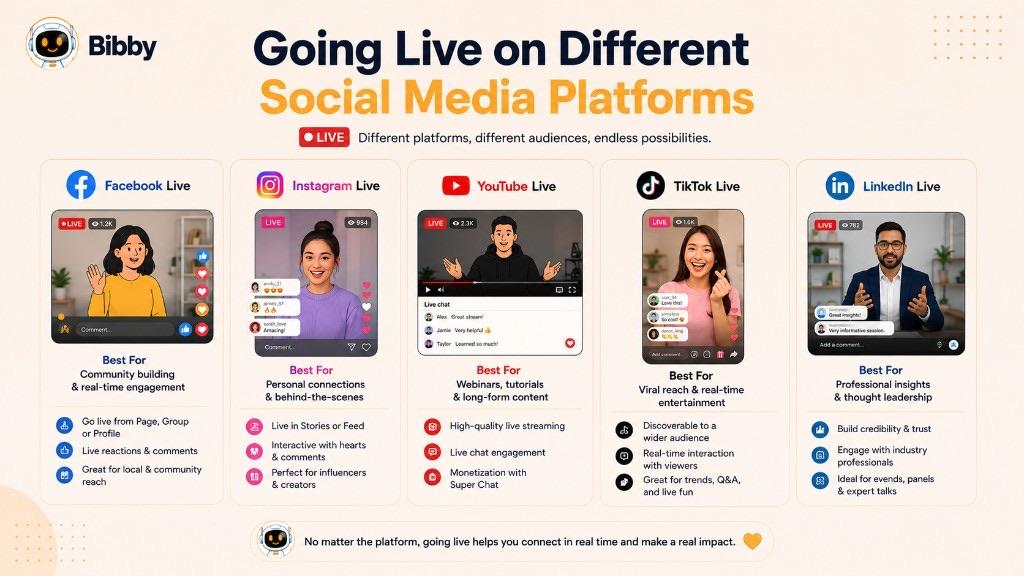
Going live is available across several major social media platforms, but each platform has its own audience, features, and typical use cases. Choosing the right platform depends on who you want to reach and what you want to accomplish with your broadcast.
Going Live on Facebook
Facebook Live allows creators, businesses, and communities to broadcast video directly to their audiences. It can work well for events, announcements, product demonstrations, interviews, Q&As, and community discussions.
Going Live on Instagram
Instagram Live is designed for more immediate, conversational interactions. Creators and brands commonly use it for Q&As, informal discussions, product announcements, collaborations, and behind-the-scenes content.
Going Live on YouTube
YouTube Live is particularly useful for longer broadcasts, including educational sessions, interviews, webinars, events, gaming, and detailed product demonstrations. Its connection to YouTube's broader video ecosystem can also make it useful for audiences who discover content through search.
Going Live on TikTok
TikTok LIVE gives creators and businesses a way to interact with audiences in real time within TikTok's highly interactive content environment. Common uses include conversations, demonstrations, entertainment, product promotion, and community engagement.
Going Live on LinkedIn
LinkedIn Live is focused on professional audiences and can be useful for webinars, industry discussions, interviews, company announcements, educational content, and thought leadership.
Although the features differ from one platform to another, the fundamental concept remains the same: going live allows you to communicate with your audience while the content is happening in real time.
Going Live vs. Posting a Regular Video
Going live and posting a regular video both let you share video content on social media, but they create different experiences for your audience. The main difference is that live content happens in real time, while a regular video is recorded and usually edited before it is published.
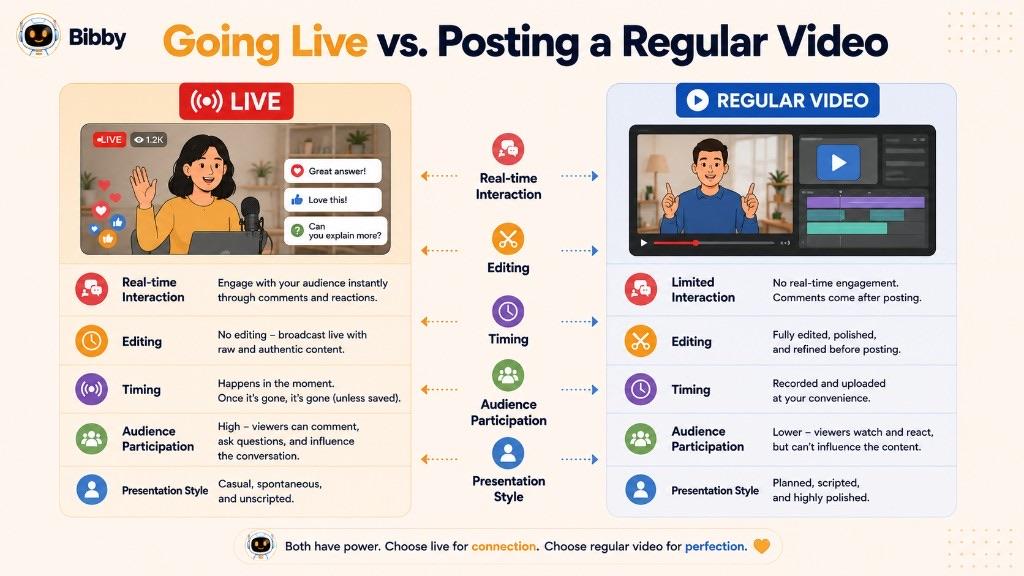
| Feature | Going live | Regular video |
|---|---|---|
| Timing | Broadcast in real time | Published after recording |
| Audience interaction | Immediate comments, questions, and reactions | Engagement typically happens after publishing |
| Editing | Usually limited before or during the broadcast | Can be extensively edited before publication |
| Presentation | Often spontaneous and conversational | Usually more polished and controlled |
| Audience experience | Viewers participate as the event happens | Viewers consume completed content |
| Best for | Q&As, events, announcements, discussions, and demonstrations | Tutorials, promotional videos, educational content, and evergreen posts |
Neither format is automatically better than the other. Going live is especially valuable when real-time interaction matters, while prerecorded videos can be a better choice when you need more control over production, editing, and presentation.
Many effective social media strategies use both formats: prerecorded content—including short-form video—for consistent publishing and live video for deeper, real-time audience engagement.
Benefits of Going Live for Brands and Creators
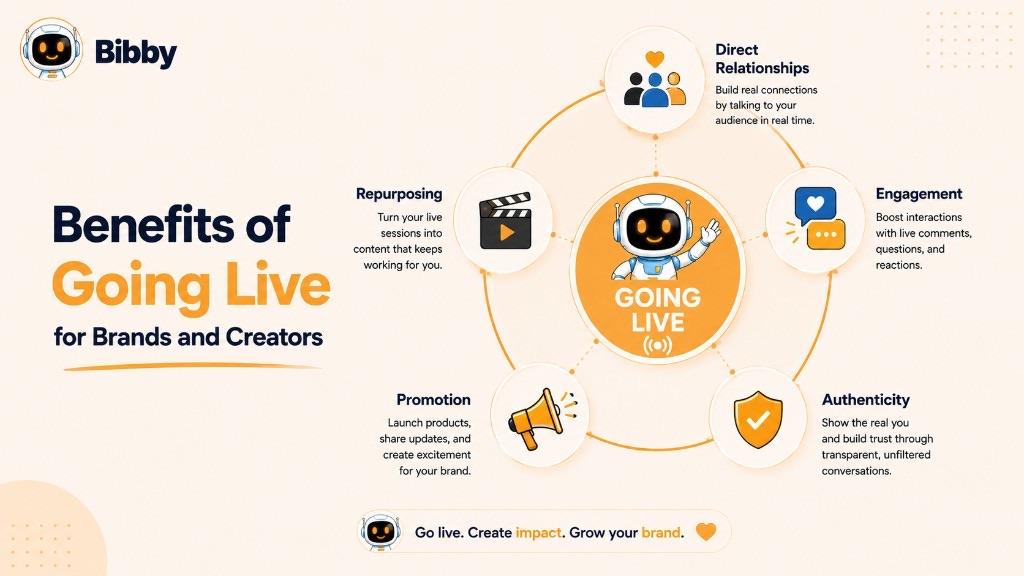
Going live can do more than deliver video to an audience. Because viewers can participate while the broadcast is happening, live content can help brands and creators build stronger relationships and create more interactive social media experiences.
Builds Direct Audience Relationships
Live broadcasts create an opportunity for direct communication between a creator, brand, or organization and its audience. Responding to questions and acknowledging viewers can make the interaction feel more personal.
Encourages Real-Time Engagement
Comments, questions, reactions, and other live interactions give audiences a reason to participate rather than simply watch. This can turn a passive viewing experience into an active conversation.
Creates More Authentic Content
Live video is often less edited and polished than prerecorded content. That spontaneous quality can help audiences see the people and personality behind a brand or creator.
Supports Product and Campaign Promotion
Businesses can use live broadcasts to introduce products, demonstrate features, answer customer questions, announce campaigns, or explain new offers. The ability to respond immediately can make promotional content more interactive.
Generates Content for Repurposing
A live broadcast can also become a source of additional social media content. Where platform features allow recordings to be saved, businesses and creators can repurpose useful moments into shorter videos, quotes, posts, or other content formats.
Overall, going live can combine real-time communication, audience engagement, authenticity, and content creation in a single social media activity.
What Makes a Successful Live Stream?
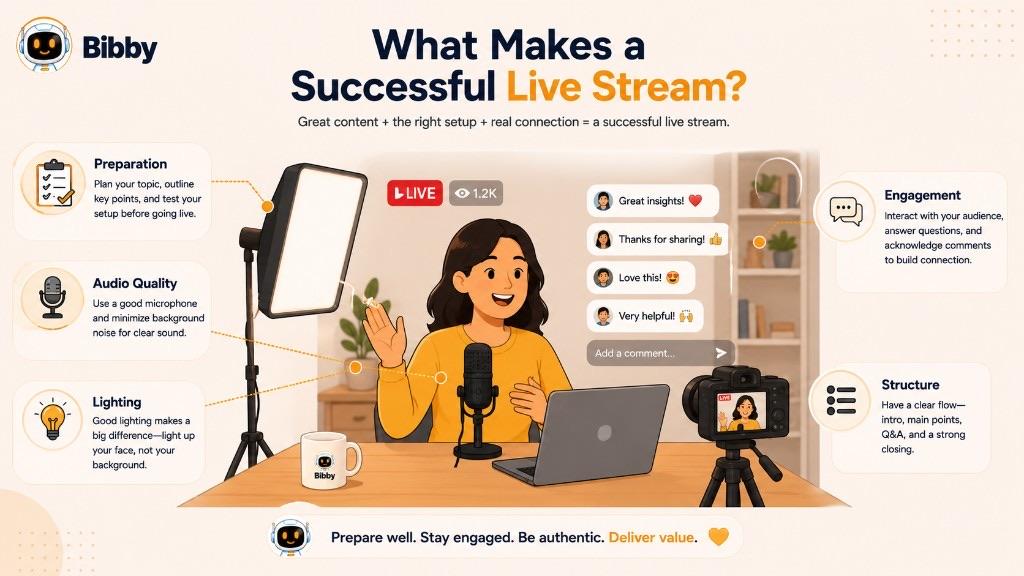
A successful live stream does not necessarily require elaborate production. The most important elements are a clear purpose, reliable technical setup, engaging communication, and a reason for viewers to stay involved.
Choose a Clear Topic
Decide what the live stream is about before you begin. A focused topic helps viewers understand what they can expect and makes it easier to keep the conversation organized.
Promote the Live Stream
Let your audience know about the upcoming broadcast when possible. A simple announcement can give followers time to plan to watch and can help build initial interest.
Start With a Strong Opening
Tell viewers what the session is about and why they should keep watching. Avoid spending too much time on introductions before delivering useful or interesting content.
Encourage Audience Participation
Ask questions, invite comments, and respond to relevant viewer messages. Active participation makes the broadcast feel like a conversation rather than a one-way presentation.
Prioritize Audio and Video Quality
Good lighting, clear audio, stable internet, and a suitable camera can make the viewing experience much better. Technical quality does not need to be perfect, but major interruptions can make it difficult for viewers to follow along.
Have a Simple Structure
Prepare a few talking points or questions instead of relying entirely on improvisation. A basic structure helps you maintain momentum while still leaving room for spontaneous interaction.
End With a Clear Next Step
Before ending the broadcast, tell viewers what they should do next. This could mean visiting a website, checking another piece of content, following the account, signing up for an event, or simply joining the next live session.
The goal is not to make a live stream feel perfectly scripted. The strongest live broadcasts balance preparation with the spontaneity and interaction that make live video valuable in the first place.
Common Examples of Going Live
Going live can be used for everything from casual conversations to professional events and product launches. The format works across industries because the audience can participate while the broadcast is happening.
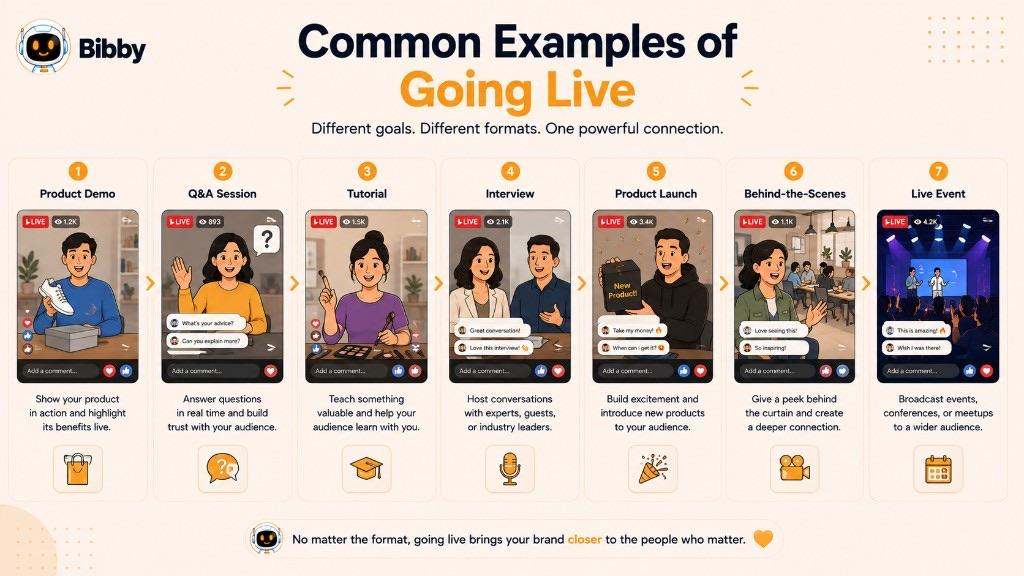
Here are some common examples:
- Product demonstrations: A business shows how a product works and answers questions from potential customers in real time.
- Q&A sessions: A creator or brand invites viewers to ask questions and responds to them during the broadcast.
- Educational tutorials: An expert teaches a skill, explains a topic, or walks viewers through a process.
- Interviews: Two or more people have a live conversation that viewers can watch and participate in.
- Product launches: A company introduces a new product or service and uses the live format to build excitement and answer questions.
- Behind-the-scenes content: A creator or business gives viewers an unfiltered look at an event, workplace, production process, or daily activity.
- Live events and performances: Musicians, speakers, organizations, and communities can broadcast events to people who cannot attend in person.
- Industry discussions: Professionals can use live video to share insights, discuss trends, or explore important topics with their audience.
These examples show that going live is not limited to entertainment. Any situation where real-time communication or audience participation adds value can potentially benefit from a live broadcast.
Going Live With Social Media Automation
Going live happens in real time, so the broadcast itself cannot be fully automated in the same way as a scheduled social media post. However, many of the activities surrounding a live broadcast can be planned, created, and scheduled in advance.
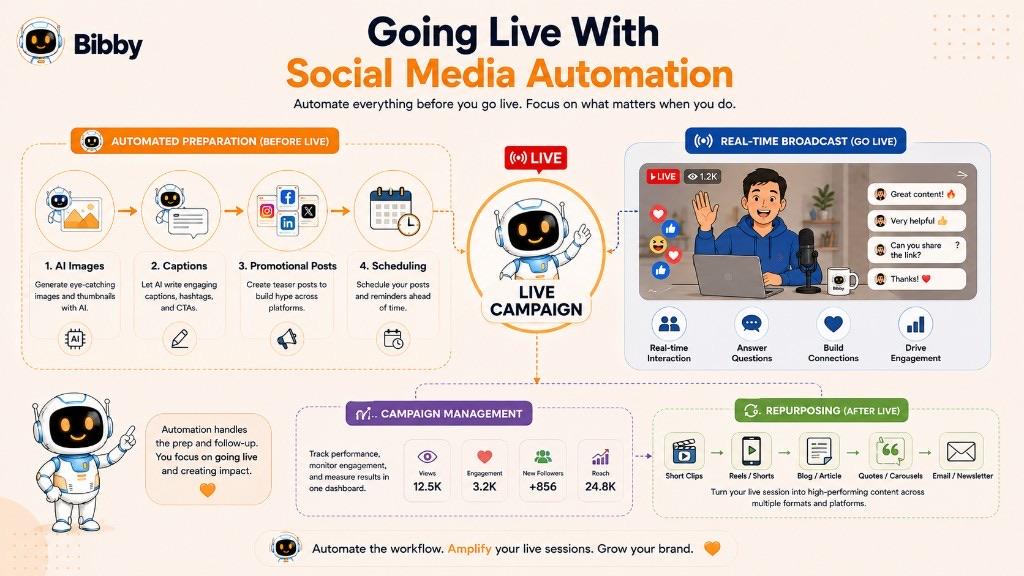
For brands and creators, social media automation can help support a live campaign by:
- Promoting the broadcast: Create announcement posts and reminders before the livestream begins.
- Generating captions: Prepare engaging captions for promotional content without writing every post manually.
- Scheduling supporting content: Publish reminders, teasers, and follow-up posts across multiple social media platforms.
- Creating visual content: Generate or prepare images and other creative assets to promote the upcoming broadcast.
- Repurposing the broadcast: Turn useful moments from a recorded livestream into additional social media content after the event.
- Managing campaigns: Organize promotional posts and supporting content around a broader campaign or launch.
Tools such as Bibby can help manage these surrounding workflows from a single social media workspace. You can create content, generate captions, prepare campaign assets, and schedule posts across selected platforms, while the actual live broadcast takes place through the platform where you are going live.
This distinction is important: automation can streamline the planning and promotion around a livestream, while the live interaction itself remains a real-time activity.
Key Takeaways
Going live means broadcasting video to an audience in real time, creating an opportunity for immediate interaction through comments, questions, reactions, and conversations. Unlike prerecorded content, live video emphasizes spontaneity and direct audience participation, making it useful for everything from Q&As and tutorials to product launches and live events.
The three key things to remember are:
- Going live is real-time video communication with an audience.
- Live broadcasts encourage direct interaction and audience engagement.
- Automation can simplify the planning and promotion around live content.
Once you understand going live, the next step is learning how social media automation can help you plan, create, and schedule the content that supports your live broadcasts and broader social media strategy.
With Bibby, you can upload an image or generate one with AI, choose a posting style, generate captions, create images, carousels, videos, and Stories, and schedule posts across Facebook, Instagram, LinkedIn, YouTube, and TikTok. Bibby's chat interface also lets you create campaigns, create posts, build a brand kit, and regenerate captions through conversation.
Bibby does not start the livestream for you. It helps you promote the session, stay consistent around it, and publish follow-up content afterward.
Continue learning with related dictionary entries on short-form video, community management, engagement, captions, social media scheduling, and GIFs—or browse the social media dictionary. Then start a free Bibby trial to create, caption, and schedule the posts that support your next live broadcast across your channels.