
It answers: Who are we creating this for? “Women 25–40 interested in fitness” is a target audience. “Maya, 31, wants quick home workouts because she has little time” is a persona.
Build from interviews, surveys, site analytics, on-platform Insights, purchases, and reviews—not assumptions. Bibby does not generate personas from Insights. After you know the audience, generate captions and schedule images, carousels, videos, and Stories on Facebook, Instagram, LinkedIn, YouTube, and TikTok—not X. See the dictionary, blog, and free tools.
What Is a User Persona?
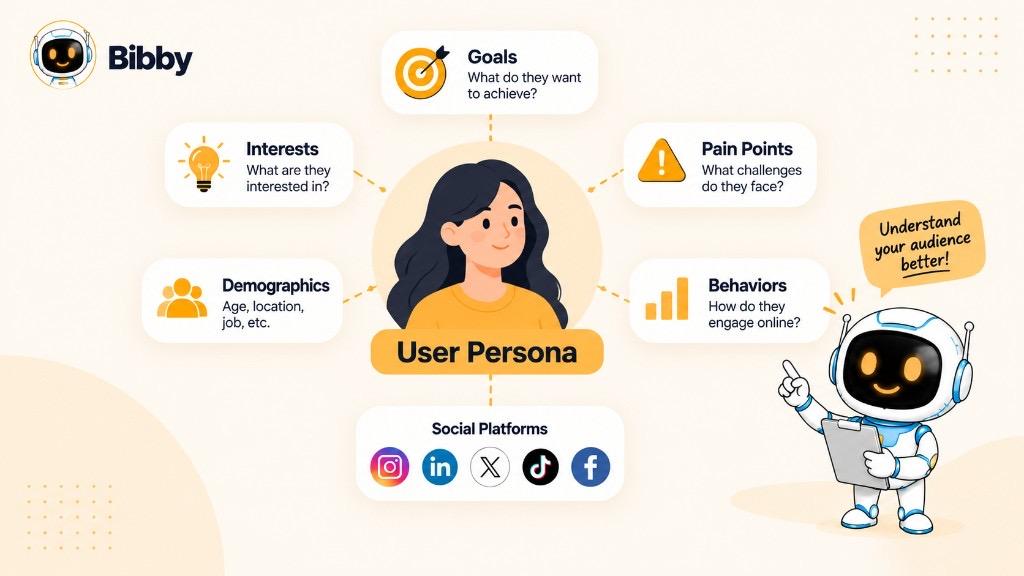
A persona is a representative character for a real segment. The name is fictional; the traits should come from observable patterns.
Sarah, busy small-business owner — 34; wants more customers from social; lacks time to create and schedule; cares about marketing, entrepreneurship, productivity; prefers short tutorials, tips, templates, case studies; uses Instagram, Facebook, LinkedIn.
She is not one real customer. She stands for people with similar goals and constraints so the team can decide from their perspective, not only what the company wants to say.
User Persona Example
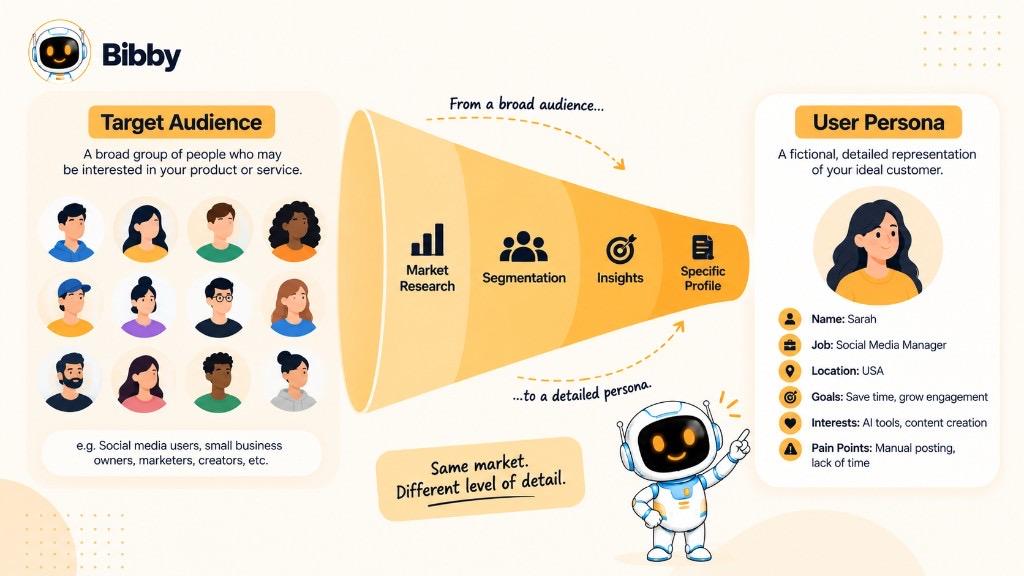
Broad: *Small business owners who want to grow through social media.*
Actionable: *Sarah, 34, runs ecommerce and her own social. She wants Instagram and Facebook sales but struggles to post while running the shop. She likes practical, short videos, carousels, and tutorials.*
Before you publish, ask: Would this be useful to Sarah? That turns a vague audience into a content strategy.
What Is a User Persona Used For?
It turns research into decisions: what to post, who you are speaking to, how to sound, and which formats fit.
Understand the audience — goals, frustrations, topics, influences, platforms, content they consume, why they engage. Use listening and sentiment as inputs; do not invent the profile.
More relevant content — topics, hooks, captions, visuals, CTAs, formats, voice. You are not trying to please everyone.
Platform choice — one segment may learn on LinkedIn; another may watch TikTok or Instagram. Do not clone every post everywhere.
Campaigns — who it is for, which problem, lead message, formats to test, desired action.
Personalization — same product, different emphasis (time for freelancers vs. workflow for teams).
For social teams it is a working filter: *What should we post? How should we say it? What should we make? Why should they care?*
What Should a User Persona Include?
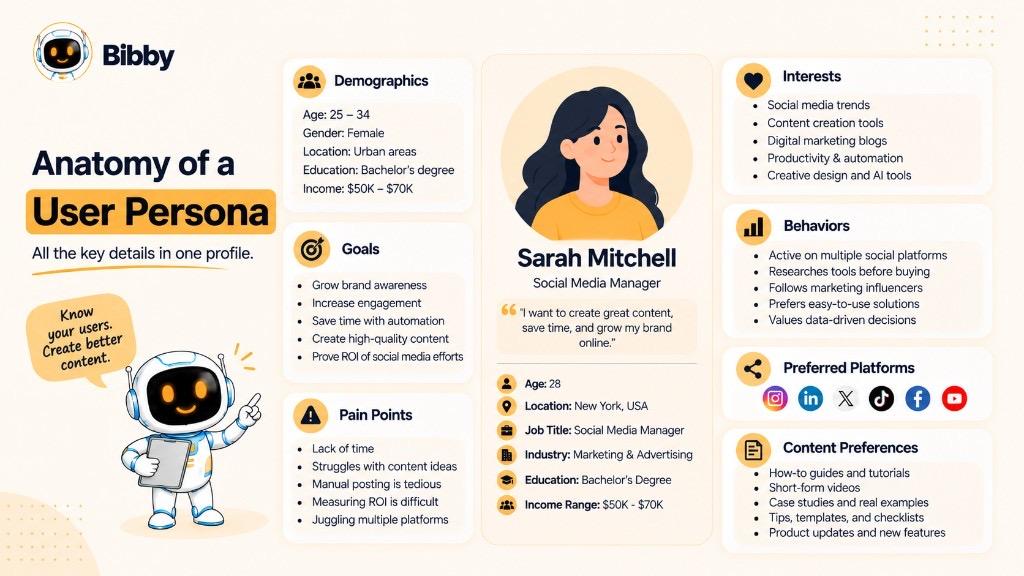
Only insights that change marketing, product, or experience. Length is not quality.
- Demographics — age range, location, role, industry, context, income when relevant. Same age and city can still mean different goals.
- Goals and motivations — save time, engagement, audience growth, leads, visibility, a steady calendar. Include *why*.
- Pain points — no time, no ideas, inconsistency, “what to post,” too many apps, unclear KPIs.
- Interests and behaviors — hobbies, research topics, products they use, buying habits, communities, decision factors.
- Social habits — networks, frequency, accounts they follow, formats, when they browse, comment vs. save vs. click, what stops the scroll. Confirm in native Insights.
- Content preferences — short video, carousels, tutorials, case studies, Stories, BTS—from behavior, not stereotypes.
- Needs — speed, practical advice, transparency, education, entertainment, expertise, convenience.
- Voice — conversational, concise professional, detailed educational, informal, or direct.
If a detail would not change a post, skip it. Connect who they are with what they need and how they behave.
How to Create a User Persona
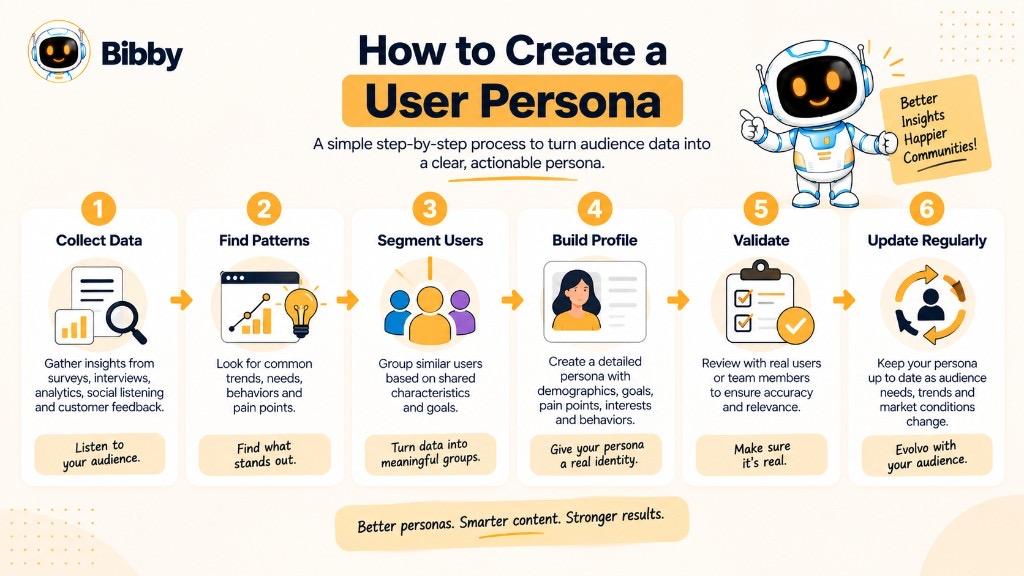
- Collect data — interviews, surveys, site analytics, social Insights, reviews, support, sales, search, purchases. Look at what people want, struggle with, do, and respond to.
- Find patterns — shared goals, problems, platforms, queries, formats, messages, objections.
- Group users — e.g. owners posting themselves, professionals running several brands, in-house teams. Same product, different jobs.
- Build the profile — background, goals, pain, interests, behaviors, platforms, formats, needs.
- Name it — “Sarah — time-strapped owner” is a label. Value is the research.
- Connect to decisions — topics, networks, formats, wording, problems, campaigns, CTAs. If time is the pain, emphasize workflows, templates, and automation tips.
- Update — new research, analytics, engagement, feedback, conversions, behavior.
If the team can answer *Who is this for? What do they need? Why would they care?*, it is working.
User Persona vs. Buyer Persona
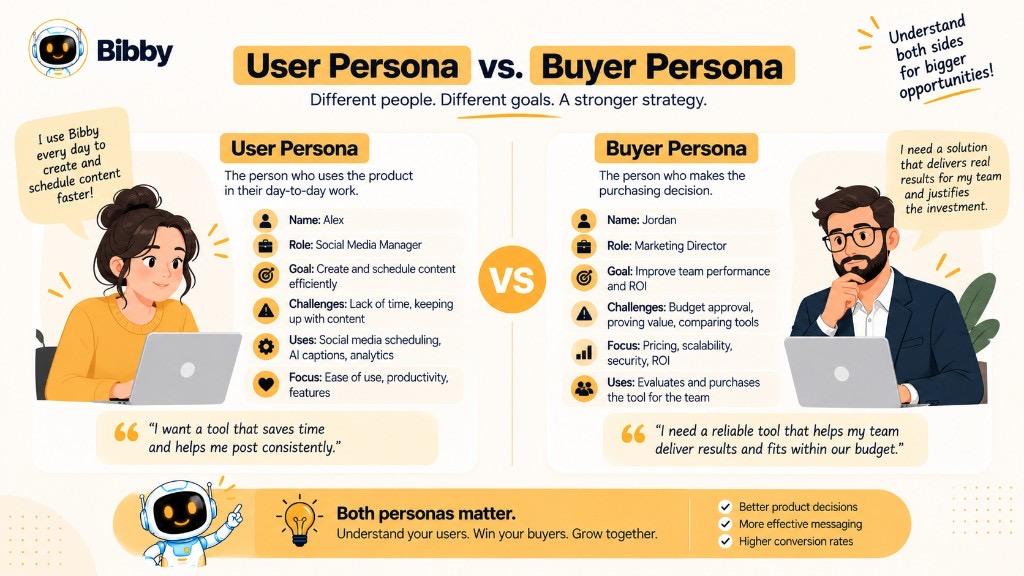
| User persona | Buyer persona |
|---|---|
| Person who uses or interacts | Person who researches or buys |
| Needs, behavior, experience | Purchase motives and objections |
| Product, UX, content, CX | Marketing, sales, acquisition |
| “Who will use this?” | “Who is involved in buying?” |
User: Alex, project manager—tasks, deadlines, collaboration.
Buyer: Jordan, director—budget, ROI, security, integrations.
They can be the same person (a freelancer who discovers, buys, and uses a tool). Split them when buying and using involve different people. User copy stresses everyday ease; buyer copy stresses cost, outcomes, and risk.
User Persona vs. Target Audience
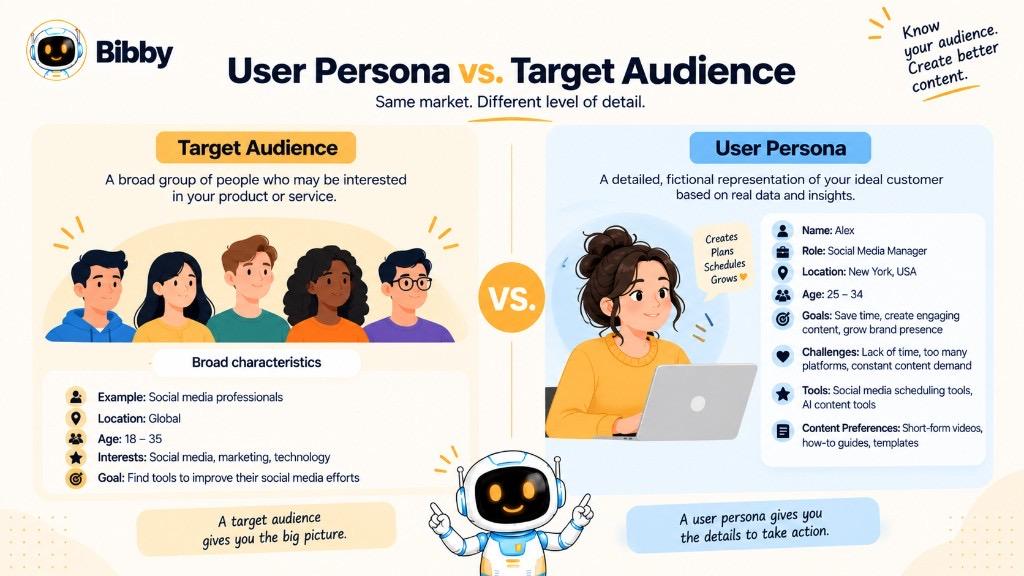
Target audience = the broader group.
User persona = a detailed person-type inside it.
Audience: small business owners who want social growth (age, location, industry, role, interests, needs, buying behavior).
Persona: time-constrained owner who posts herself, wants customers, prefers fast, practical tutorials.
You can have several personas (freelancers, owners, managers, agencies) when needs differ. Do not create one for every tiny variation. Use the audience for direction; use personas for specific posts and campaigns. See audience targeting and content pillars.
Social Media User Persona Example
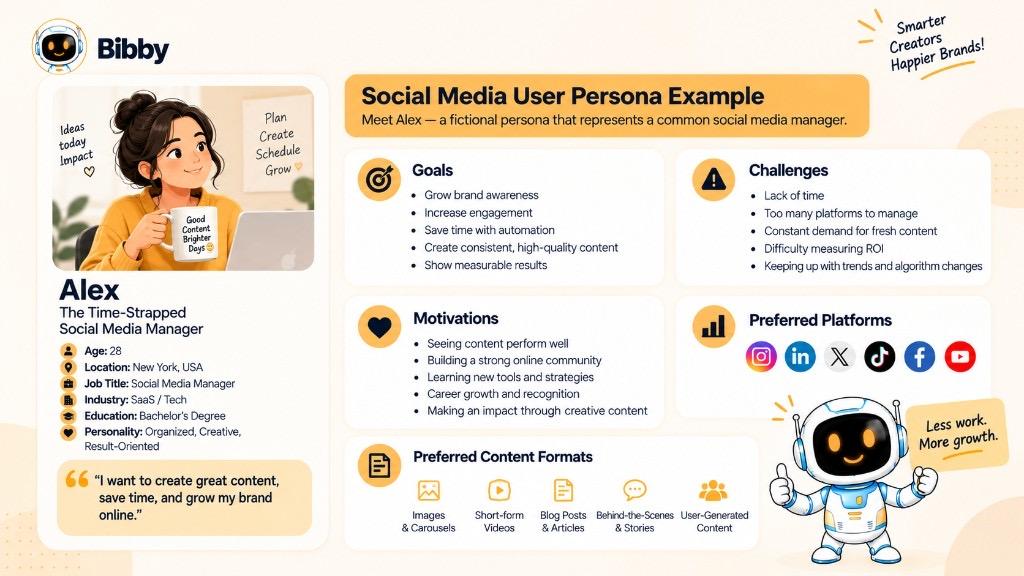
Alex, 29, social media manager at a growing ecommerce brand. Goal: awareness and engagement without living in the apps. Challenge: enough quality content across Instagram, Facebook, LinkedIn, TikTok. Prefers short video, carousels, tutorials, tips. Pain: creation time, consistency, repetitive multi-platform work. Motive: save time, stay consistent, show the team measurable results.
Fictional name; traits should match research.
What Alex might want: faster creation, workflow tips, planning ideas, platform practices, campaign examples, repurposing, automation, templates.
Shift from “What do we post today?” to “What helps Alex today?” Example carousel: 5 ways to save hours on the weekly social workflow—not a generic “social media is important” post. Formats can vary: carousel for steps, short video for one tip, Story poll, LinkedIn lesson, scheduling tutorial.
A persona is a model, not every follower. Update it as data changes.
How to Use User Personas in a Social Media Strategy
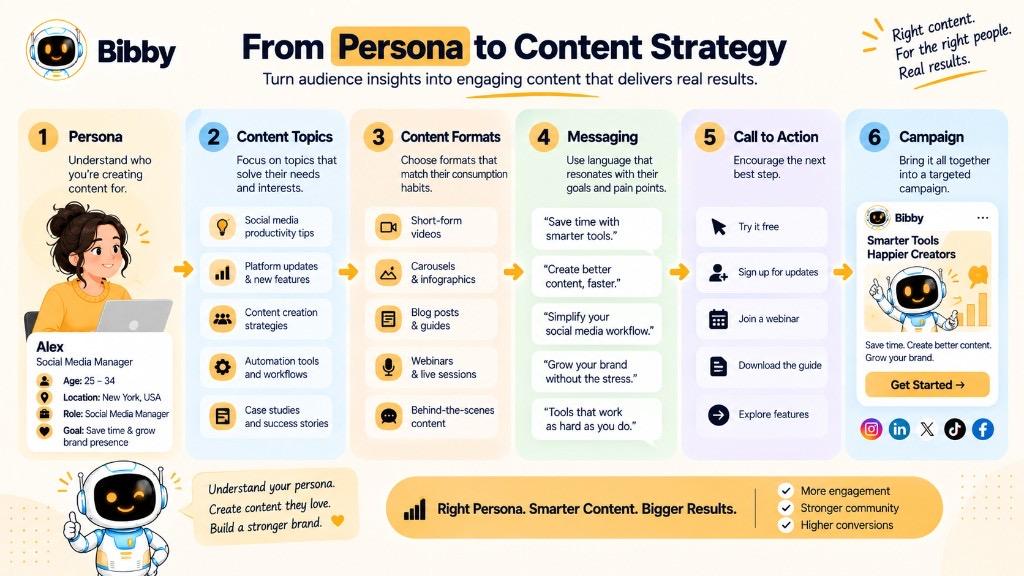
Treat it as a decision framework, not a forgotten PDF.
- Topics — planning a week, faster creation, repurposing, consistency, workflows.
- Formats — test videos, carousels, Stories, text, tutorials; confirm with real engagement.
- Voice — clear and conversational vs. formal B2B.
- Campaigns — who, problem, care, message, platforms, action.
- CTAs — education for problem-aware; trial or demo for evaluators.
- AI prompts — not “write a caption about marketing,” but “for busy owners who want to save time; practical and short.” Use the caption generator and post idea generator with that context.
- Evaluate — relevant? real need? right language and format? sensible CTA? Then check Insights, clicks, conversions, feedback.
Loop: understanding → decisions → evidence.
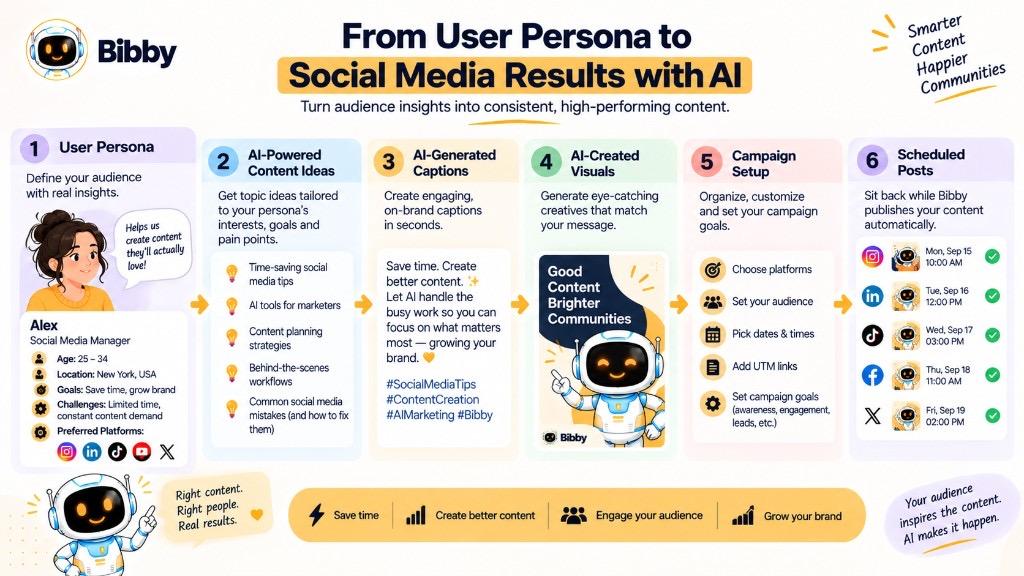
Best time to post is a hypothesis; AI posting-time guidance is not a persona. Marketers and gyms will rarely share one profile.
Common User Persona Mistakes
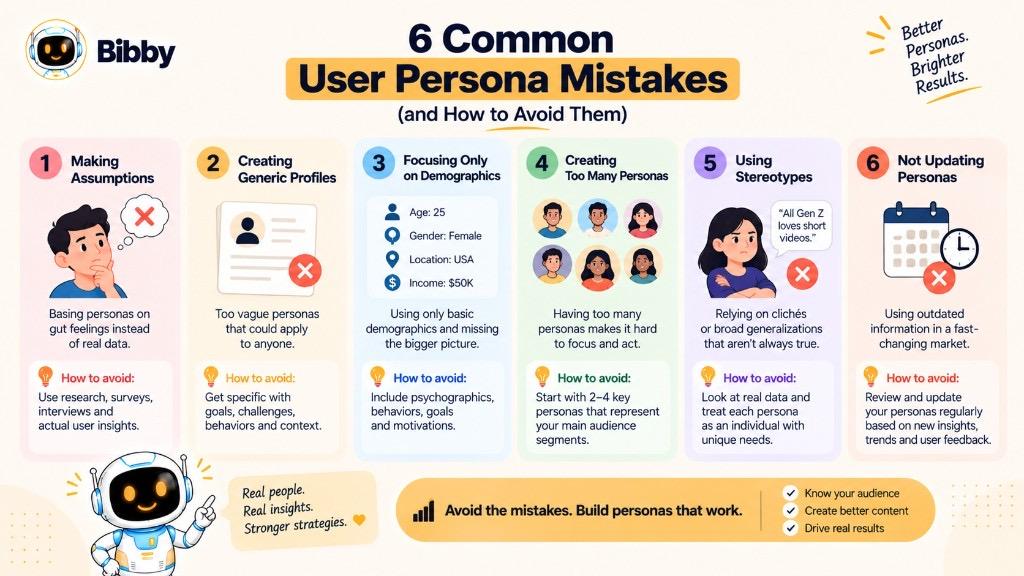
- Assumptions — “young people want Reels” without interviews, surveys, analytics, reviews, or Insights.
- Too generic — “John, 30, likes tech and saving money.” Ask what decision this fact changes.
- Demographics only — skip goals, pain, habits.
- Too many personas — dilutes strategy.
- Stereotypes — patterns, not every individual.
- Never updating — platforms, products, and customers move.
- Shelfware — if nobody uses it in planning, community, or copy, simplify or reconnect it.
Useful beats perfect. Start with what you know, validate, refine.
Key Takeaways
- A persona is a researched stand-in, not a guess.
- Go beyond demographics: goals, pain, behavior, interests, needs.
- Use it for content, messaging, platforms, and campaigns.
- On social, it clarifies what they want to see, where they spend time, and how they engage.
- Keep it evidence-based and current.
Next: audience targeting, a content calendar, and social media strategy.