
A geotag is a location tag added to digital content, such as a photo, video, or social media post, to show where the content was created or is associated with.
If you've seen a location name attached to a social media post, you've encountered a geotag. Understanding what geotags are, how they work, and how businesses and creators can use them can help you make your social media content more relevant and discoverable.
In this article, you will learn:
- What a geotag means and how geotagging works
- How geotags are used across social media platforms
- How businesses can use geotags for local marketing
Let's look at how geotags work and why they matter for social media.
What Is a Geotag?
A geotag is a piece of location information attached to digital content to identify where that content was created, captured, or is associated with. On social media, a geotag typically appears as a location name attached to a photo, video, Story, or post.
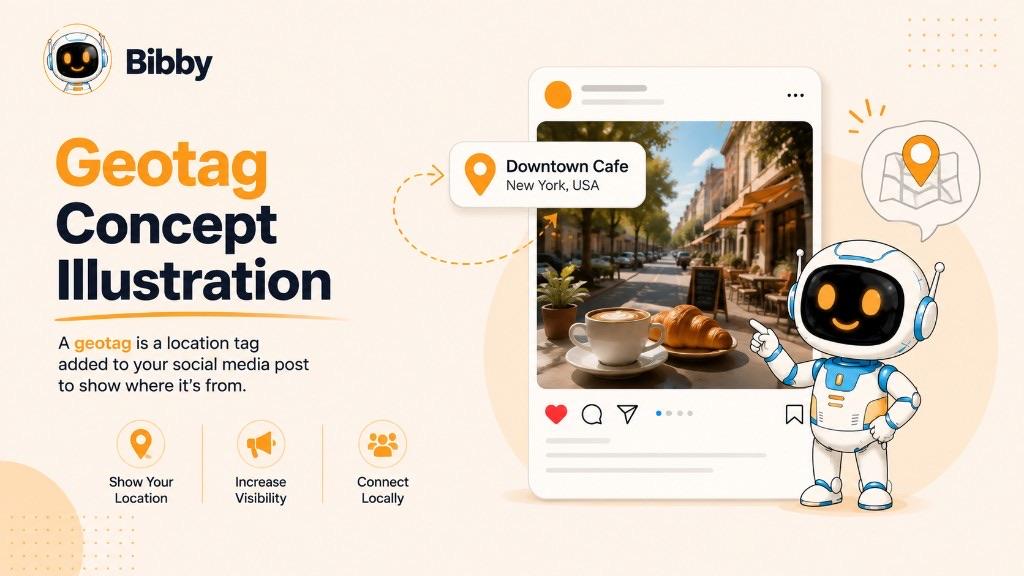
For example, a travel creator sharing a photo from Paris might add Paris, France as the location. A restaurant could add its business location to a post featuring a new dish, while an event organizer might tag the venue where an event took place.
The term geotag comes from combining “geo,” meaning related to Earth or geography, with “tag,” meaning a label or identifier. In technical contexts, geotagging can involve geographic coordinates such as latitude and longitude. On social media, however, users usually interact with geotags as recognizable place names rather than raw coordinates.
Geotags provide additional context about content and can help connect posts with a particular place. This makes them especially useful for travel creators, local businesses, events, restaurants, retailers, and other accounts whose content has a geographic connection.
How Does a Geotag Work?
A geotag works by associating digital content with geographic information. That information can come from a device's location services, GPS data, or a location selected manually when creating or publishing content.
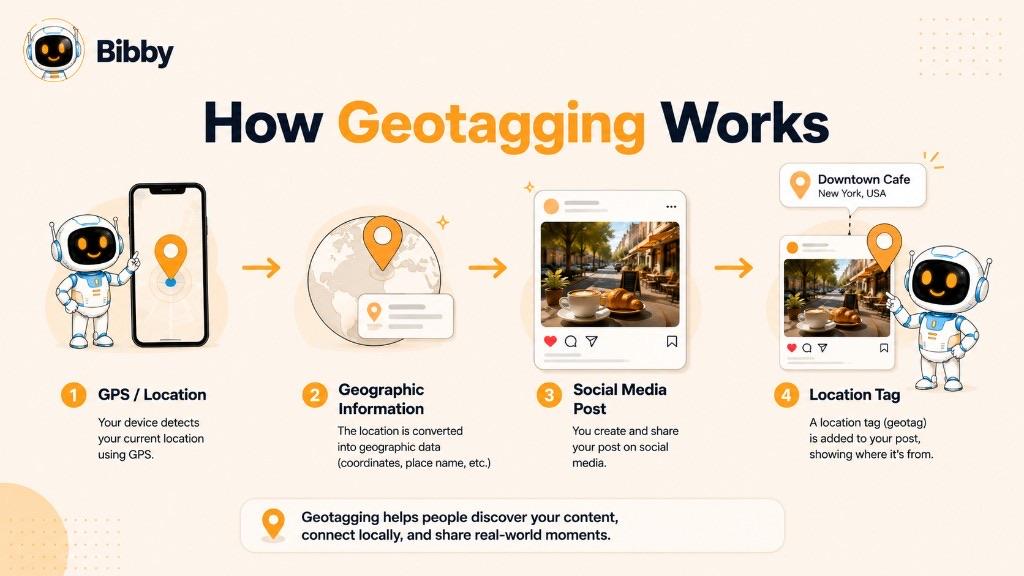
For social media users, the process is usually simple. When creating a post, you may see an option to add a location. You can search for a city, neighborhood, landmark, business, venue, or other available place and select the location that best matches your content.
Behind the scenes, the platform associates that selected location with the post. Instead of displaying technical coordinates, the platform generally presents a recognizable place name to other users.
GPS and Location Data
Smartphones can use GPS and other location technologies to determine where a device is located. When location information is available, it can be used as geographic metadata for photos and other digital content.
However, a social media geotag doesn't always require your device to automatically detect your location. Many platforms allow you to select a location manually.
Adding a Location to Social Media Content
When publishing social media content, the general process is:
- Create or upload your photo, video, or other content.
- Choose the option to add a location.
- Search for the relevant place.
- Select the appropriate location.
- Publish the content with the location attached.
The exact process and available location options vary between social media platforms.
Geotags vs. GPS Coordinates
GPS coordinates and geotags are related, but they aren't exactly the same thing. GPS coordinates represent a geographic position using numerical latitude and longitude values. A geotag is the broader concept of attaching geographic information to content.
On social media, that information is often presented as a readable location such as “New York City” or “Central Park” rather than as numerical coordinates.
What Is a Geotag on Social Media?
A geotag on social media is a location label attached to a post or other piece of content to show where it was created, captured, or is associated with. Depending on the platform, users may be able to add a location to photos, videos, stories, or other types of posts.
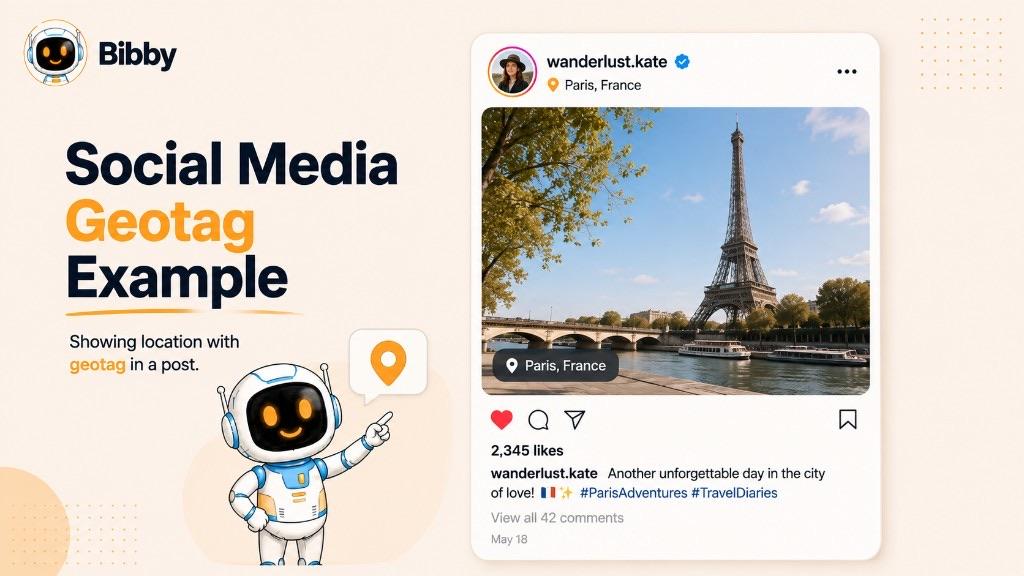
For example, a travel creator visiting Rome might publish a photo with Rome, Italy as its location. A restaurant could add its business location to a post featuring its menu, while a company hosting an event might tag the event venue.
Geotags give social media content additional geographic context. They can help users understand where something happened and, where the platform supports location-based discovery, find other content associated with the same place.
Examples of Social Media Geotags
A geotag can represent many different types of locations, including:
- Cities: New York City, London, Mumbai
- Neighborhoods: SoHo, Bandra, Shoreditch
- Landmarks: Eiffel Tower, Times Square, Taj Mahal
- Businesses: Restaurants, hotels, stores, and cafés
- Venues: Concert halls, stadiums, conference centers, and event spaces
- Tourist destinations: Beaches, museums, parks, and attractions
The most useful geotag is generally the one that accurately reflects the content and provides meaningful context to the audience.
For creators and businesses, this makes geotagging particularly relevant when content is connected to a specific destination, physical location, event, or local community.
Which Social Media Platforms Support Geotagging?
Geotagging is available in different forms across major social media platforms. The exact location features can vary by platform, content format, account type, and publishing method, but location information is widely used to provide geographic context and support content discovery.
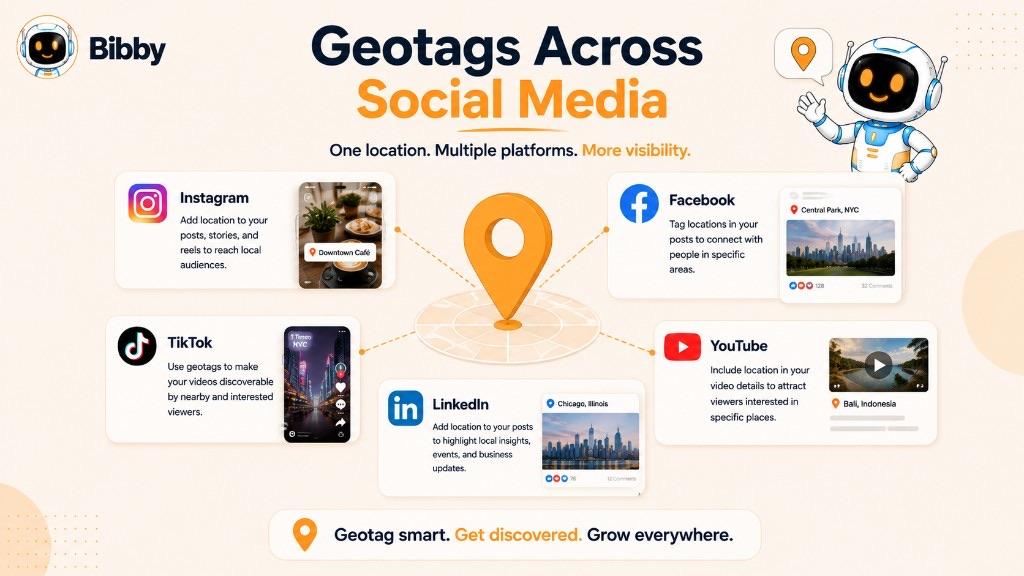
Instagram allows users to add locations to supported posts and content. A location can identify a city, neighborhood, landmark, business, or other place, helping users understand where content is associated with.
For businesses and creators, Instagram location tags can be particularly useful for travel, restaurants, retail, events, and other location-focused content.
Facebook supports location-related features that allow people and businesses to associate content with places. Location information can be useful for posts about businesses, events, destinations, and activities happening in a particular area.
TikTok
TikTok uses location-related information and features in its content ecosystem, although the specific options available can change over time and vary by region and content type. Location can provide additional context for travel, local businesses, events, and other place-based content.
LinkedIn is primarily focused on professional and business content, so location is often more relevant to companies, events, offices, jobs, and local business activity than to traditional location-based discovery.
YouTube
YouTube content can also include geographic context, particularly for travel, local business, event, and destination-focused videos. The specific location capabilities available depend on the publishing workflow and YouTube's current features.
Why Platform Differences Matter
A geotag doesn't work identically across every social network. Each platform controls how locations are added, displayed, searched, and used for discovery.
If you're publishing content across multiple platforms, it's important to treat geotagging as a platform-specific feature rather than assuming that a location added in one publishing workflow will automatically appear everywhere.
This is particularly important when using social media scheduling and automation tools, where supported publishing features can differ from what is available directly inside a platform's native app.
Why Are Geotags Important for Social Media?
Geotags can give social media content an additional layer of context by connecting it to a specific place. For creators, businesses, and marketers, that geographic context can make content more relevant to people interested in a particular location.
Geotags aren't a guaranteed way to increase reach or engagement, but they can support location-based content discovery and help audiences understand where an experience, product, event, or business is connected.
Improve Local Discoverability
A location tag can make content more relevant to people exploring a particular city, neighborhood, venue, or business. This can be especially useful for local businesses that want their social content to be associated with the areas they serve.
For example, a café posting a photo of its newest drink can add its location so that the content is clearly connected to the physical business.
Reach Location-Based Audiences
Some social media users actively look for content connected to specific places. Travelers may search for destinations, while local customers may look for restaurants, shops, events, or activities nearby.
Adding an appropriate geotag can give this type of content useful geographic context.
Provide More Context
A geotag can answer a simple question that audiences often have: “Where is this?”
This is particularly valuable for:
- Travel photos and videos
- Restaurant and food content
- Event coverage
- Local business promotions
- Real estate content
- Tourism campaigns
- Destination guides
Support Local Marketing
Businesses with a physical location can use geotags as one part of a broader local social media strategy. A location can help connect a post with the store, restaurant, office, venue, or community featured in the content.
For businesses operating in multiple locations, using the most relevant location for each piece of content can also help provide clearer geographic context.
Make Content More Relevant
Social media platforms use many signals to understand and organize content. A geotag can provide an additional signal about the place associated with a post.
However, geotagging should support the content rather than replace a strong social media strategy. Relevant captions, useful content, audience engagement, hashtags where appropriate, and consistent publishing all remain important.
The best approach is simple: use a geotag when location genuinely adds value to the content or helps your audience understand its context.
Geotag Examples
Geotags can be used across many types of social media content. The best example is usually a post where the location adds meaningful context or helps connect the content with a specific place.
Here are some common examples of geotagging in action.
Example 1: Restaurant Post
A restaurant shares a photo of its signature dish on Instagram and adds the restaurant's location as the geotag.
The location tells potential customers where they can find the food featured in the post and connects the content with the restaurant's physical location.
Example 2: Travel Content
A travel creator posts a video of the Eiffel Tower and adds Paris, France as the location.
The geotag provides immediate context and can make the content more relevant to people exploring or interested in Paris.
Example 3: Local Business Promotion
A clothing store publishes photos of a new collection and adds its store location.
Someone browsing content associated with that area may be able to discover the business and its content.
Example 4: Event Coverage
A company publishes photos from a conference and tags the venue where the event took place.
This gives followers additional context while connecting the content with the event location.
Example 5: Real Estate Content
A real estate agent shares a video tour of a property and adds the relevant neighborhood or city as the location.
The geotag can help communicate where the property is located without requiring the location to be explained entirely within the caption.
Example 6: Tourism Content
A tourism organization posts a video showcasing a popular destination and adds the destination's location.
The geotag reinforces the geographic context of the content and can complement other elements of the post, such as a descriptive caption and relevant hashtags.
In each case, the geotag works best because it is directly relevant to the content. Adding unrelated locations simply to attract attention can make a post less useful and potentially misleading.
How Businesses Can Use Geotags
For businesses, geotags can be a simple way to connect social media content with a physical location. They're particularly useful for businesses that depend on local customers, operate physical stores, host events, or create content around specific destinations.
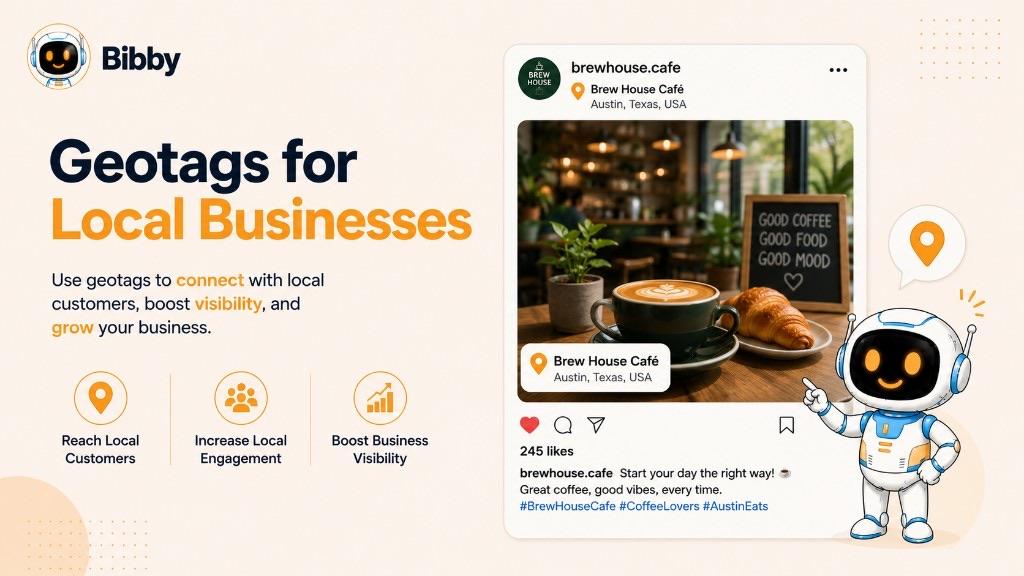
Geotagging works best as part of a broader social media strategy rather than as a standalone growth tactic.
Geotags for Local Businesses
Restaurants, cafés, retail stores, salons, gyms, hotels, and other local businesses can add their location to relevant social media content.
For example, a restaurant might publish a photo of a new menu item and add its restaurant location. This gives the post geographic context and makes it easier for audiences to associate the content with the business's physical location.
Geotags for Multiple Locations
Businesses with multiple stores or offices can use the location that is most relevant to each piece of content.
For example, a retail brand with stores in several cities could tag the specific store featured in a post rather than using a generic corporate location.
This can make location-based content more precise and relevant to local audiences.
Geotags for Events
Events are naturally connected to places, making geotags useful for conferences, product launches, concerts, workshops, sporting events, and community gatherings.
Businesses can use the event venue as the location when sharing announcements, behind-the-scenes content, or event photos.
Geotags for Customer-Generated Content
Businesses can also encourage customers to share content connected to their location. When customers voluntarily tag a business or venue in their posts, the location can help connect user-generated content with the business.
This can be especially valuable for restaurants, hotels, tourist attractions, and retail businesses where customers naturally create visual content.
Geotags for Local Marketing Campaigns
A location tag can complement other elements of a local social media campaign, including:
- Location-specific captions
- Relevant hashtags
- Local offers and promotions
- Community-focused content
- Customer-generated content
- Local events
- Consistent social media publishing
For businesses managing content across several social platforms, a social media automation tool can help organize and schedule content more efficiently. However, location features can differ between platforms and publishing methods, so businesses should verify which geotagging options are supported for each workflow.
Ultimately, a geotag is most useful when the location is genuinely relevant to the business, the content, and the audience.
Geotag vs. Hashtag: What's the Difference?
A geotag identifies a location, while a hashtag identifies a topic, theme, or category. Both can add context to social media content, but they serve different purposes.
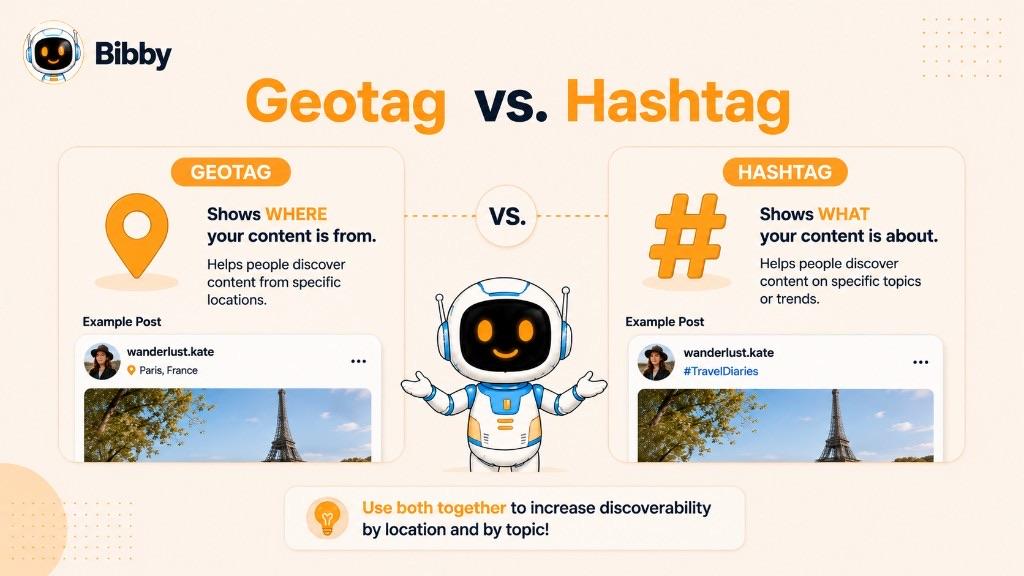
| Geotag | Hashtag |
|---|---|
| Identifies a geographic location | Identifies a topic or theme |
| Location-based | Keyword-based |
| Can identify cities, businesses, venues, or landmarks | Can describe subjects, trends, communities, or interests |
| Example: New York City | Example: #NYC |
| Usually selected from available location options | Added to content using the # symbol |
What Is a Geotag Used For?
A geotag connects content with a specific place. For example, a restaurant could add its location to a post featuring a new dish, or a travel creator could tag the destination shown in a video.
The primary purpose is to provide geographic context and, where supported by the platform, help people discover location-related content.
What Is a Hashtag Used For?
A hashtag categorizes or describes content around a particular topic, interest, trend, or community.
For example, a travel creator might use hashtags such as #TravelPhotography or #ParisTravel to describe the subject of a post.
Can You Use Geotags and Hashtags Together?
Yes. Geotags and hashtags can complement each other because they provide different types of information.
For example, a restaurant in New York could publish a post with:
- Geotag: New York City
- Hashtags: #NYCFood #RestaurantMarketing #NYCEats
The geotag communicates where the content is associated with, while the hashtags communicate what the content is about.
Neither should be added simply for the sake of adding more metadata. The most effective approach is to use location tags and hashtags when they are genuinely relevant to the content and audience.
Is a Geotag the Same as a Location Tag?
In everyday social media usage, geotag and location tag are often used interchangeably. Both generally refer to location information attached to digital content to indicate where it was created, captured, or is associated with.
However, there can be a slight difference in how the terms are used.
A location tag usually refers to the user-facing feature on a social media platform where you select a recognizable place, such as a city, restaurant, landmark, or venue.
A geotag can have a broader technical meaning. It may refer to geographic metadata embedded in a photo or other digital file, including precise information such as latitude and longitude.
Simple Example
Imagine you take a photo at a restaurant.
- GPS data: The device may record precise geographic coordinates.
- Geotag: The photo can have geographic information associated with it.
- Location tag: When publishing the photo on social media, you might select the restaurant's name as its visible location.
In casual social media conversations, all three concepts may be discussed as “geotagging,” even though they describe slightly different parts of the process.
For most social media users and marketers, the practical distinction is straightforward: a location tag is the visible location you add to content, while geotagging is the broader practice of associating content with geographic information.
Geotag vs. Geolocation
Geotagging and geolocation are related concepts, but they describe different things.
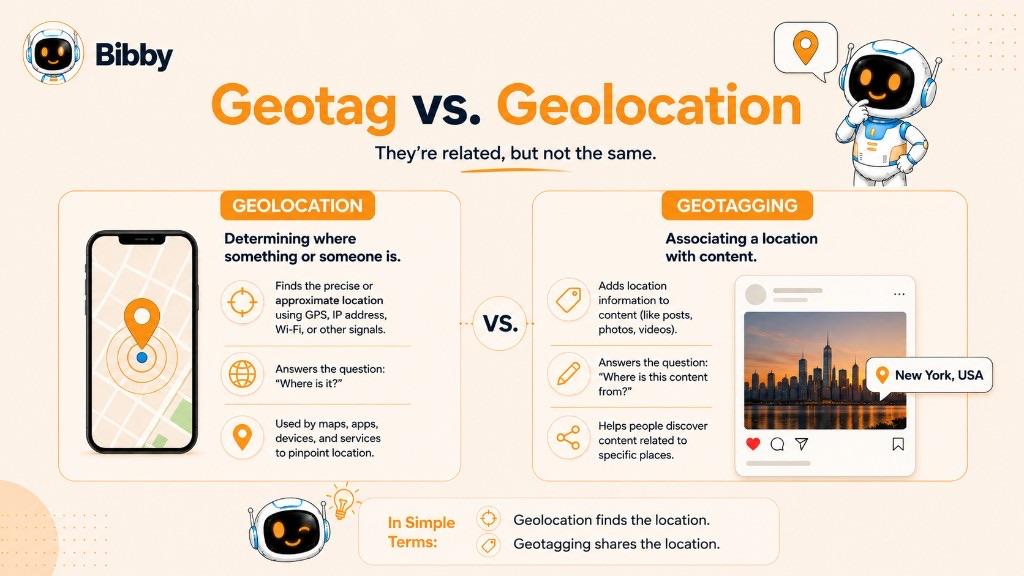
Geolocation is the process of determining the geographic location of a person, device, object, or piece of content. Geotagging is the practice of associating digital content with geographic information.
What Is Geolocation?
Geolocation refers to identifying where something is located. A smartphone, for example, can use GPS, Wi-Fi, cellular networks, or other technologies to determine its approximate geographic position.
Geolocation can be used for many purposes, including:
- Navigation and mapping
- Local search
- Weather applications
- Location-based services
- Deliveries and logistics
- Social media features
What Is Geotagging?
Geotagging takes geographic information and associates it with digital content.
For example, a photograph could contain geographic metadata indicating where it was taken. On social media, a creator might select a recognizable location such as London, UK when publishing a photo.
What's the Difference?
The simplest way to remember the distinction is:
Geolocation determines where something is. Geotagging associates that location with content.
The two concepts often work together. A device can use geolocation technology to determine where a photo was taken, and that geographic information can then be used as a geotag for the photo.
In social media marketing, the distinction is less important than understanding how location information can provide useful context for content and audiences.
How to Add a Geotag to a Social Media Post
Adding a geotag to a social media post is usually a simple process. While the exact steps differ between platforms, most workflows involve selecting a location while creating or preparing the post.
A typical process looks like this:
- Create your content: Take or upload your photo, video, carousel, or other supported content.
- Open the location option: Look for an option such as Add Location, Location, or Check In.
- Search for a place: Enter the name of the relevant city, business, venue, landmark, or other location.
- Select the correct location: Choose the location that accurately matches your content.
- Review your post: Make sure the selected location is relevant and doesn't reveal information you don't want to share.
- Publish the content: Complete the post and publish it with the location information attached.
Choosing the Right Geotag
The most appropriate geotag depends on what your content is about.
For example:
- A restaurant post may use the restaurant's location.
- A travel video may use the destination or landmark.
- An event post may use the event venue.
- A local business promotion may use the relevant store location.
- A neighborhood-focused post may use the neighborhood or city.
Avoid choosing an unrelated location simply because it appears popular. A geotag should accurately represent the content and provide useful context to your audience.
What About Scheduled Posts?
Adding a geotag while scheduling content can be different from adding one directly inside a social media platform. Scheduling tools depend on the publishing capabilities provided by each social network, and those capabilities can vary by platform, account type, content format, and publishing method.
If you're managing content across multiple networks, check which location features your chosen scheduling workflow supports before assuming that a geotag will be published everywhere automatically.
Can You Add Geotags When Scheduling Social Media Posts?
Whether you can add a geotag to a scheduled social media post depends on the platform, the content format, and the scheduling tool you're using. A feature available when publishing directly through a social network may not always be available through a third-party publishing workflow.
This is because social media platforms provide different publishing capabilities to scheduling and automation tools.
Why Geotagging Can Vary When Scheduling
When you publish directly from a social media app, you may have access to location features that aren't available through its publishing API or through a particular scheduling platform.
Several factors can affect what's supported, including:
- The social media platform
- Your account type
- The type of content you're publishing
- Whether the content is published automatically or requires notification-based publishing
- The scheduling tool's supported features
- Changes to the platform's publishing capabilities
What About Bibby?
Bibby is designed to simplify social media scheduling and automation across platforms such as Facebook, Instagram, LinkedIn, YouTube, and TikTok. You can upload or generate content, choose a posting style, create captions with AI, and schedule your content across your selected platforms.
However, social platforms don't necessarily expose every native publishing feature through automation tools. That means geotag availability can vary depending on the specific platform and publishing workflow.
If adding a location is important for a particular post, check the capabilities of the platform and publishing workflow you're using before scheduling it.
The key takeaway is that scheduling a post does not automatically mean every native social media feature, including geotagging, will be available. Always verify feature support for the platform and content type you're using.
Should You Use Geotags on Social Media?
You should use a geotag when the location is genuinely relevant to your content or useful to your audience. Geotagging can provide additional context and support location-based discovery, but it isn't necessary for every social media post.
The best approach is to treat geotags as one part of your overall content strategy rather than a guaranteed way to increase reach or engagement.
When Should You Use a Geotag?
A geotag can be useful when:
- Location is central to the content: For example, a travel photo or destination video.
- You're promoting a physical business: Restaurants, stores, hotels, salons, and other local businesses can identify their location.
- You're targeting a local audience: A location can provide geographic context for local promotions and community content.
- You're covering an event: Tagging the event venue can help explain where the content was created.
- You're showcasing a destination: Tourism brands and creators can connect content with the destination being featured.
- You're sharing location-specific experiences: Food, entertainment, real estate, and lifestyle content can benefit from relevant location information.
When Should You Avoid a Geotag?
A geotag may not be appropriate when the location has little or nothing to do with the content.
You should also think carefully before sharing an exact location when doing so could create a privacy or safety concern. This can be particularly important when posting about private residences, sensitive locations, children, or places where you are currently present.
Does Every Post Need a Geotag?
No. Adding a geotag to every post isn't necessary.
If your content has no meaningful connection to a particular location, forcing a geotag can add little value. Instead, focus on making the location information accurate and relevant whenever you do use one.
A simple rule is: if knowing where the content is associated with helps your audience understand, discover, or act on the content, consider adding a geotag.
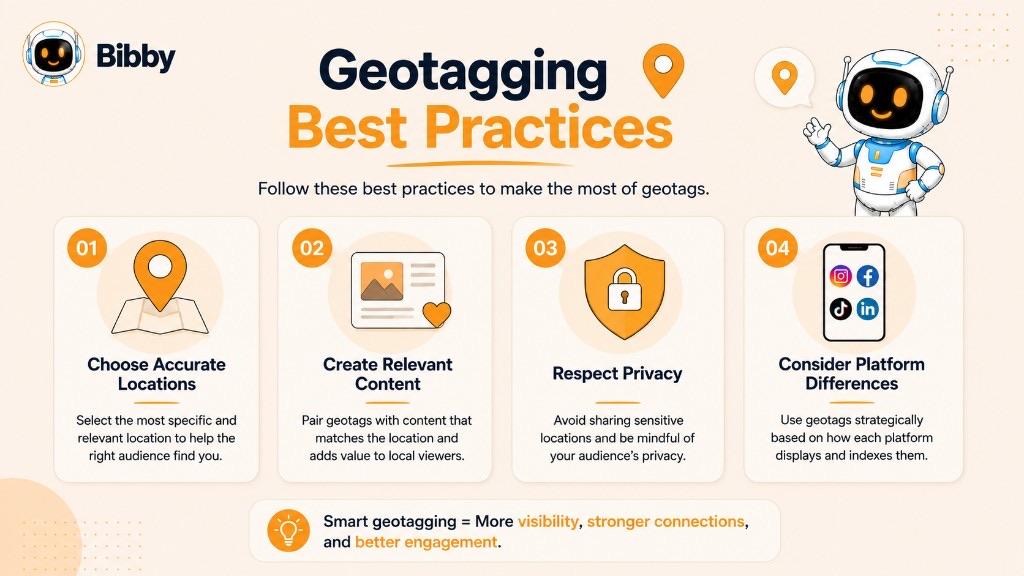
Geotagging Best Practices
Using geotags effectively is less about adding a location to every post and more about choosing the right location when it genuinely improves your content. A thoughtful approach can provide useful context while avoiding misleading or unnecessary location information.
Choose a Relevant Location
The location should accurately reflect where the content was created or what the content is about.
For example, a restaurant should generally use its actual location rather than a popular nearby attraction simply because it has more search interest.
Be Accurate
An inaccurate geotag can confuse your audience and make your content less trustworthy. Before publishing, check that you've selected the correct business, venue, neighborhood, city, or destination.
Use Specific Locations When Appropriate
A specific location can provide more useful context than a broad geographic label.
For example, if you're creating content specifically about a particular restaurant, tagging the restaurant itself may be more informative than simply tagging the city.
However, greater precision isn't always better. Choose the level of detail that makes sense for the content and your privacy needs.
Combine Geotags With Relevant Content
A geotag works best alongside a strong caption, appropriate visual content, and other relevant context.
For example, a local restaurant could combine:
- A high-quality photo of its food
- A useful caption
- Its business location
- Relevant hashtags
- A clear call to action
The geotag should complement the content rather than carry the entire marketing strategy.
Consider Your Audience
Think about who you're trying to reach and whether location information is useful to them.
A local business targeting nearby customers may benefit more from geotagging than a brand whose content is designed for a global audience.
Don't Assume Geotags Guarantee More Reach
Geotagging can support location-based discovery, but it doesn't guarantee higher reach, engagement, or conversions.
Your overall content quality, audience relevance, consistency, platform strategy, and engagement still matter. Platform algorithms use many signals, and location is only one of them.
Protect Sensitive Locations
Consider privacy and safety before publishing precise location information.
Avoid unnecessarily revealing private residences, sensitive places, or real-time locations when doing so could put people or property at risk.
Check Platform-Specific Features
Geotagging features aren't identical across social networks. A location feature available when publishing directly through one platform may not be available through another platform or scheduling workflow.
Always check the current capabilities of the platform and publishing method you're using.
Use Geotags as Part of a Broader Strategy
Geotags are one small component of social media marketing. Combine them with consistent publishing, strong visuals, useful captions, audience engagement, and a well-planned content strategy to create more useful and relevant social media content.
Are Geotags Safe?
Geotags are generally safe when used thoughtfully, but sharing location information publicly can create privacy and safety considerations. The risk depends on what location you're sharing, how precise it is, and who can access the content.
Before adding a geotag, consider whether revealing the location could expose sensitive information about you, your customers, your employees, or someone else.
Be Careful With Exact Locations
Publicly sharing a precise location isn't always appropriate. For example, avoid unnecessarily revealing a private home address or another sensitive location.
For some types of content, a broader location such as a city or neighborhood may provide enough context without revealing an exact address.
Think Before Sharing Your Current Location
Real-time location sharing can sometimes reveal where you are at a particular moment. If privacy or personal safety is a concern, consider posting location-related content after you've left the location rather than while you're still there.
This can be particularly relevant for personal accounts, travel content, and posts from private locations.
Consider Other People's Privacy
If you're posting content that includes other people, think about whether the location could reveal information they wouldn't want publicly associated with them.
Businesses should also be mindful when posting content from private events, offices, customer locations, or other sensitive environments.
Use Geotags When They Add Value
You don't have to add a geotag to every post. If the location doesn't contribute useful context, leaving it out may be the better choice.
A good rule is to ask:
“Does sharing this location help my audience, or does it reveal more information than necessary?”
If the location provides meaningful context without creating an unnecessary privacy or safety concern, a geotag can be a useful addition to your social media content.
Key Takeaways
A geotag is more than simply a location label. It connects social media content with a place, giving audiences useful context and helping creators and businesses participate in location-based discovery. When used thoughtfully, geotags can support local marketing, travel content, events, and other location-focused social media strategies.
The three key things to remember are:
- Geotags associate content with a geographic location.
- They can improve context and support location-based discovery.
- They should be relevant, accurate, and privacy-conscious.
Once you understand geotags, the next step is learning how other social media elements—such as hashtags, captions, and content scheduling—work together to make your posts more discoverable and effective.
With Bibby, you can upload an image or generate one with AI, choose a posting style, generate captions, create images, carousels, videos, and Stories, and schedule posts across Facebook, Instagram, LinkedIn, YouTube, and TikTok. Bibby's chat interface also lets you create campaigns, create posts, build a brand kit, and regenerate captions through conversation.
Location features can differ by platform and publishing method, so verify geotag support when a specific place is essential to the post.
Continue learning with related dictionary entries on hashtags, captions, user-generated content, social media scheduling, brand awareness, reach, and social listening—or browse the social media dictionary. Then start a free Bibby trial to create, caption, and schedule location-focused content across your channels.